
Quick Summary
To know courier service information on EasyParcel, use the "Courier Partners" feature under the "Couriers" menu to view specific courier details (pickup, COD) or use the "Quote & Book"" tool to compare rates, service ratings, and delivery timelines. Detailed information, including weight limits and coverage, is available by clicking "Service Info" on each courier option.
How to get the info during quote?
You may log in to your account and click on "Send Parcel", >"Domestic Delivery" or "International Delivery". From there, enter the destinations for "Country (From)" and "Country (To)" and add to "Parcel Weight". A list of suitable couriers will be displayed where you can see the service information clearly, as seen in the example. Learn how to use and check these info to compare and choose the best courier for your parcel.
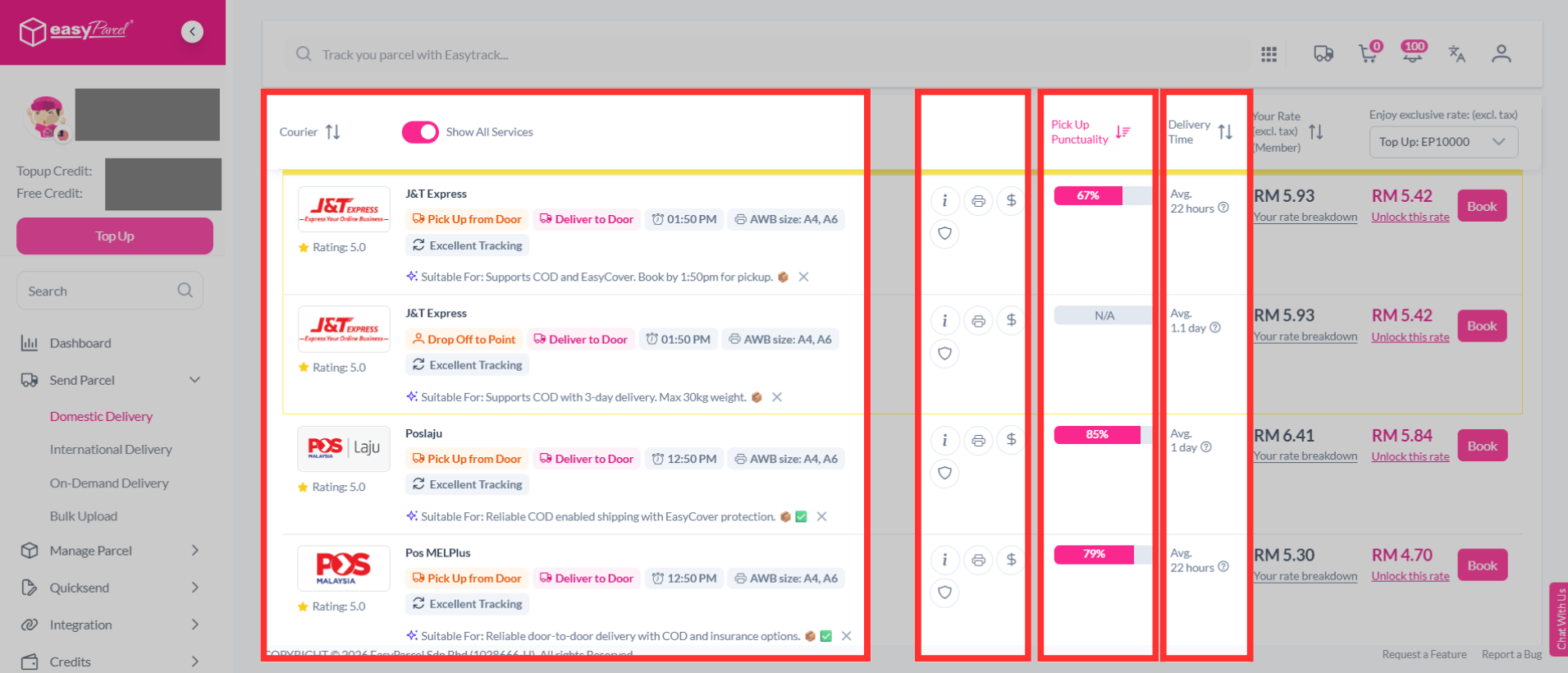
You may also click on the info logo to read more information on each courier in detail.
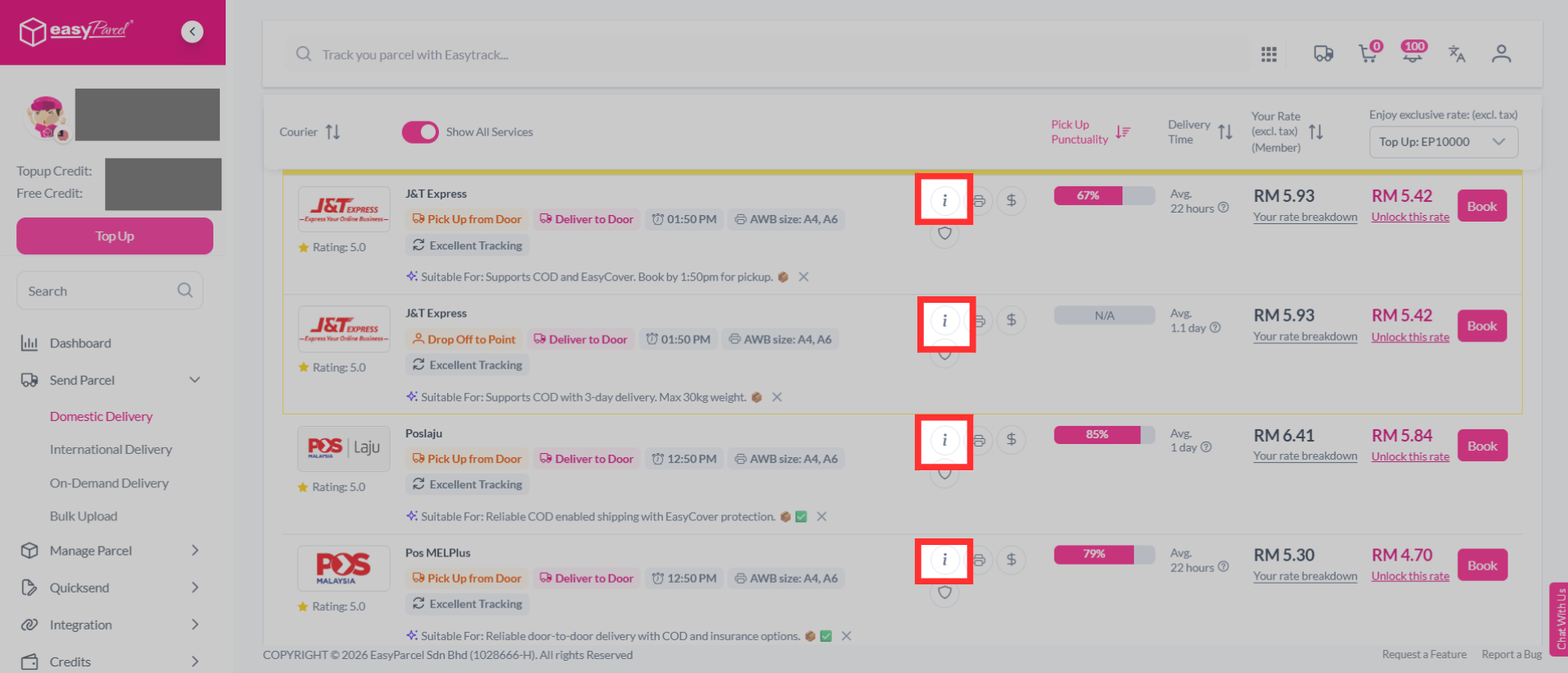
Example of the courier information:
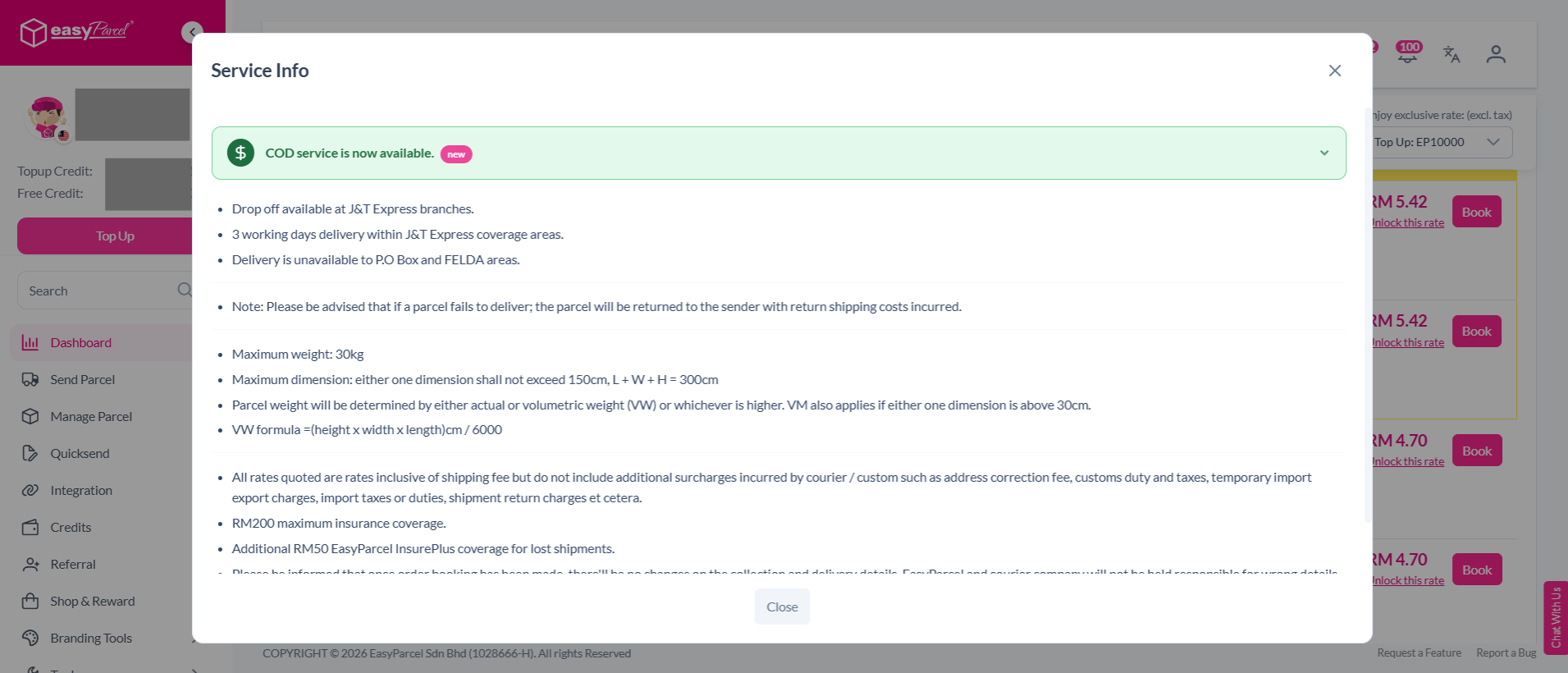
How to get the details for each courier?
If you need a more direct way to check on a specific courier, whether domestic or international, we've prepared all our courier partners' information for our users to easily access. Here's how:Step 1: Go to EasyParcel, hover over the "Couriers" drop-down and click " Couriers Partners".
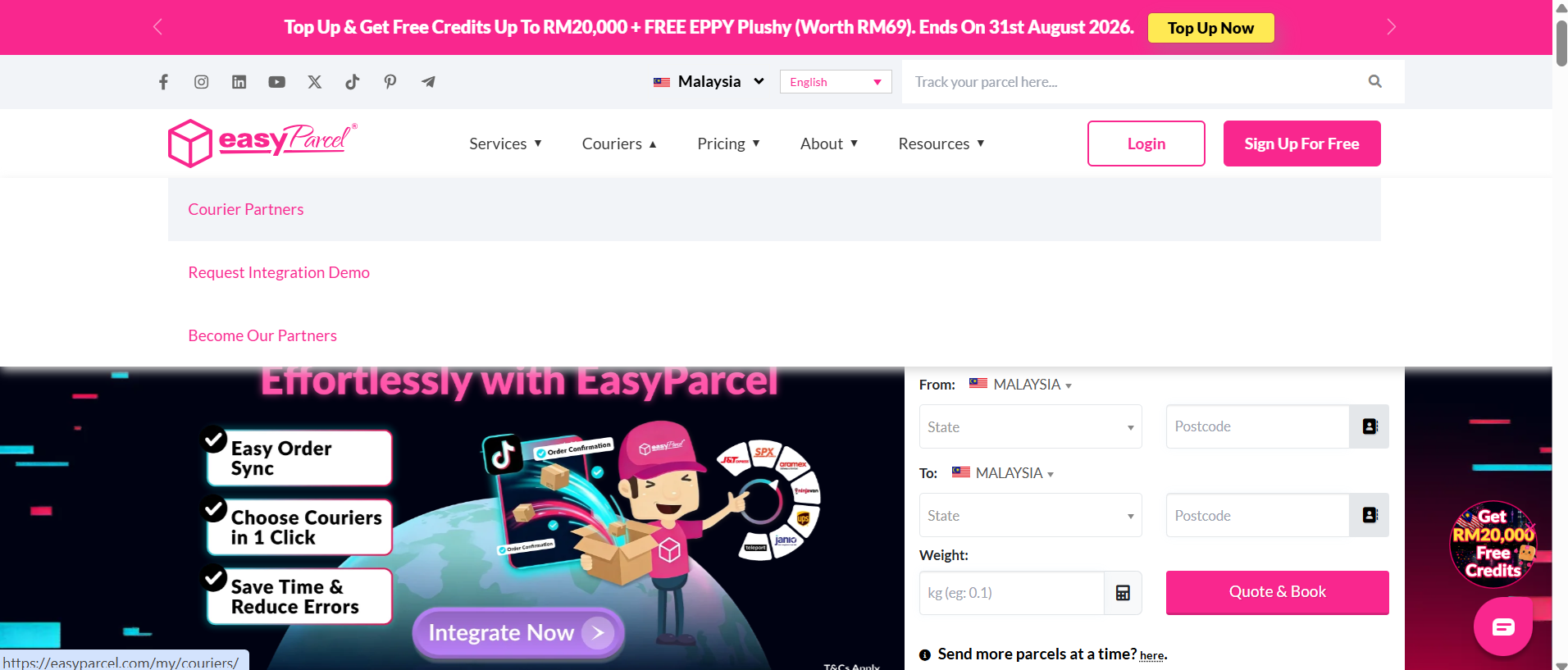
Step 2: Scroll down until you see "The Best Couriers in Malaysia".
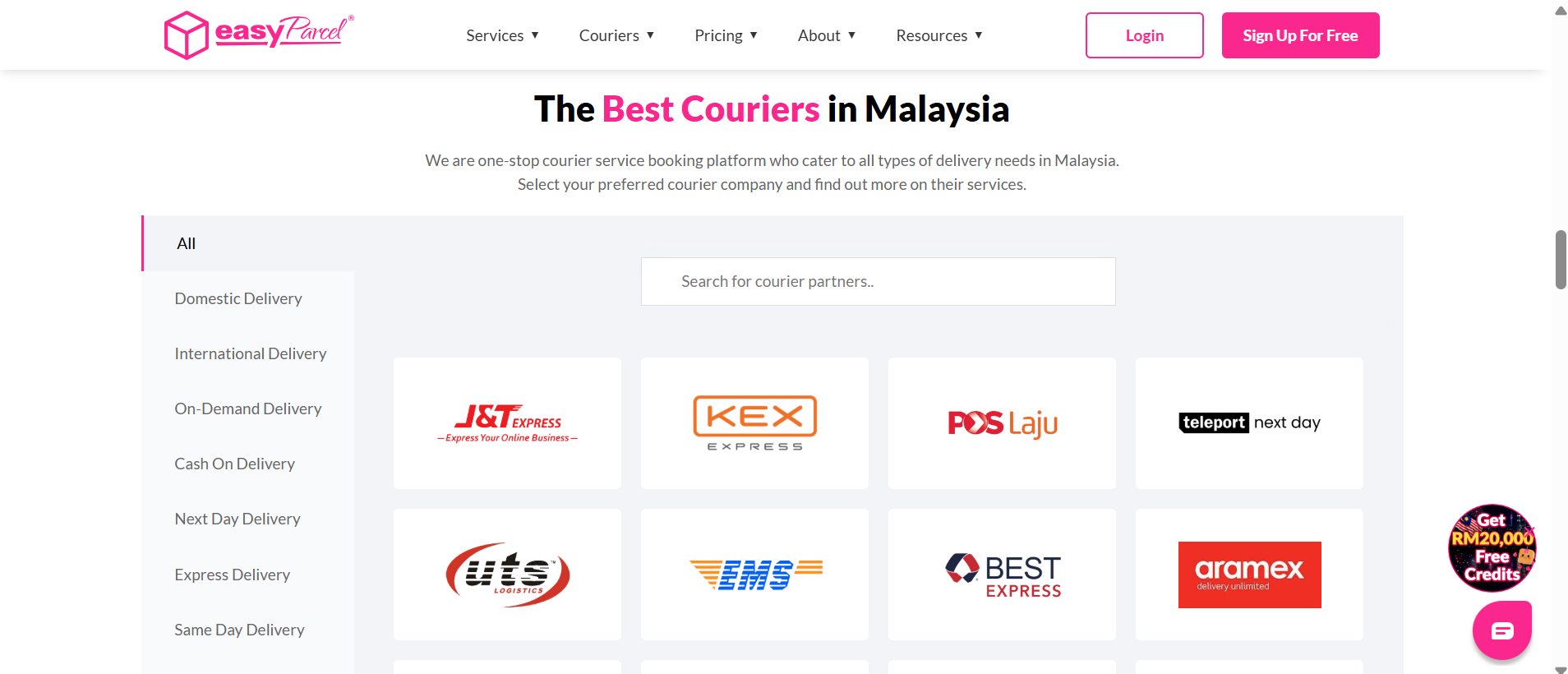
Step 3: Choose which courier information you would love to know more about.