
Quick Summary
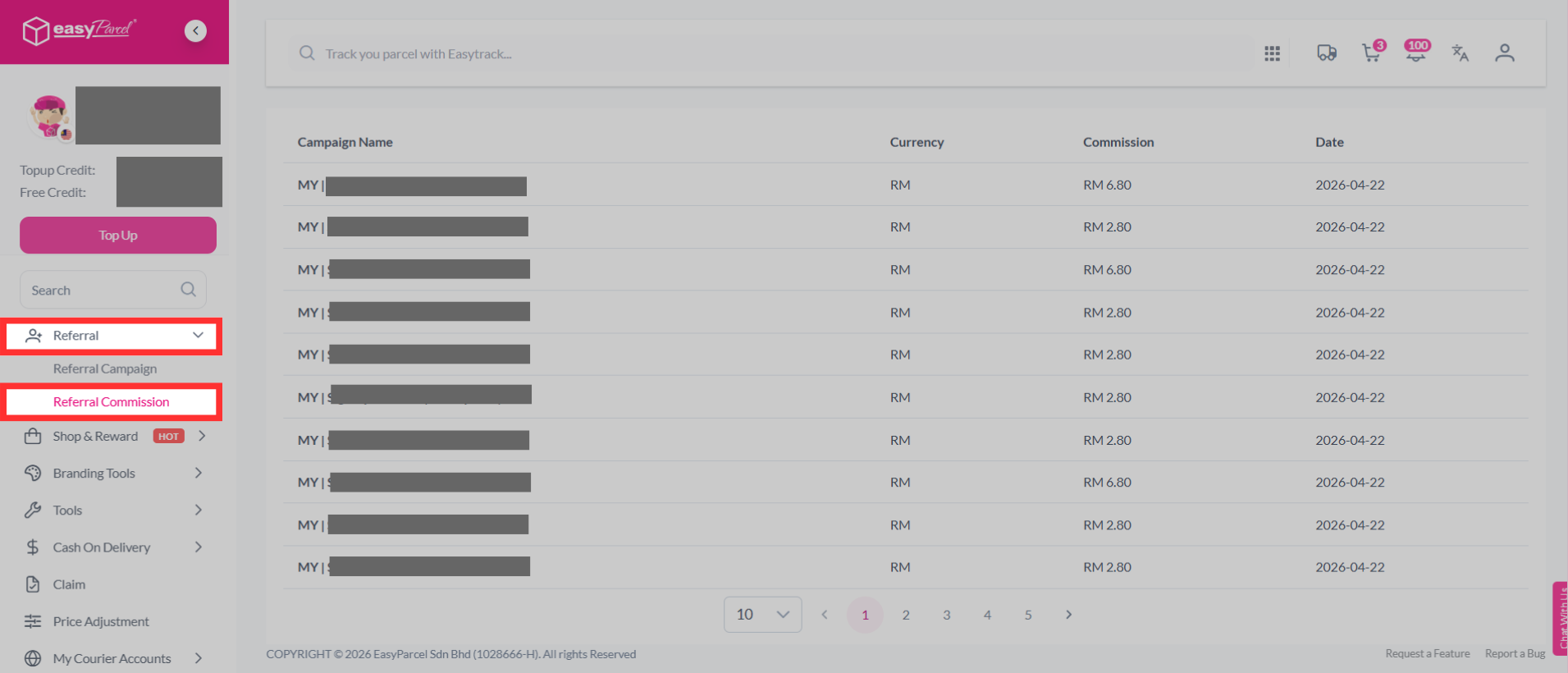
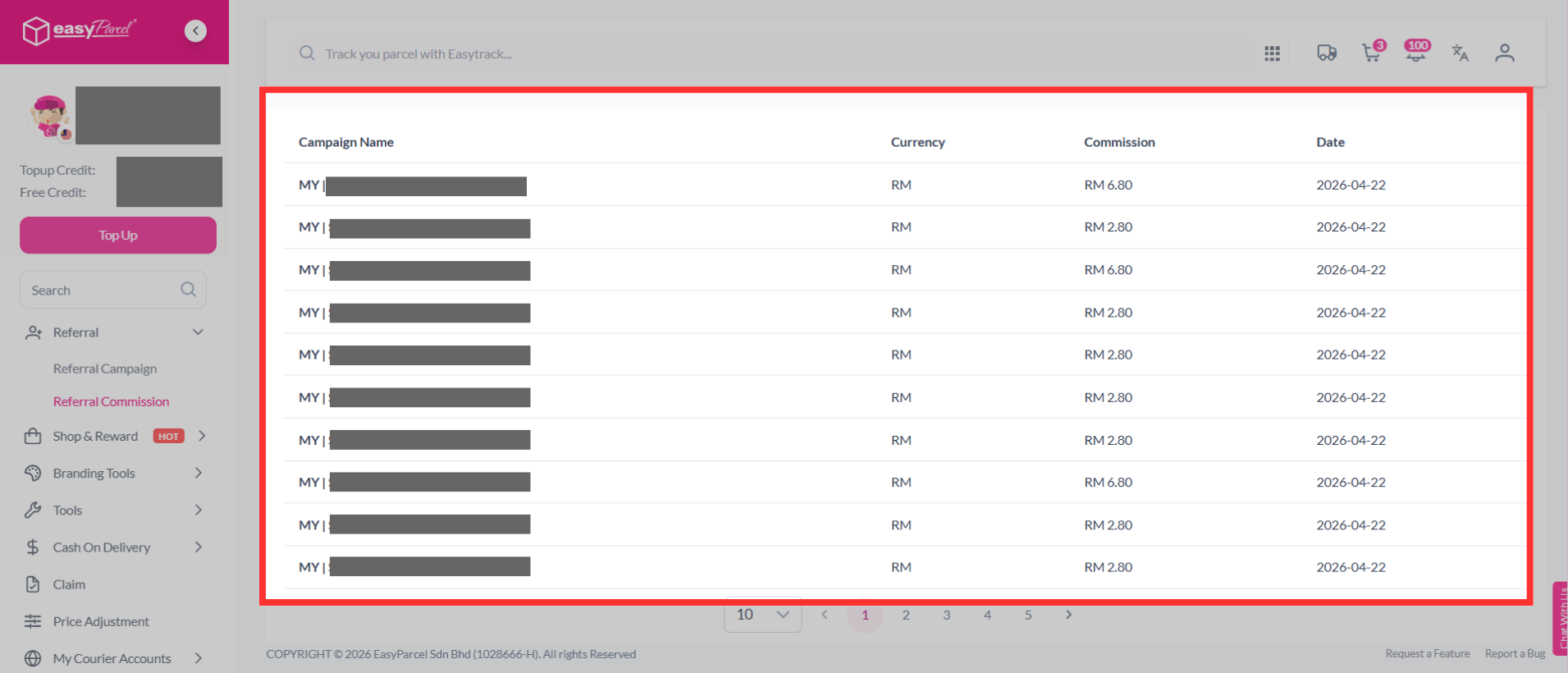
You can track your EasyParcel referral performance by logging into your account, navigating to the "Referral" section in the side menu, and clicking on "Referral Commission". This dashboard allows you to monitor your referral commission details, including the campaign name, currency, commission, and date.
How to Check Referral Performance?
Step 1: Click "Referral Commission" under "Referral".
Step 2: Here, you will be able to view your referral commission details, including the campaign name, currency, commission, and date.
If you have any questions or concerns about your referral performance, you can contact EasyParcel's customer support team for assistance. They will be able to provide you with further information and help you resolve any issues you may be experiencing.