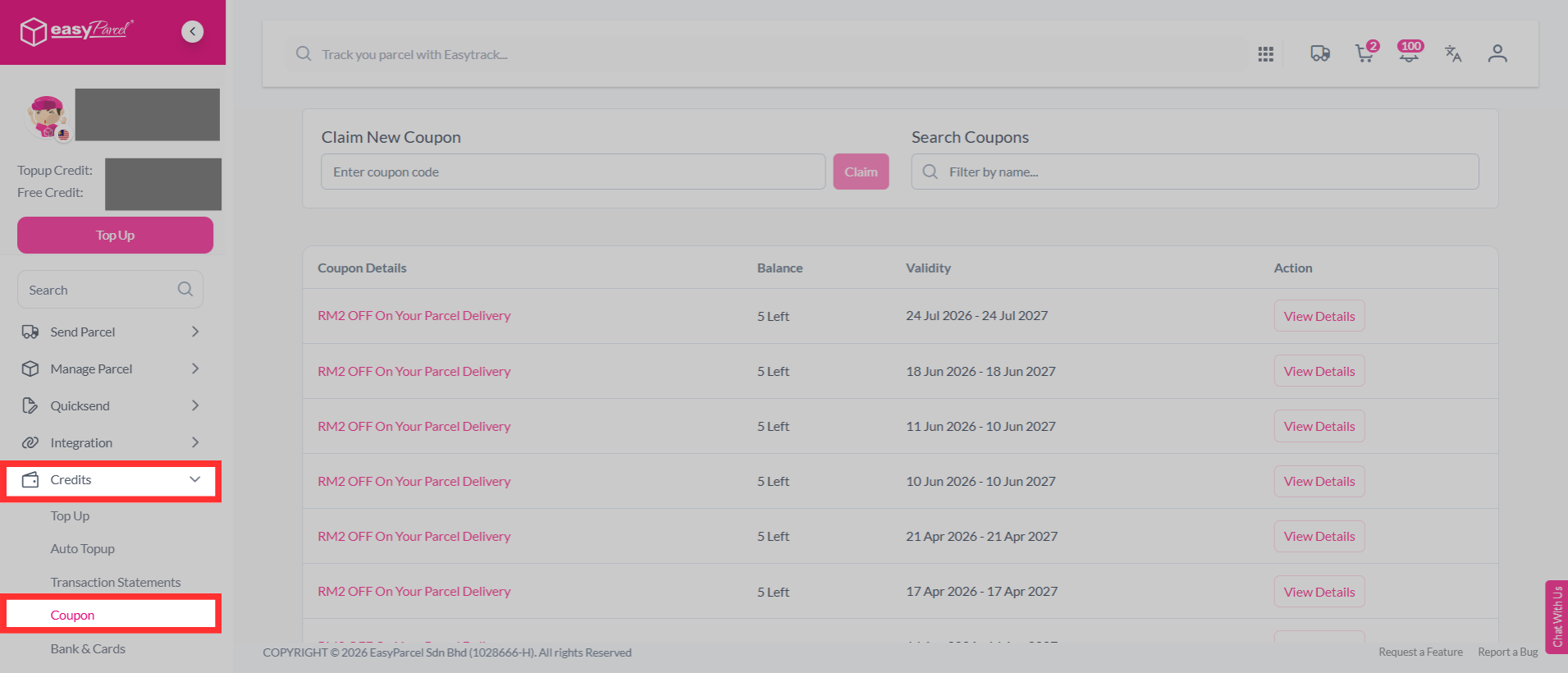
Step 1: To view all the coupons that are available to you, go to to your dashboard, click on "Credits" > "Coupon".
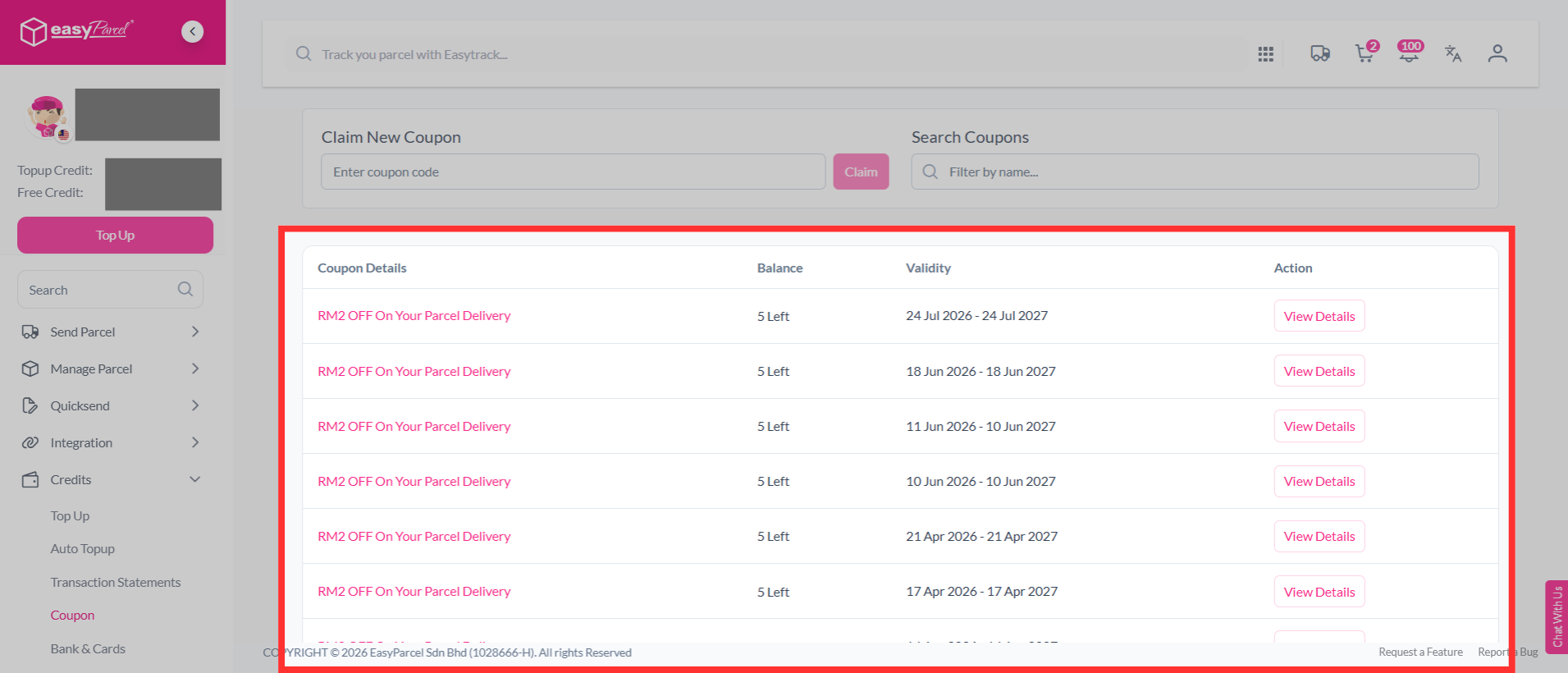
Step 2: You will be able to view all the coupons that are available to you, along with the balance you are able to use per coupon and its validity period.
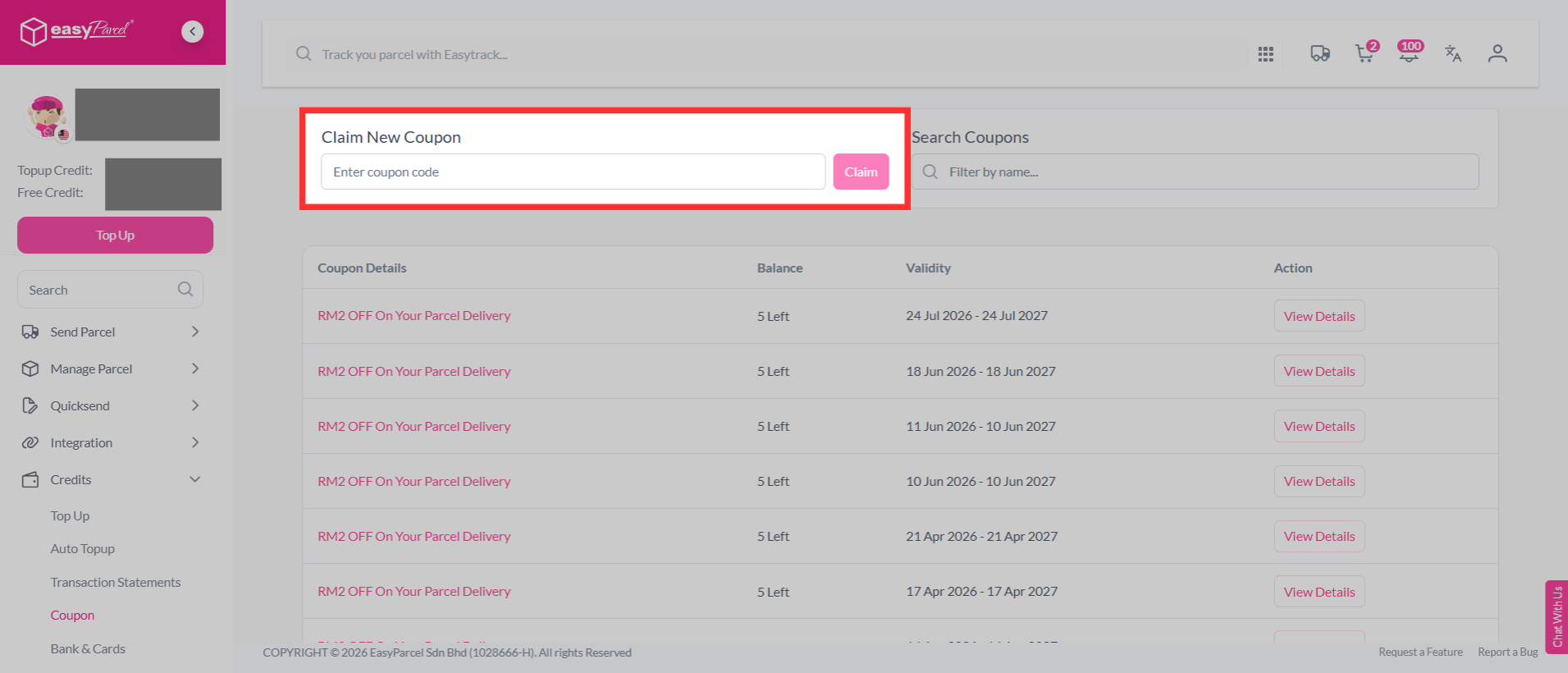
Step 3: You may also claim your coupon codes by entering the code in the box below and click "Claim".