
Quick Summary
Assigning an HS code on EasyParcel is done during the international booking process by selecting the correct product category, allowing the system to automatically generate the code. For precise, manual control, enter the 6-10 digit code directly in the parcel details field or within your product management section.
A Harmonised Code (HS) is commonly used throughout the export process for goods. It is a standardized numerical method for classifying trade products and is used by custom authorities around the world to identify the goods being delivered when assessing the duties and taxes.
To identify and input your HS code when booking your international shipment, refer to the steps below:
Step 1: Log into your EasyParcel account as usual, and then quote and book your international shipment.
Step 2: Fill in your sender and receivers details. After that, you will be required to fill in the parcel details. Enter your parcel's item name and you will automatically be given an HS code.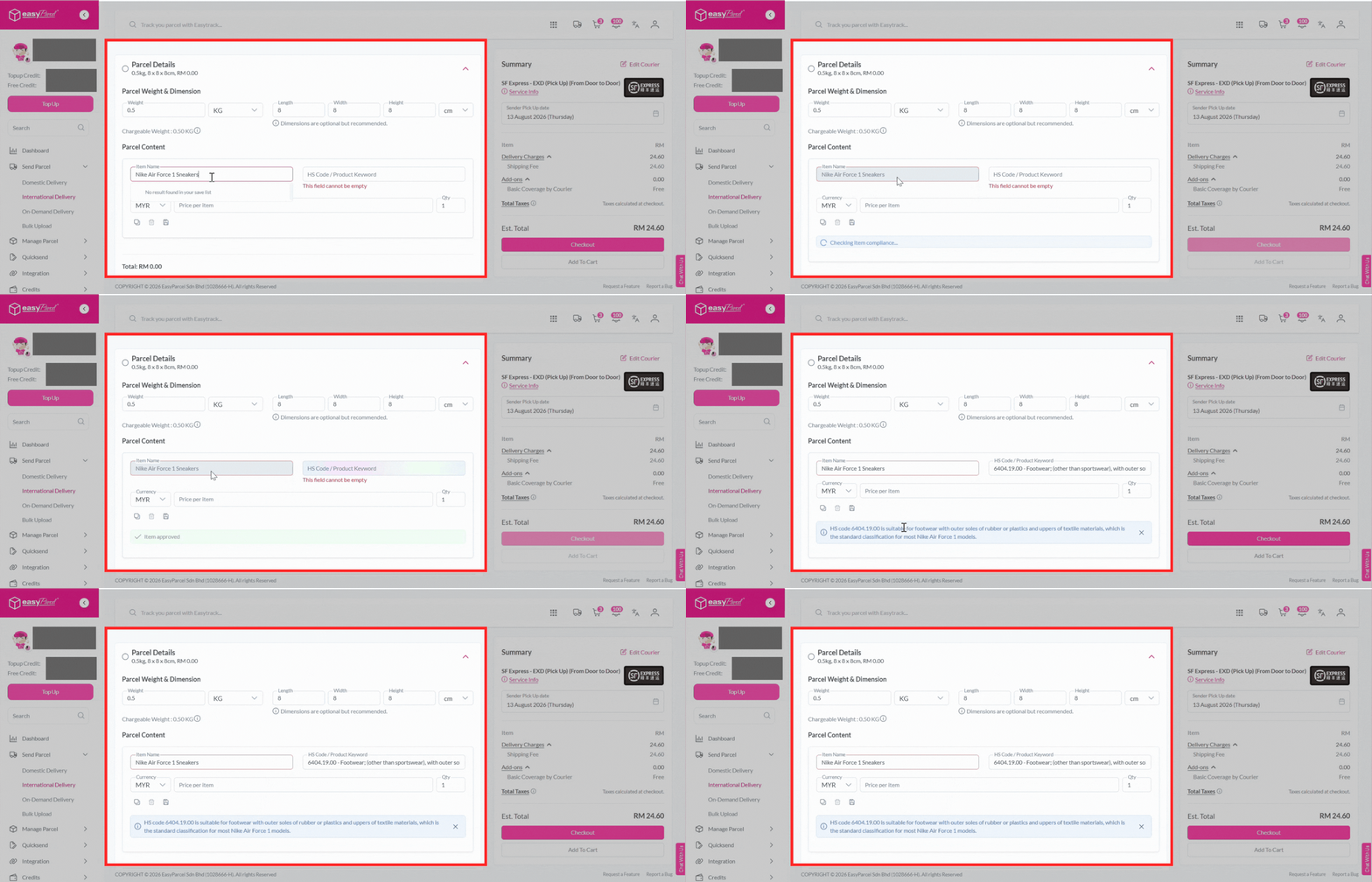
Step 3: Add to cart, checkout and you're all done!