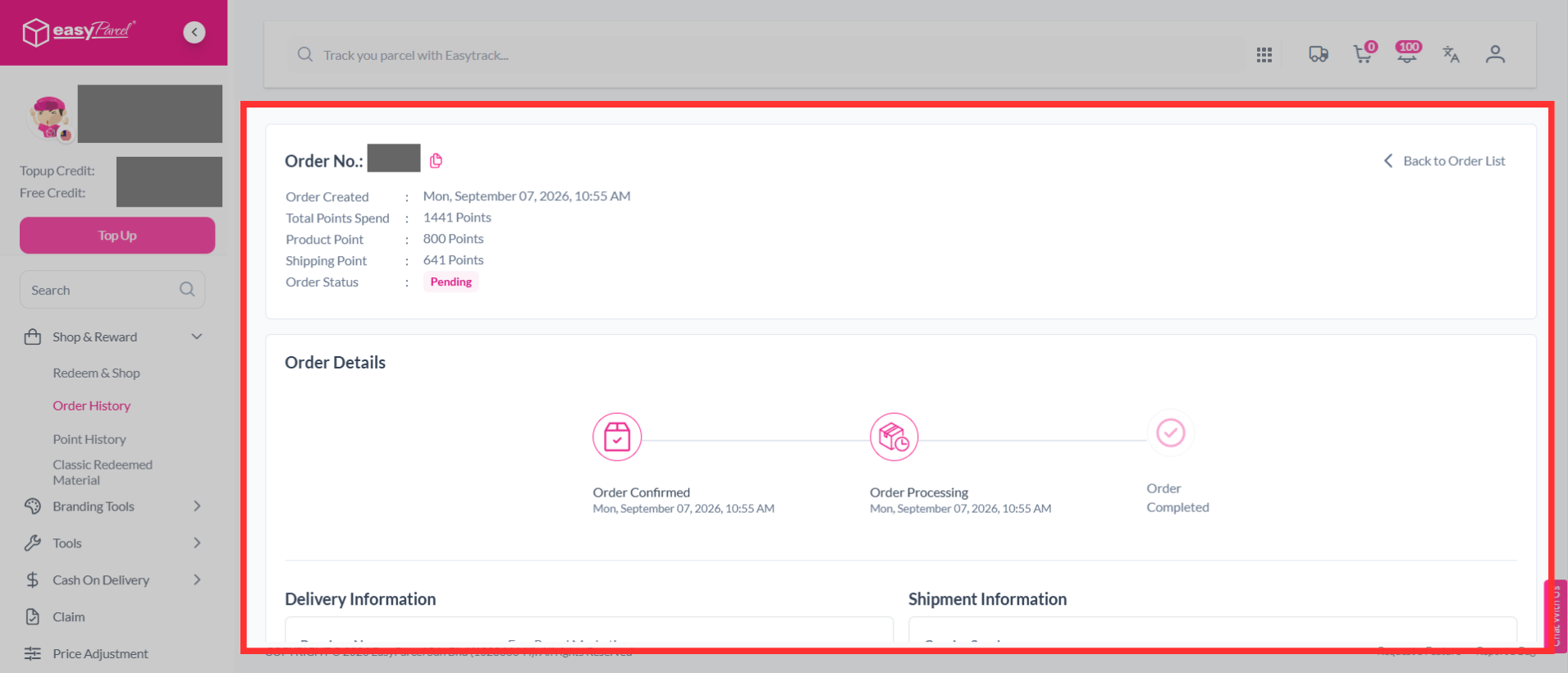
Quick Summary
To check your EasyParcel reward points history, log in to your account, navigate to the "Point History" page (Shop & Reward), and scroll down to view all earned and redeemed points, including date. You can specifically monitor redeemed items and their status under the "Order History" section within the Shop & Reward feature.
How to check my reward points history?
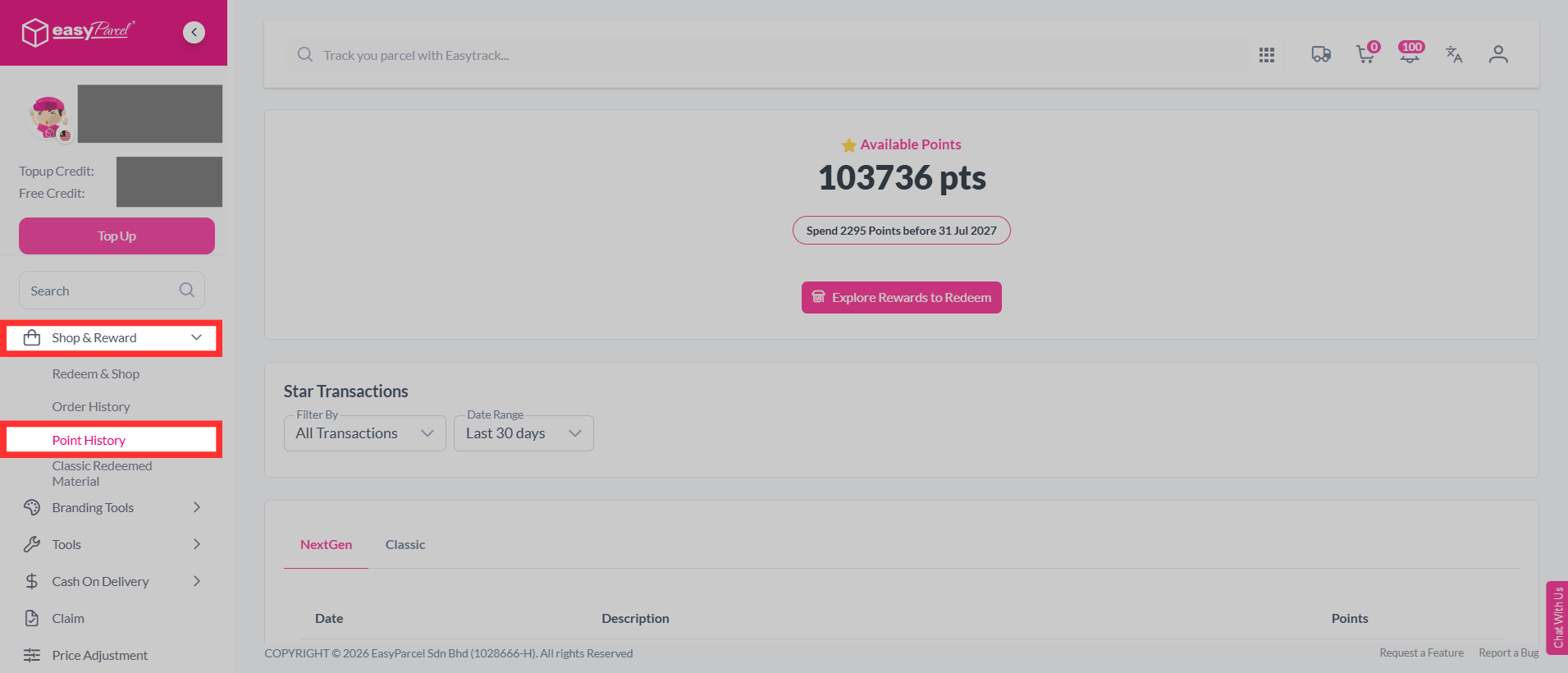
Step 1: Go to your dashboard, scroll down and click on "Shop & Reward" > "Point History".
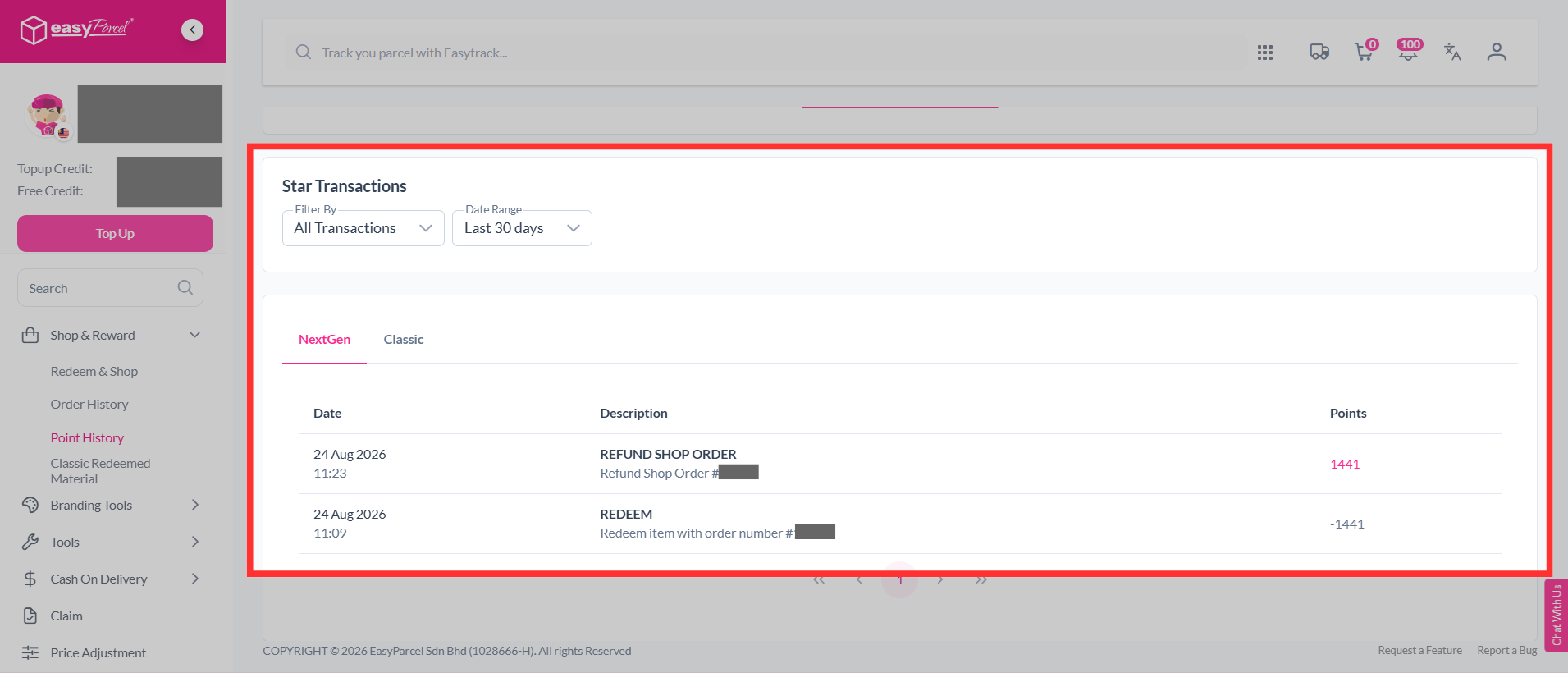
Step 2: Scroll down to the "Star Transactions" section. Here, you can view your redemption history, including the date and item redeemed for each transaction.
How to know your redemptions order status?
Step 1: After your redemption is successful, go to "Shop & Reward" and click "Order History".
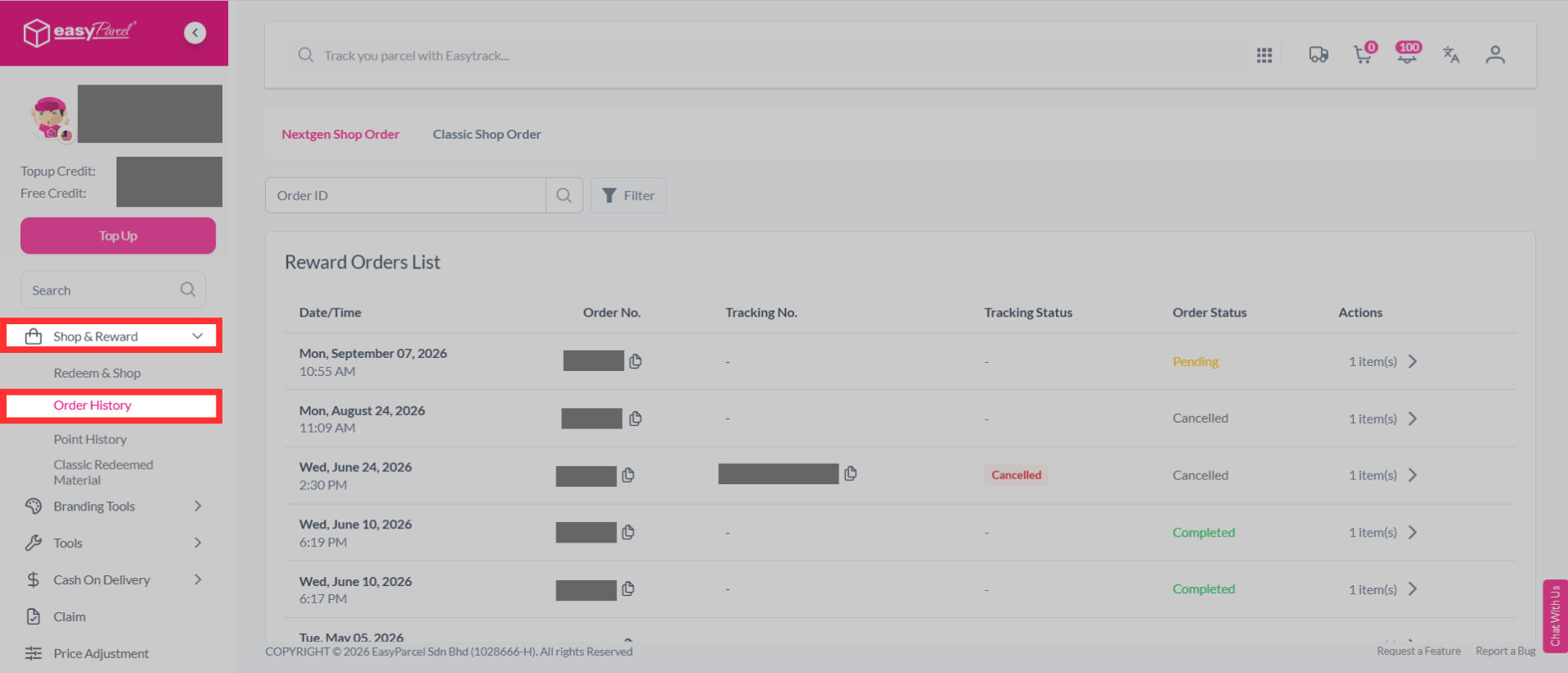
Step 2: In the Reward Order List, click the redemption order you want to view for more details.
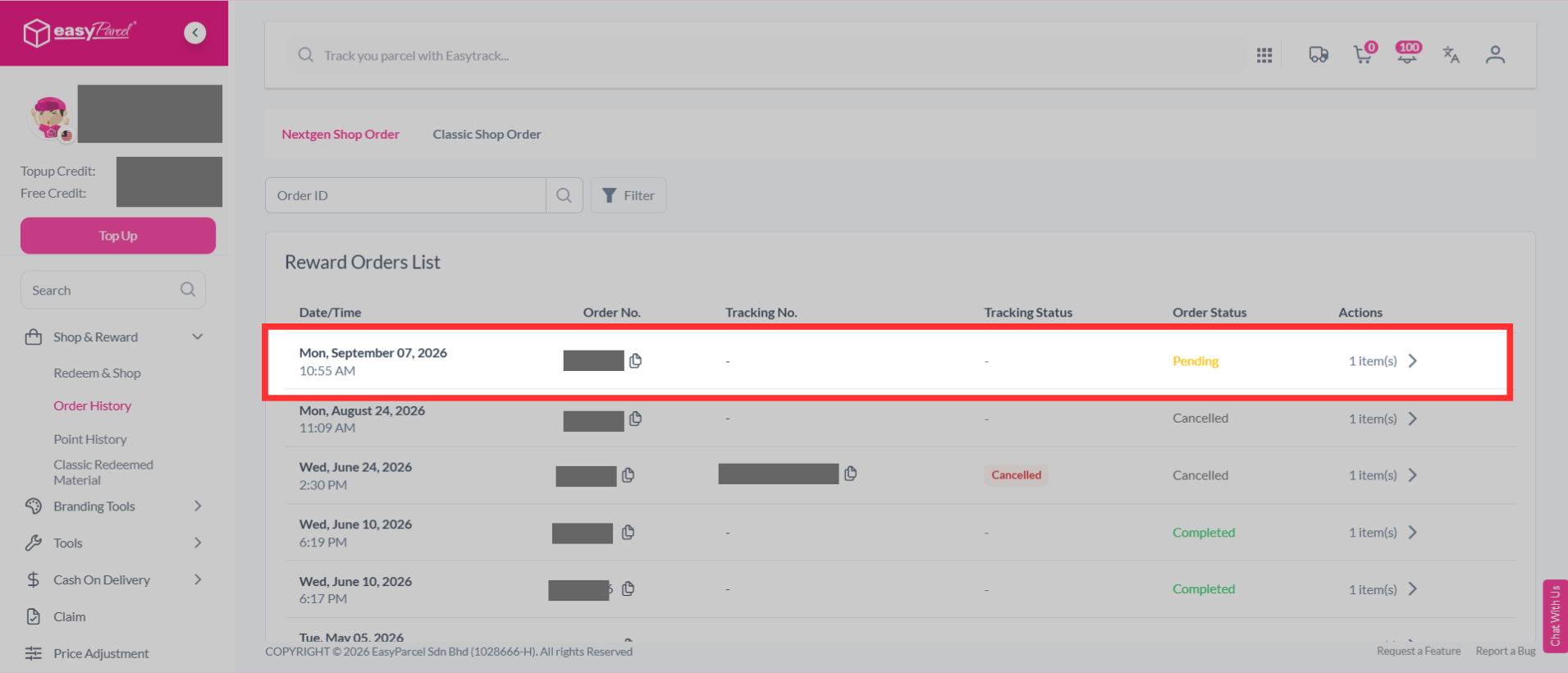
Step 3: You can then view the order status and check the progress of your redemption order.