
Quick Summary
To use the EasyParcel mobile app, download it from the Google Play Store or Apple App Store, log in, and top up your account (minimum MYR20) to start booking. Click "Send Parcel" to enter pickup/delivery details, select a courier, pay, and generate an airway bill for printing.
We'll Cover:
I am a receiver, how to track my parcel on the mobile app?

Step 1: Tap on "Track Parcel", then key in tracking number/scan the parcel barcode that you would like to track.

Step 2: Select the respective courier and you’ll be able to view its tracking status.
I am a sender, how to track my parcel on the mobile app?
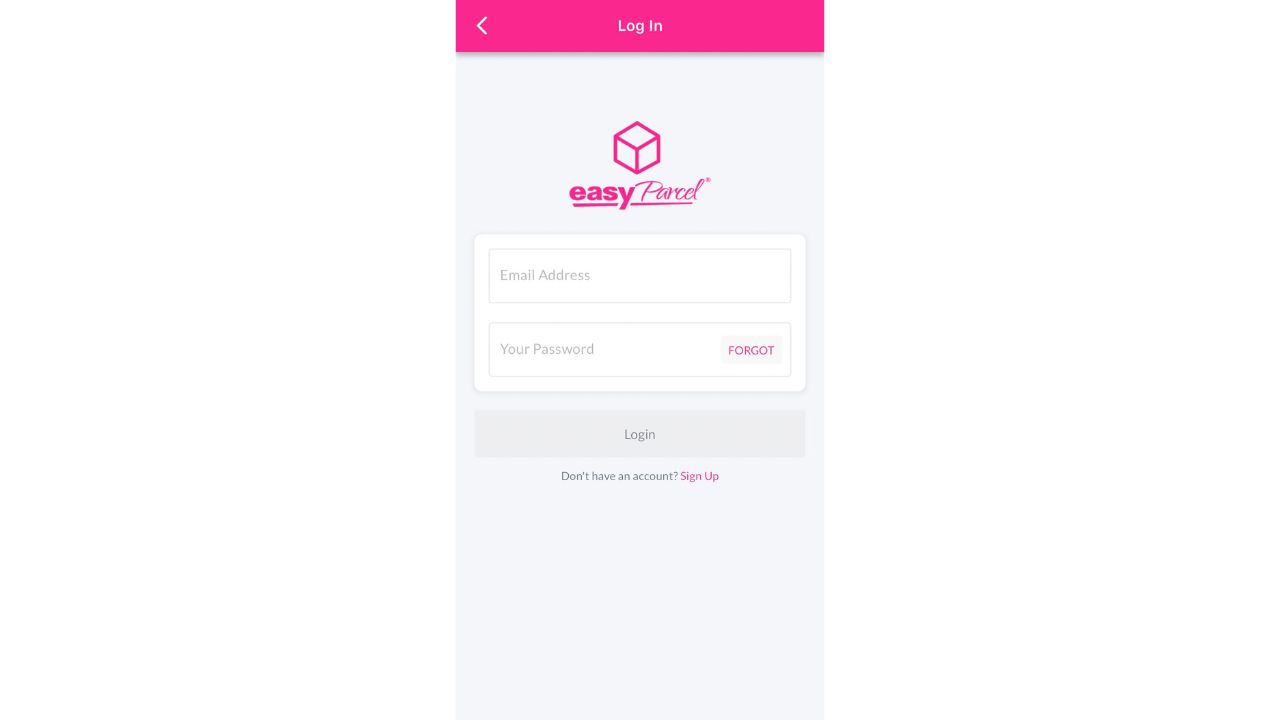
Step 1: Log in to your EasyParcel account.
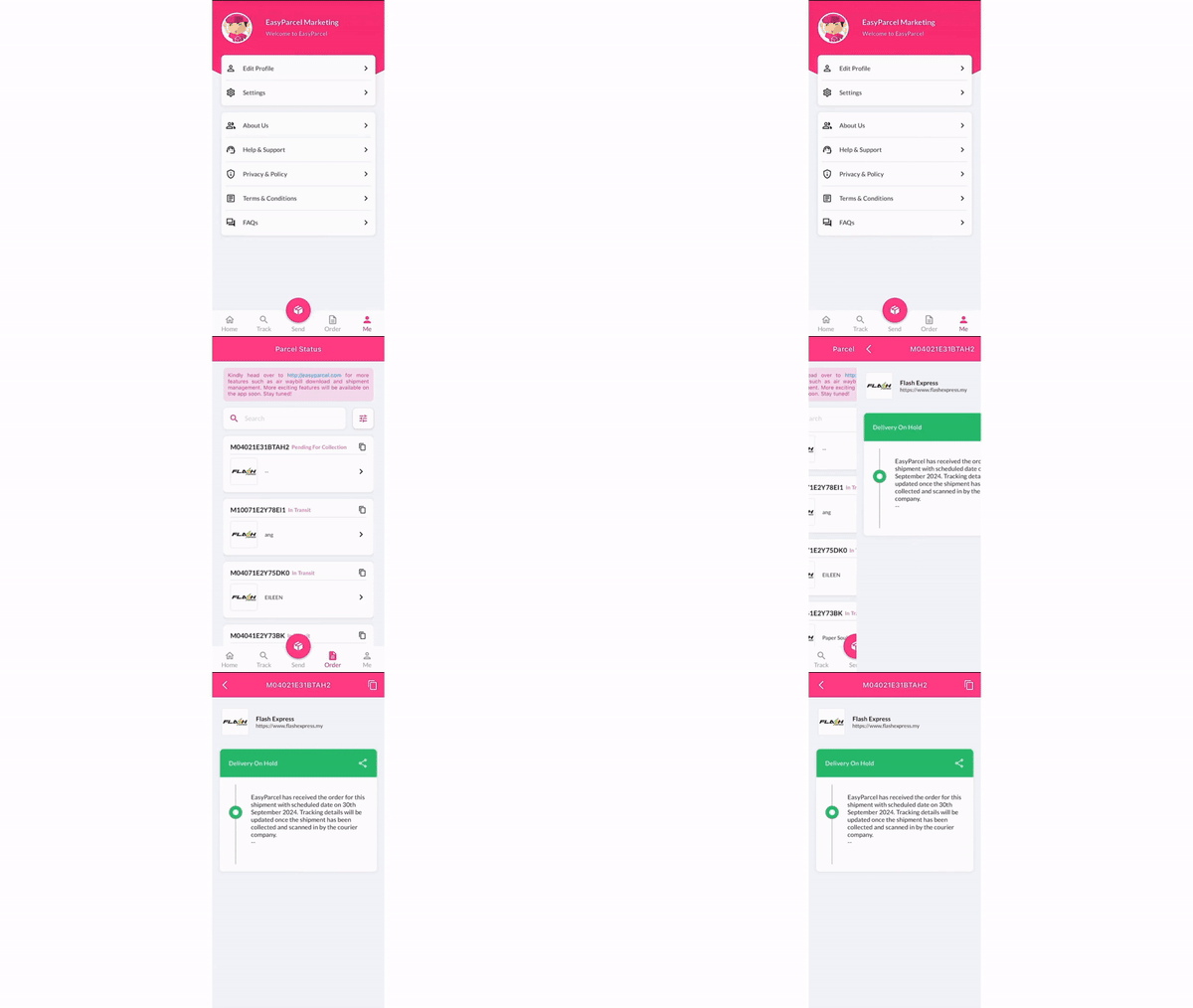
Step 2: Tap on “Order” and you will be able to see a list of parcels which you had sent. Click on the tracking number and you’ll be able to view its tracking status.
How to login my account on mobile app?
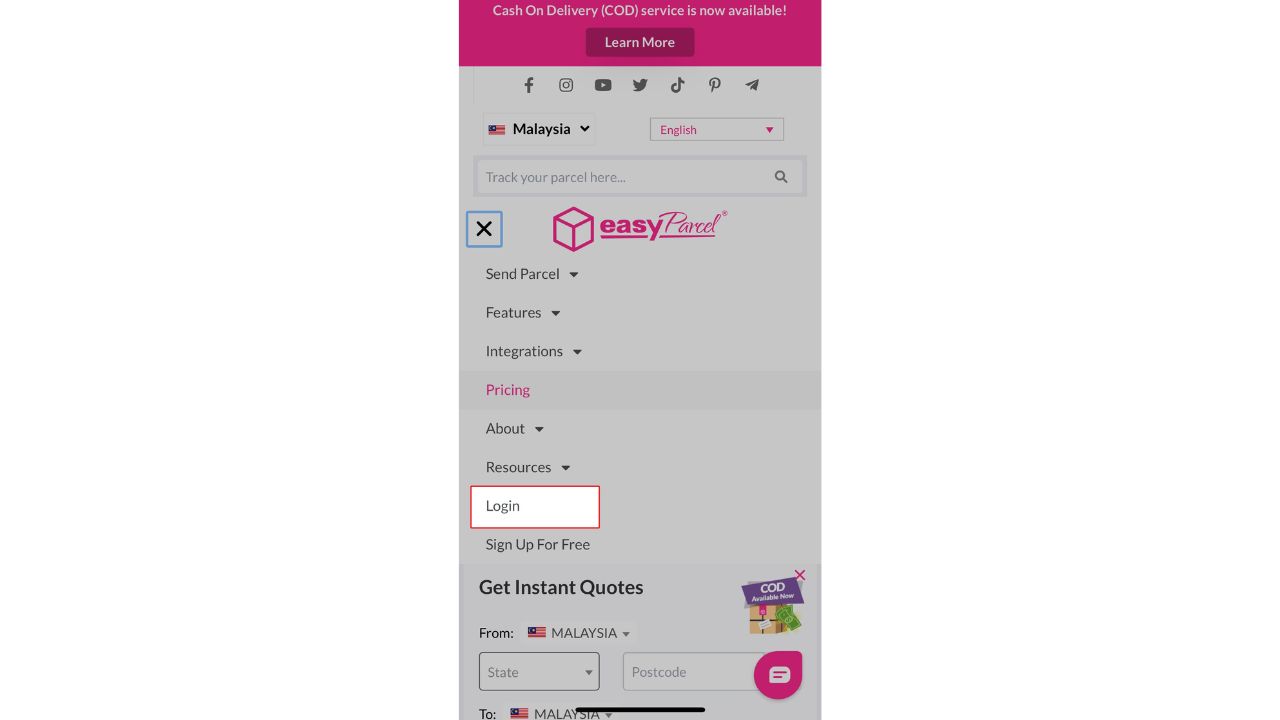
Step 1: On your mobile, go to the EasyParcel website and click on login.
Step 2: Enter your email address and password, then click log in.
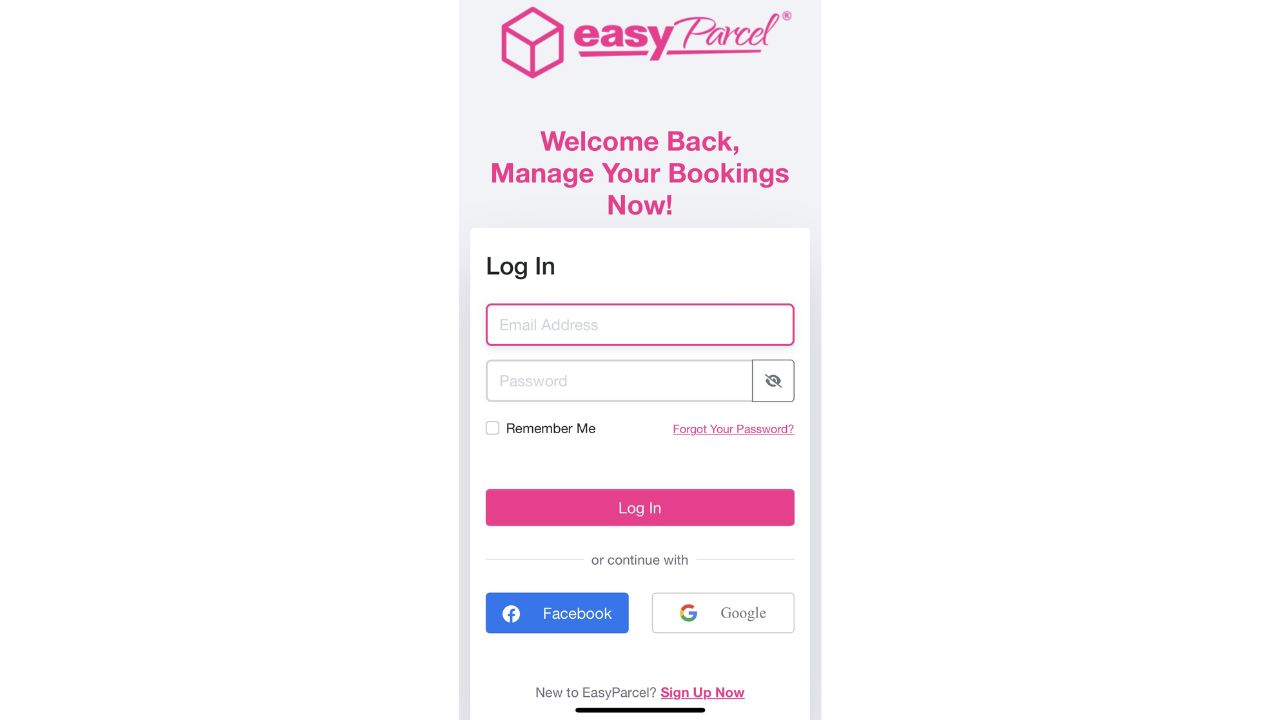
Note: If you don't have an EasyParcel account yet, you may sign up for free to kickstart your delivery journey! You'll also receive delivery coupons worth RM10 when you successfully signed up.
And there you have it! You now know how to navigate and use the EasyParcel mobile app with ease. We hope this guide was helpful, but if you still have any questions, feel free to check out our other articles or reach out to our friendly support team. We're here to assist you every step of the way!
Read Next: Who are EasyParcel's courier partners?