
Quick Summary
To download and print shipping documents (Air Waybills - AWB) on EasyParcel, navigate to Manage Parcel > All Parcels, select your orders, click the Download button, and choose Download AWB. You can download them individually using the sticker icon or in bulk, with files opening as a PDF for printing.
Tired of handwritten air waybill (AWB)? We at EasyParcel have got you covered with auto-generated AWB once the booking is made. All you need is just print it out and attach it to the top surface of your parcel - that's it!
How to download and print bulk AWB?
Step 1: Log in to your account, go to "Manage Parcel" on the sidebar and then click on "All Parcels".
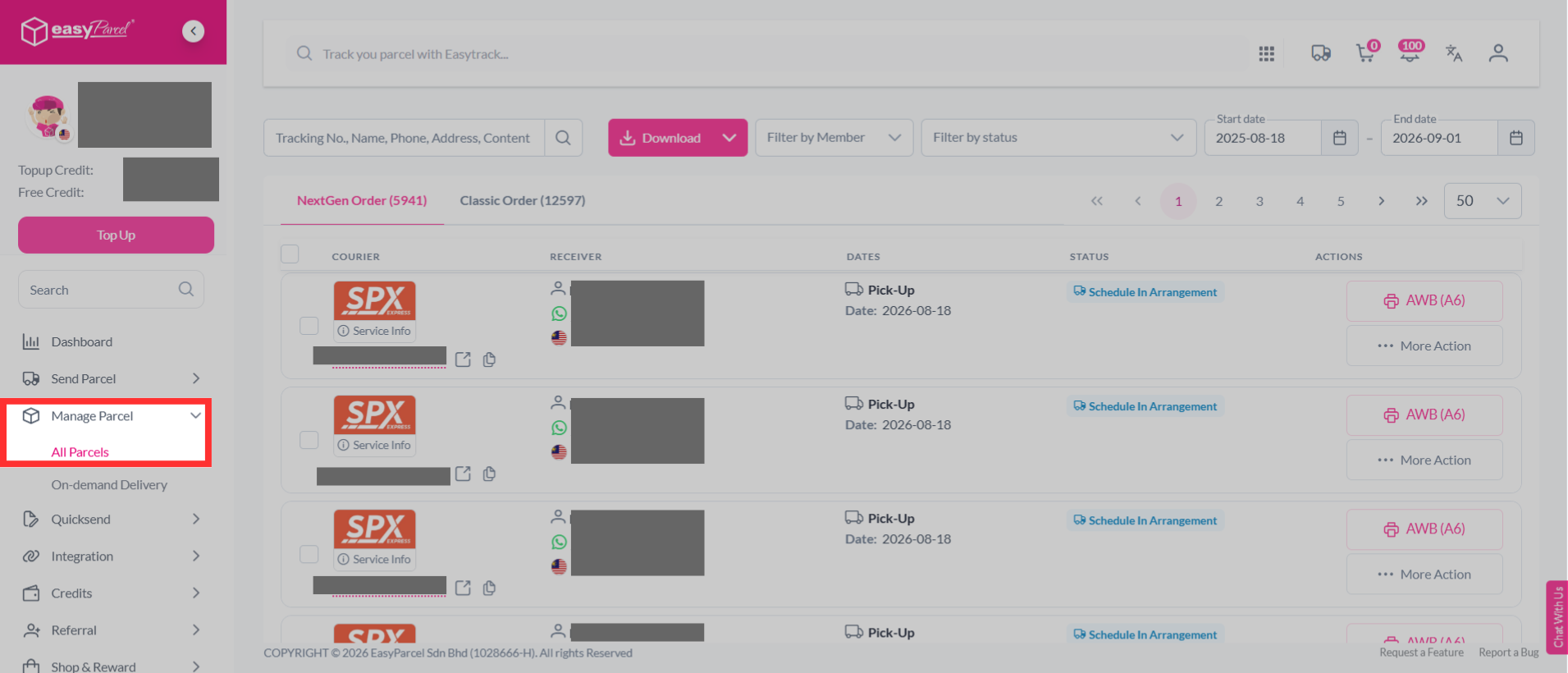
Step 2: Select multiples orders in the parcel list.
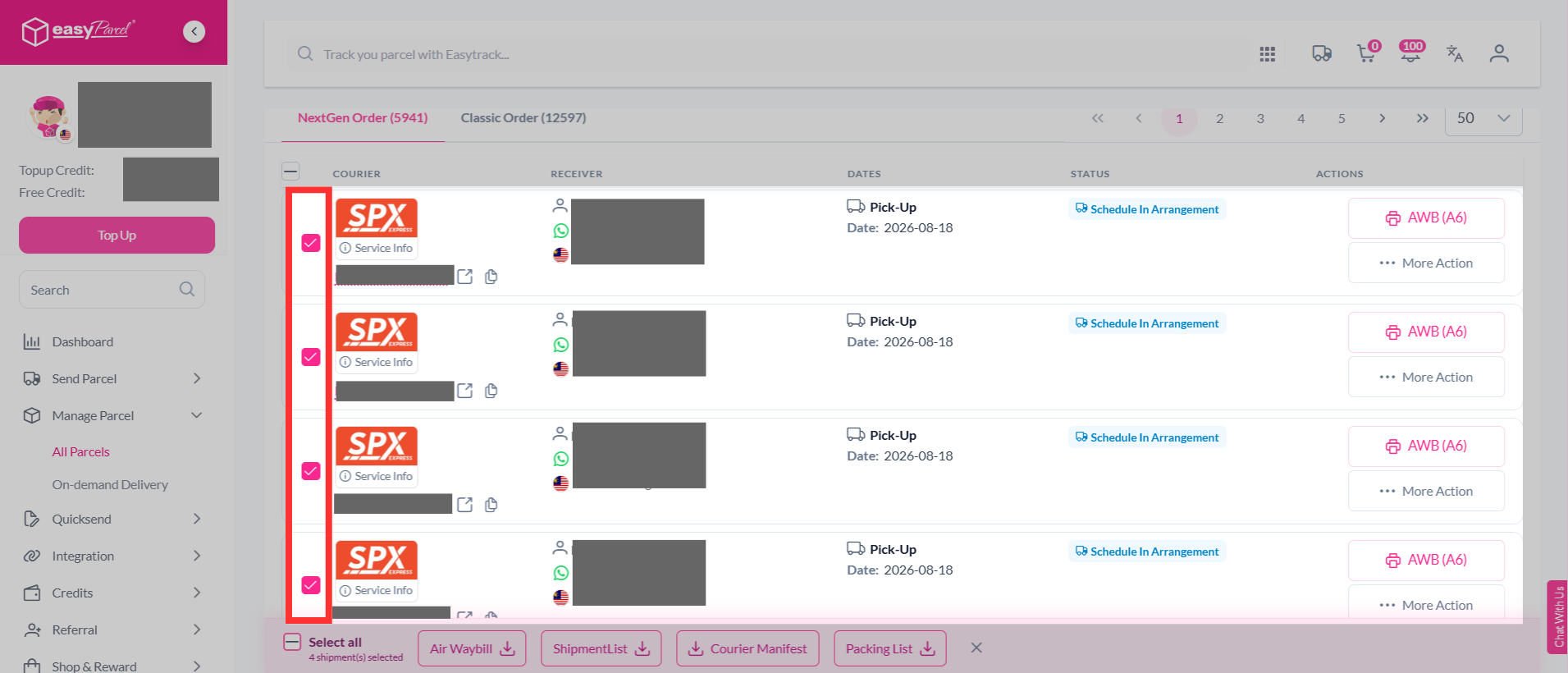
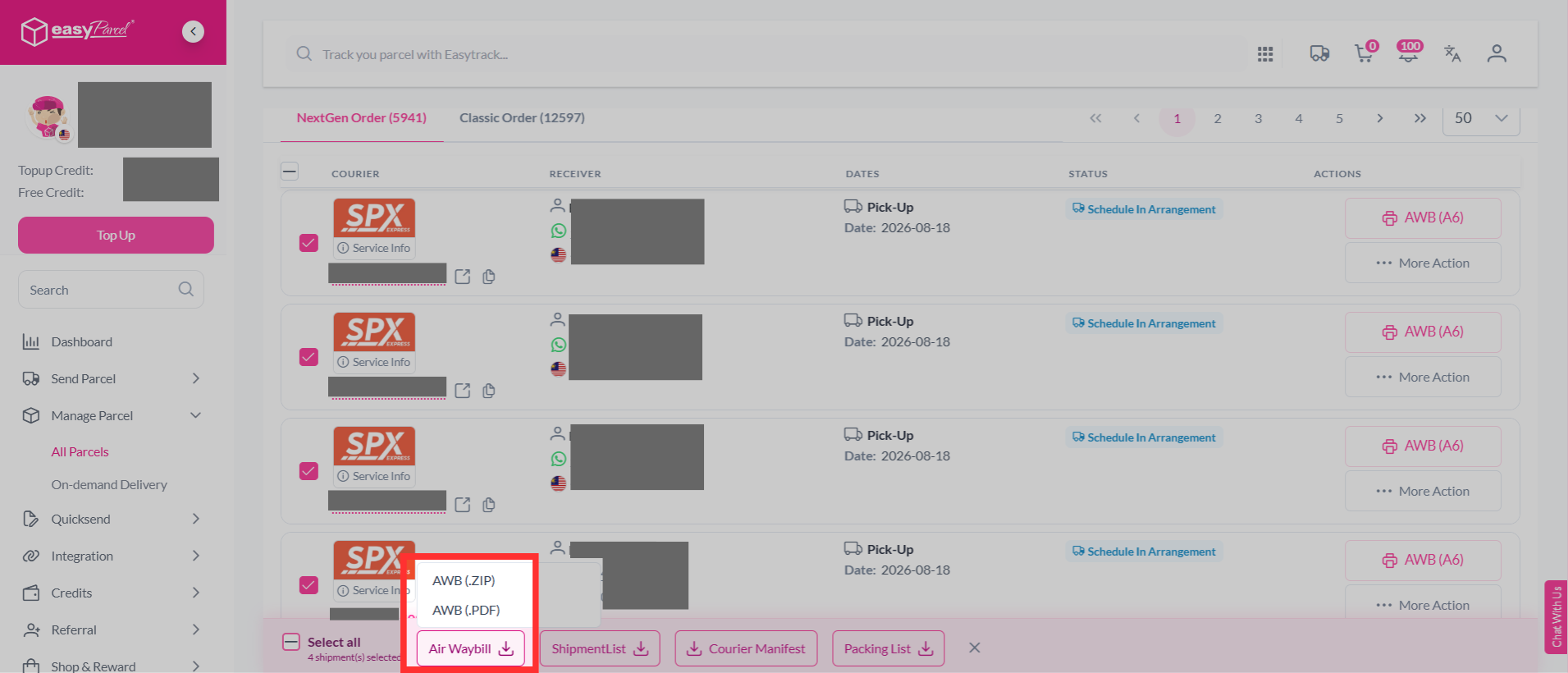
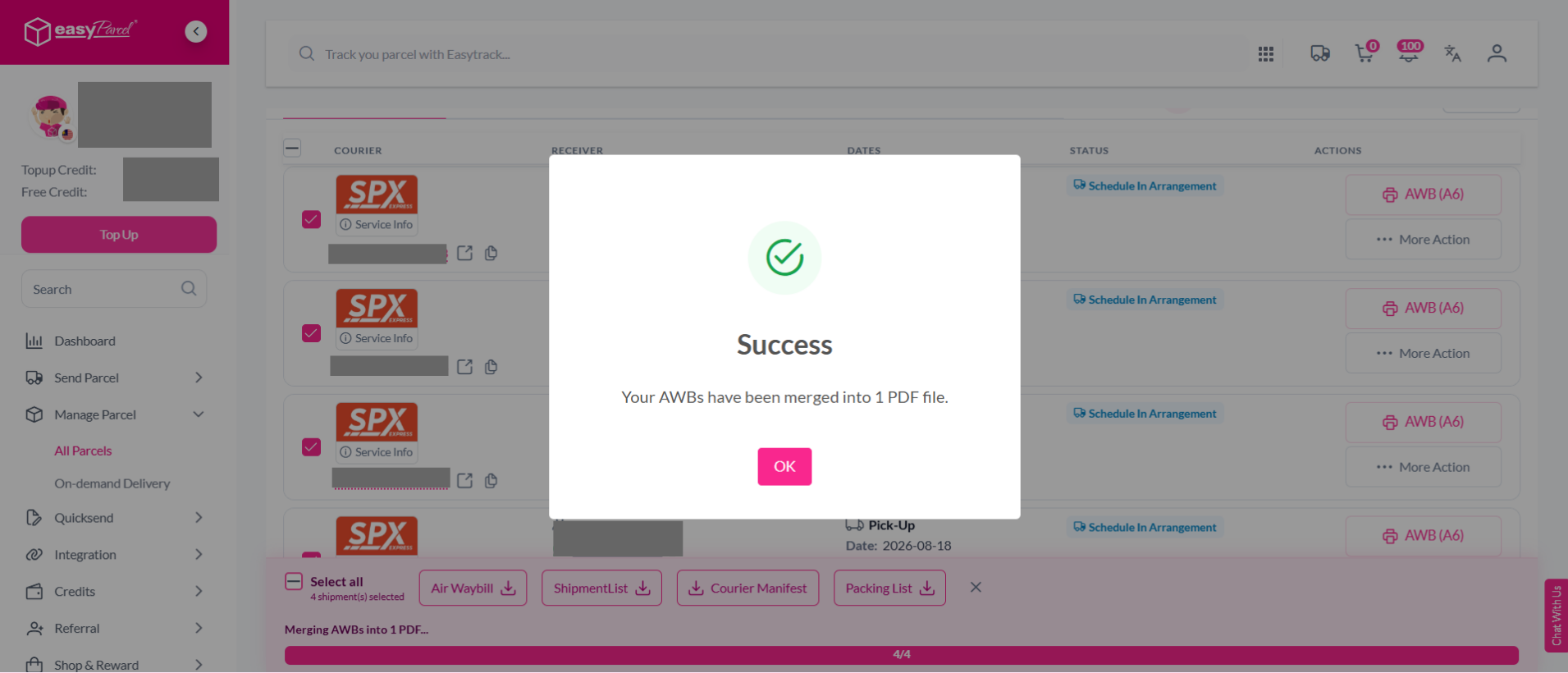
Step 3: Click the “Air Waybill” button at the bottom, select your preferred AWB format (AWB (ZIP) or AWB (PDF)), and click to proceed.
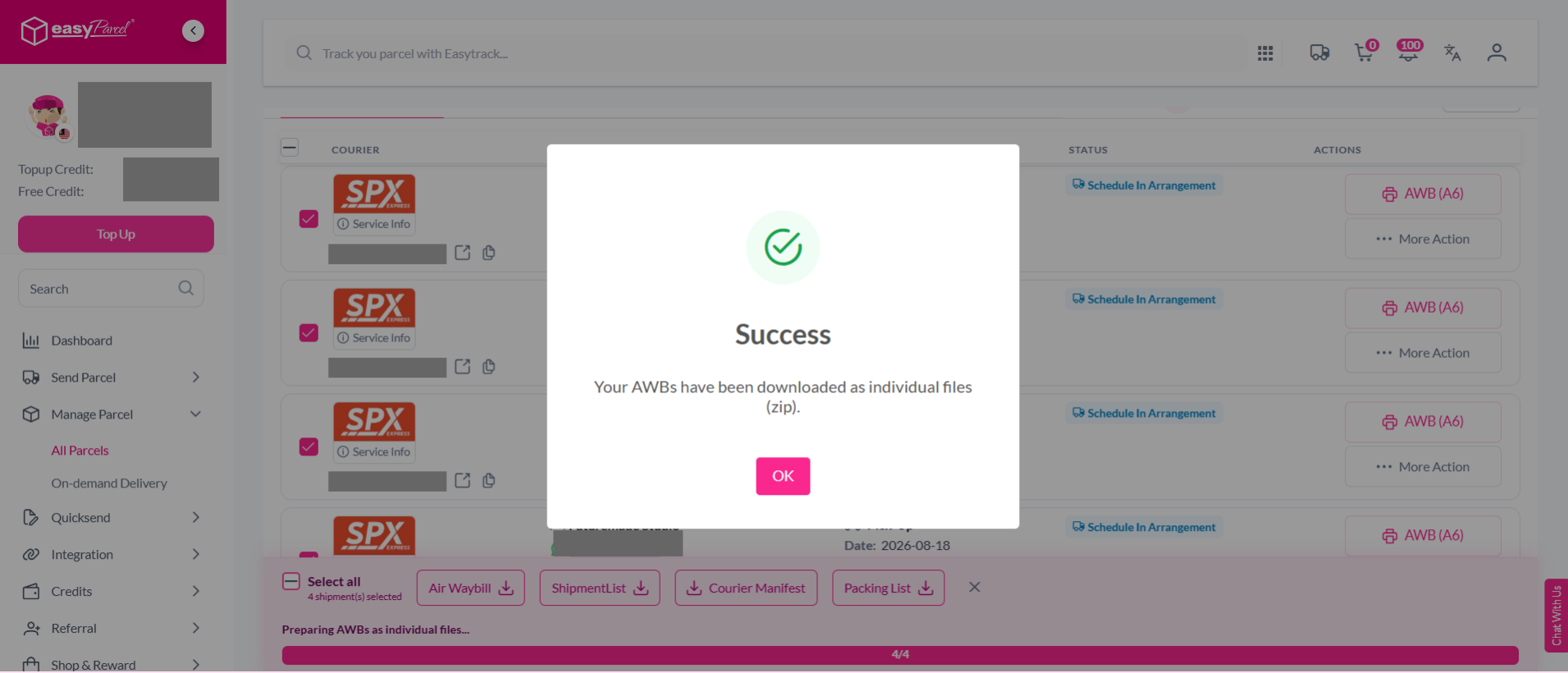
Note: AWB (ZIP) downloads the AWBs as individual files, while AWB (PDF) downloads all AWBs as a single merged PDF.
Step 4: Your AWBs have been downloaded in your selected format.
How to download and print single AWB?
Step 1: Log in to your account, go to "Manage Parcel" on the sidebar and then click on "All Parcels".
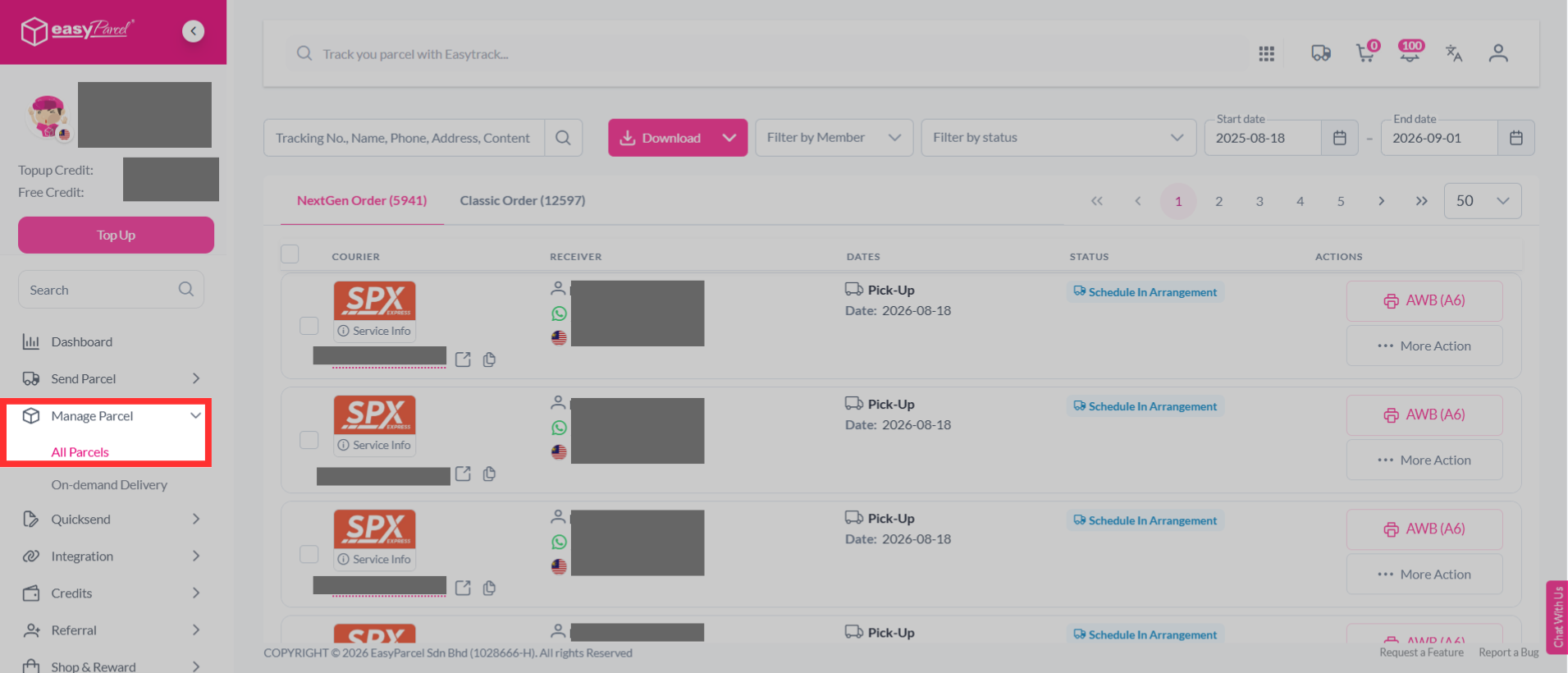
Step 2: Click on the printer icon to download AWB for the order.
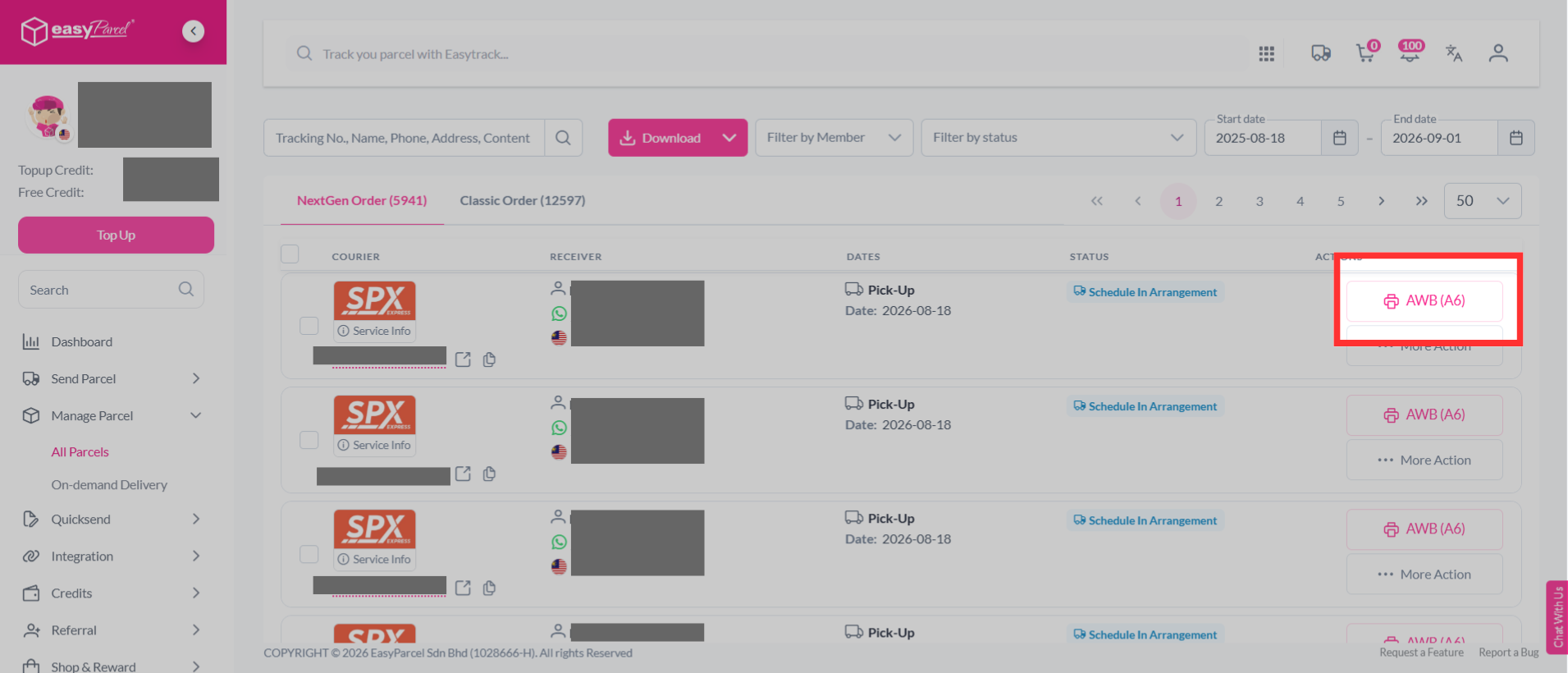
Step 3: Now, it's ready to print and attach to your parcel.

Take note: Attach commercial invoice along with your AWB is a must if you're delivering from/to Sabah, Sarawak, Labuan, Pulau Langkawi, or other countries.