
Quick Summary
To manage parcels on EasyParcel, log in and navigate to "Manage Parcel" on the dashboard to view, track, or cancel bookings. You can download/print Air Waybills (AWB) in bulk, check real-time courier status (Pending, Collected, In Transit), and rebook shipments.
We'll Cover:
Introduction
Here at EasyParcel, our priority is to bring you a convenient delivery experience. Thus, at every step of your journey, we accommodate you with suitable features that will help you along the way. The 'Manage Parcel' feature is one of them. Keep reading to see how you can use Manage Parcel to the fullest.
How Can the 'All Parcels' Feature Help Manage Shipments?
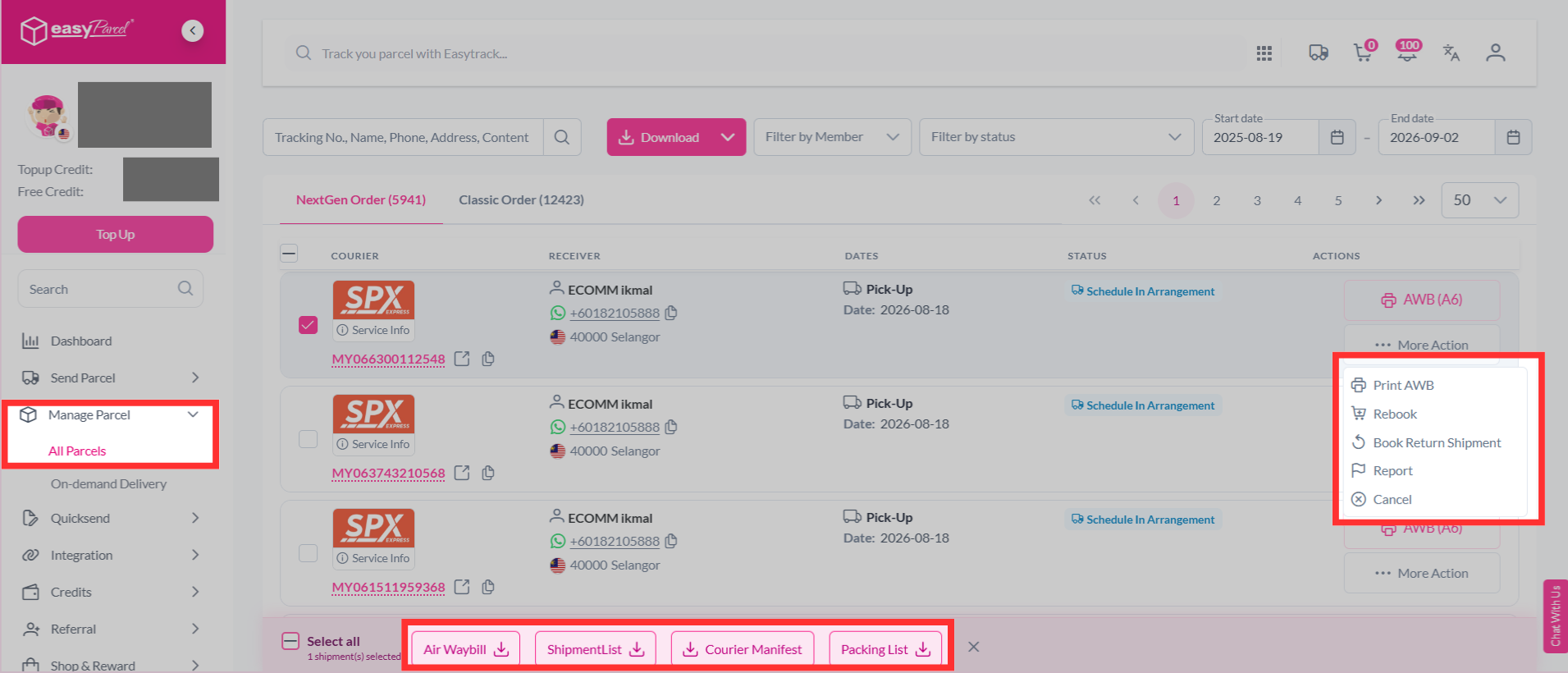
The first feature under "Manage Parcel" is "All Parcels". Here, you get a myriad of benefits, including:
- Download your AWB
- Download Shipment List
- Download Courier Manifest
- Download Packing List
- Rebook Parcel
- Book Return Shipment
- Report
- Cancel Parcel
What Is the Purpose of the 'On-Demand Parcels' Feature?
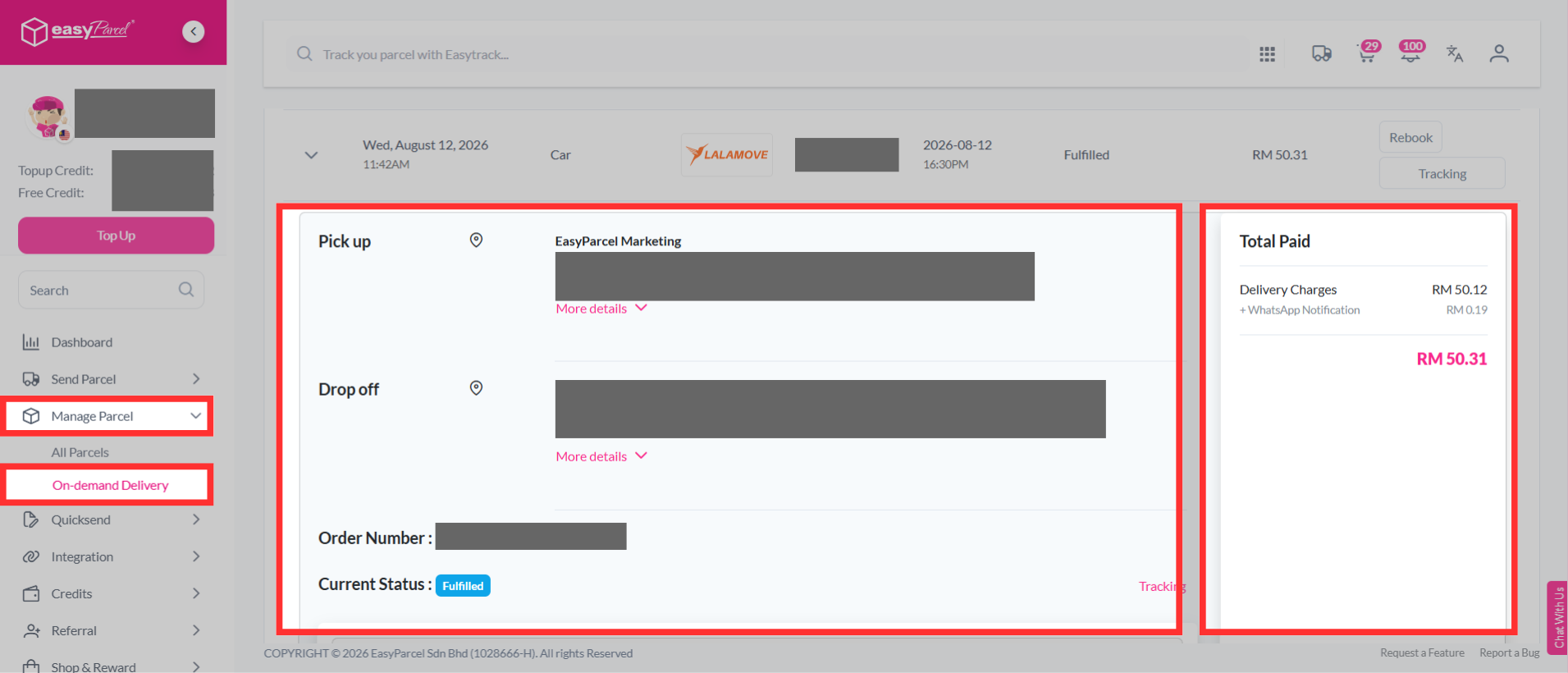
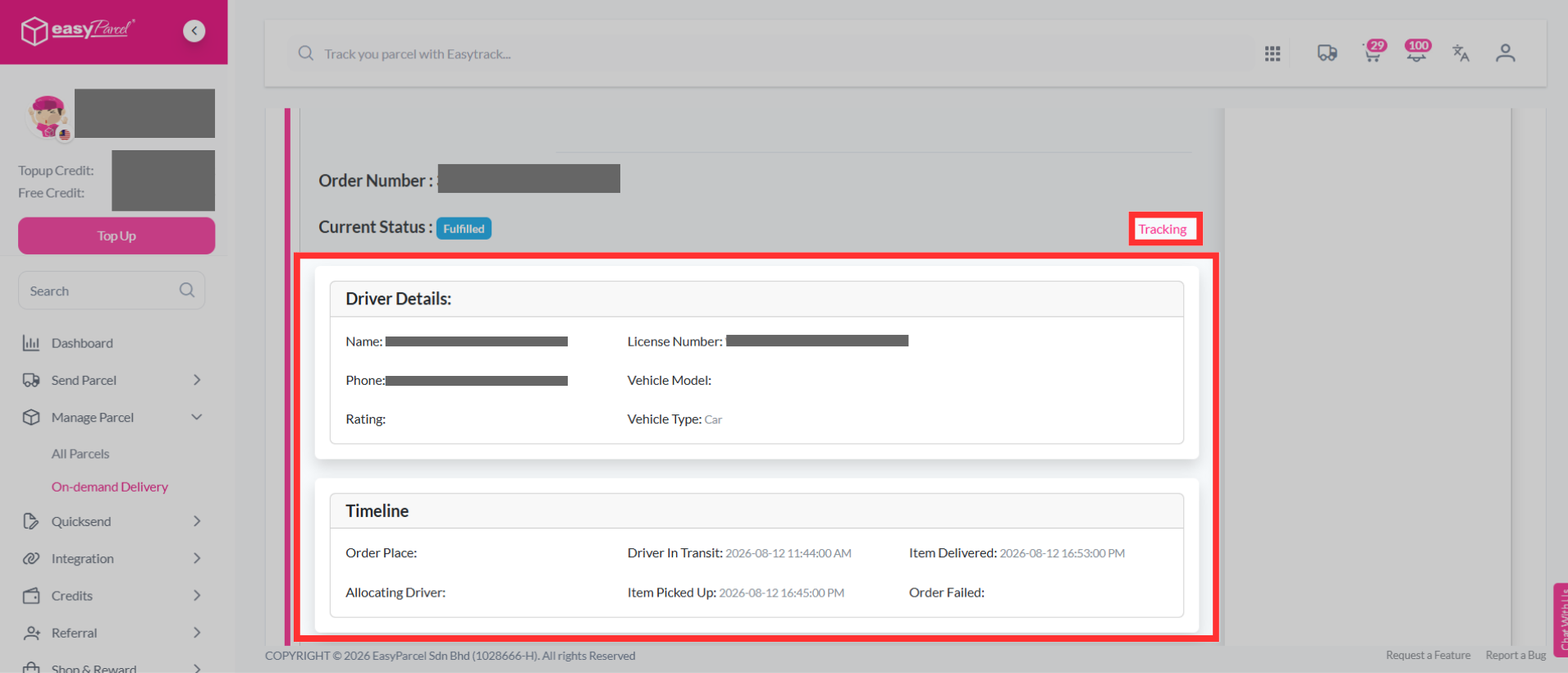
The second feature under "Manage Parcel" is "On-demand Delivery". Here, you get a myriad of benefits, including:
- View Tracking
- View Details
How Can the 'Bulk Download' Feature Be Used to Save Time?
The fourth feature under 'Manage Parcel' is 'Bulk Download'. Here you can enjoy a seamless download in bulks just by entering your AWB or simply choose from the listed AWBs.