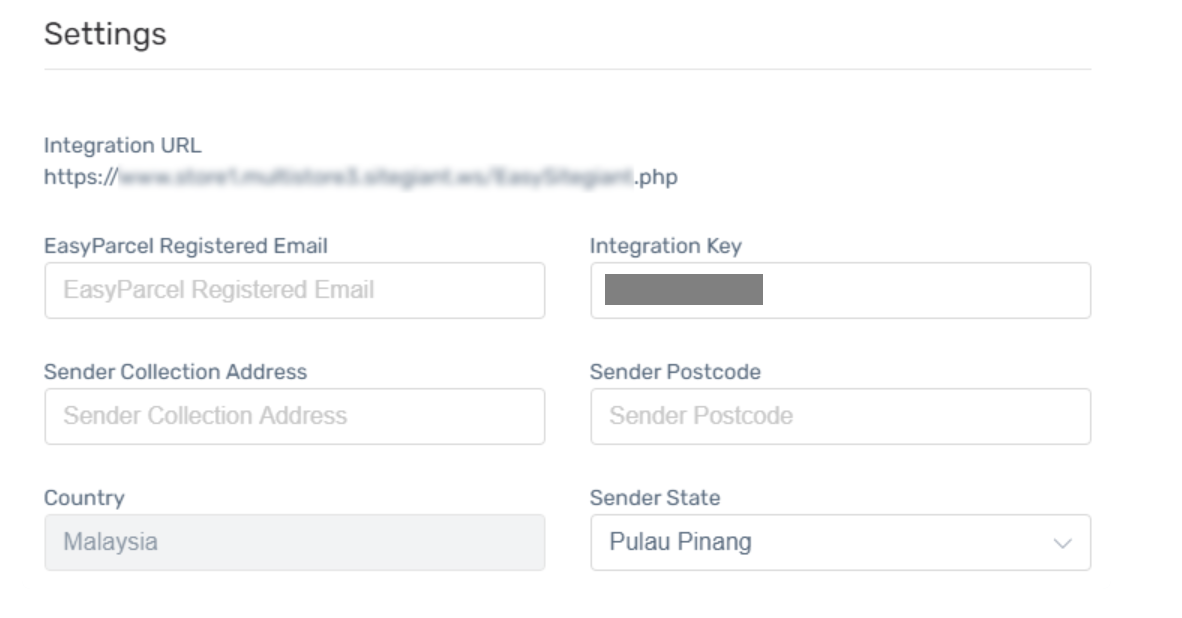
Setting up Integration
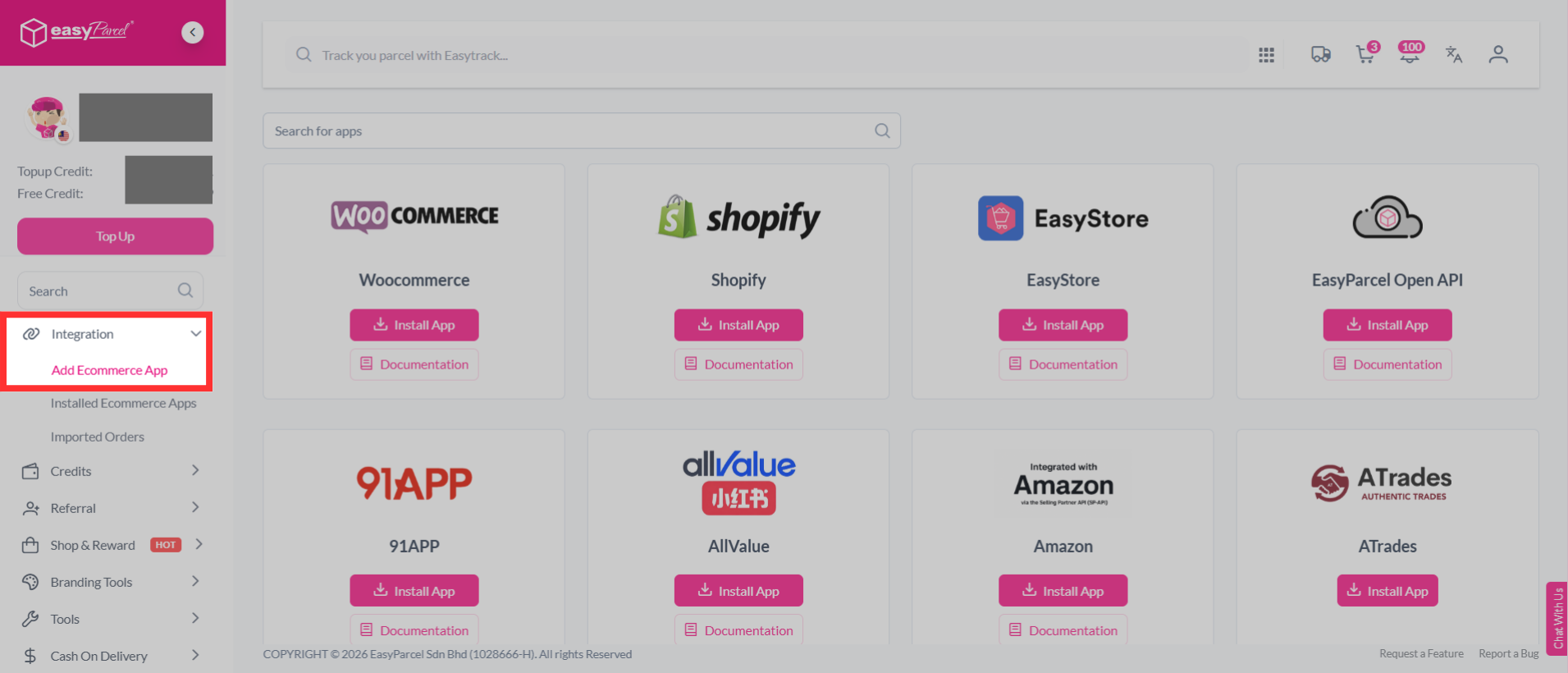
Step 1: From the dashboard, navigate to "Integration" and select it. Then, click "Add Ecommerce App".
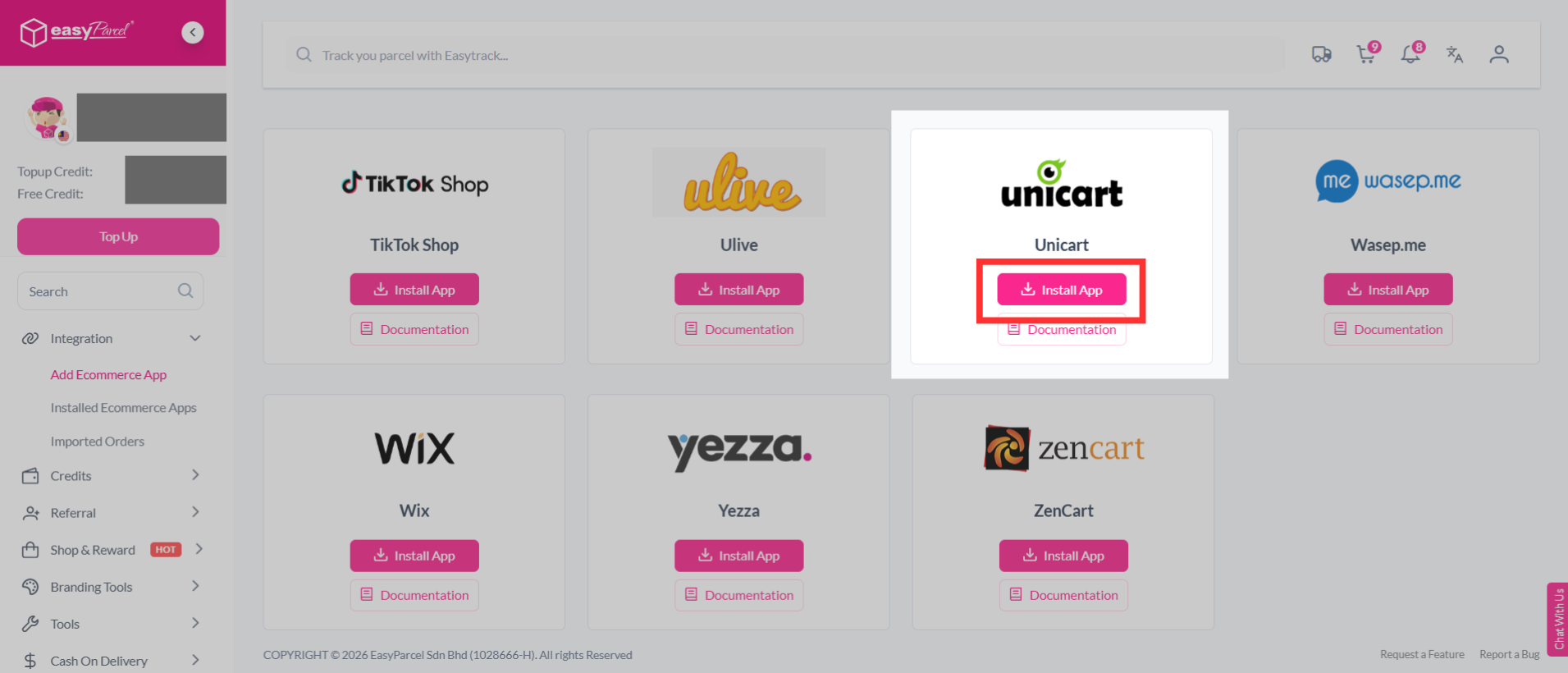
Step 2: Find "Unicart" from the list, and click "Install App".
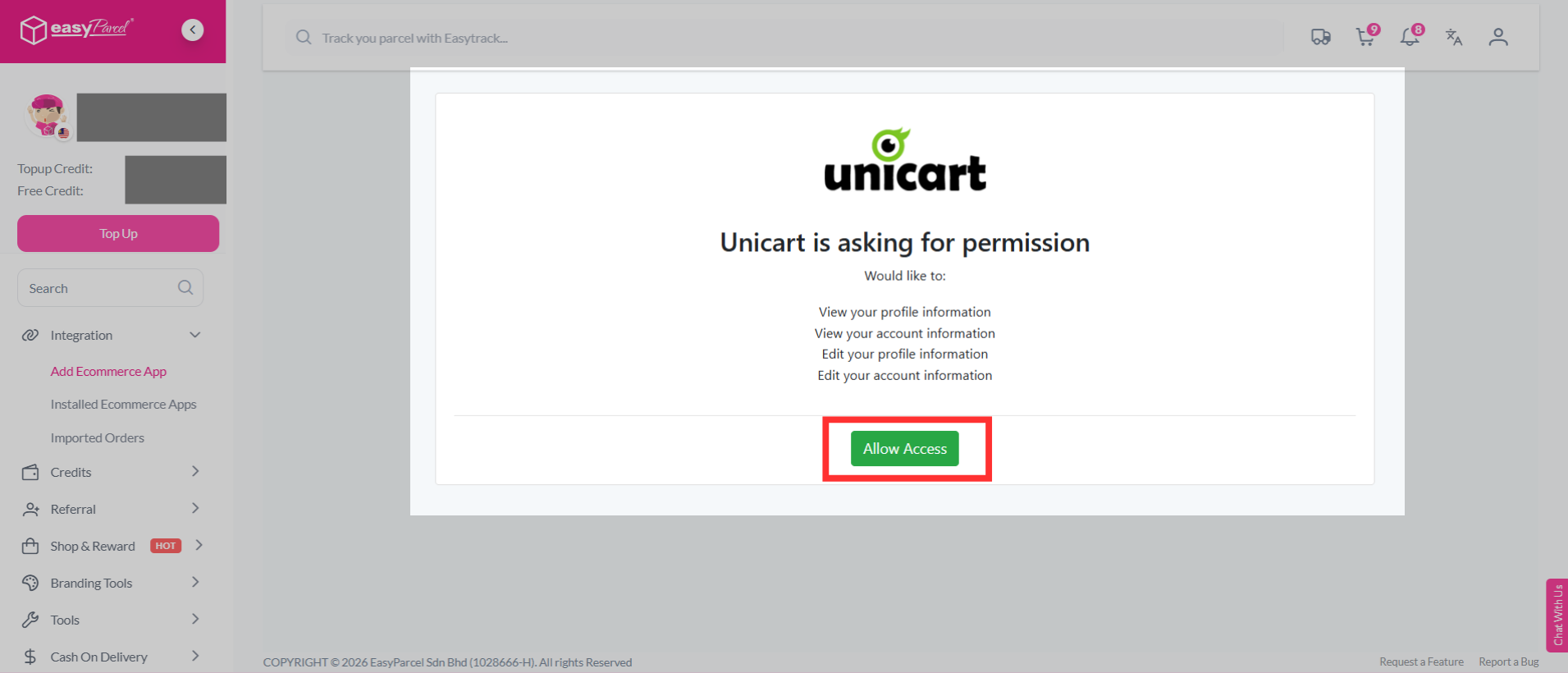
Step 3: Unicart will ask for permission to connect with EasyParcel. Review the requested permissions, then click "Allow Access" to continue.
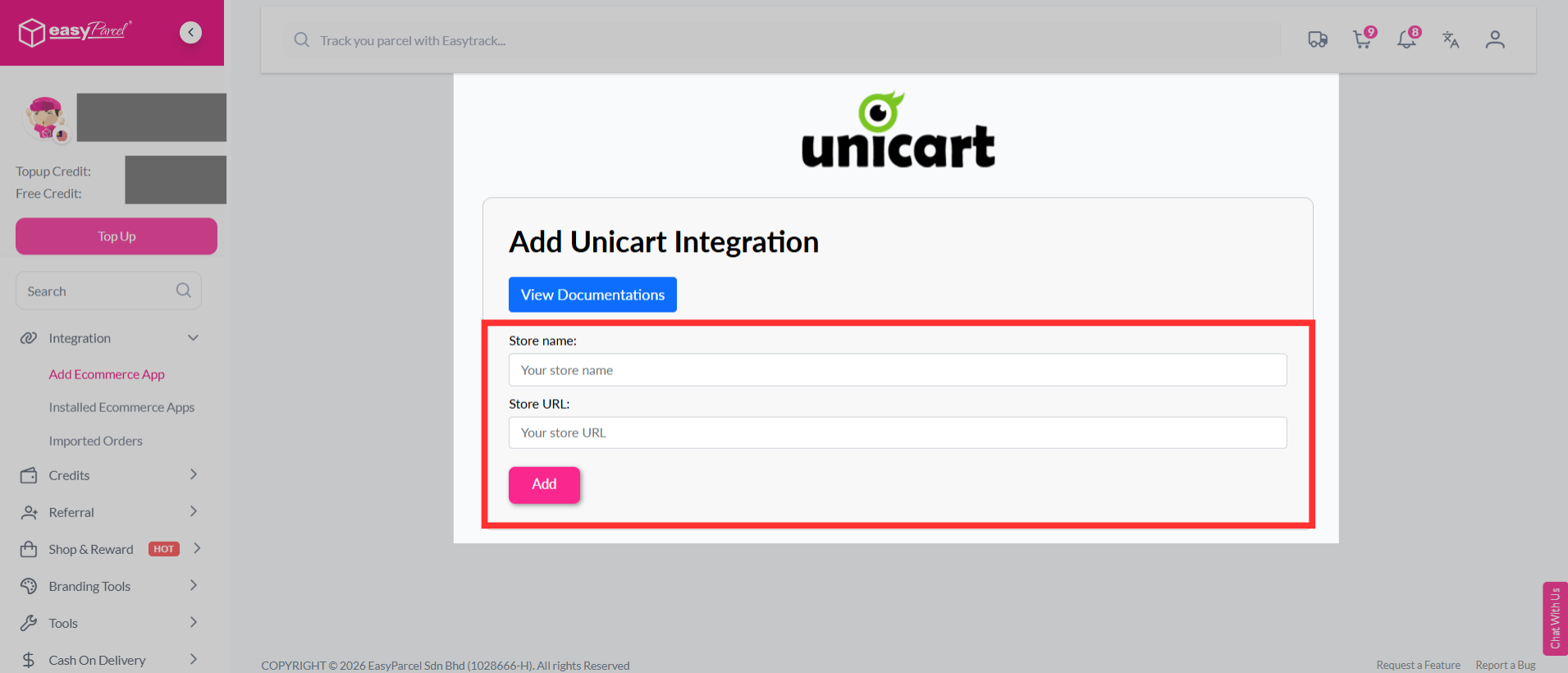
Step 4: Fill in your store’s name and store URL, then click "Add" to continue.
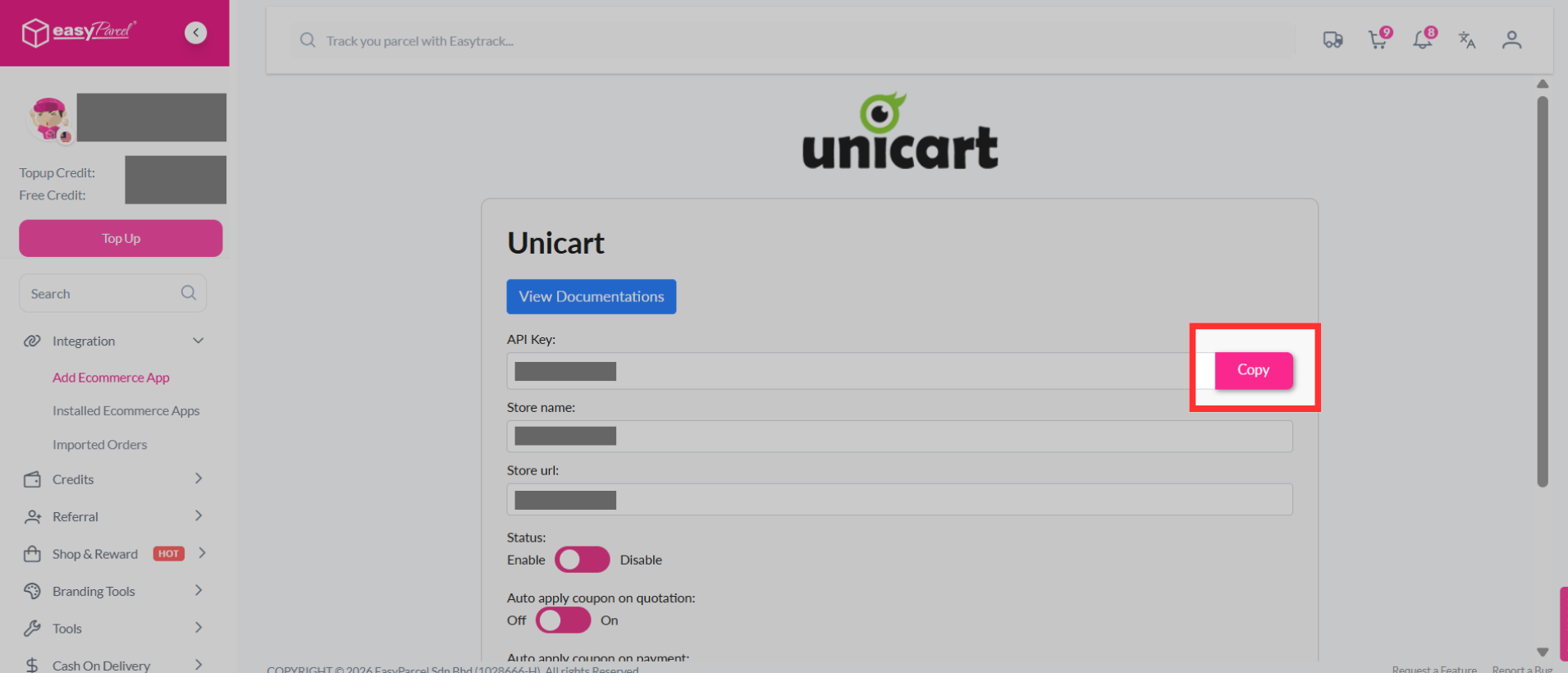
Step 5: EasyParcel will generate a unique Integration ID (API Key) for your store. Copy the Integration ID, as you will need to paste it into the Unicart.
Step 6: Go to Unicart’s EasyParcel page and paste the key into the "Integration Key" field. Then, fill in your EasyParcel email address and Sender Collection Address.