
Quick Summary
To check your insurance or protection claim progress on EasyParcel, log in, navigate to "Claim" in the sidebar, and click View Details on your reported parcel. You can also track status updates via "Support" > "Enquiries History" > "View".
Once you file a claim, you may check your claim progress to know the next steps you need to take. Here's how to check your claim progress:
Step 1: Log in to your account, click "Claim" from the sidebar.
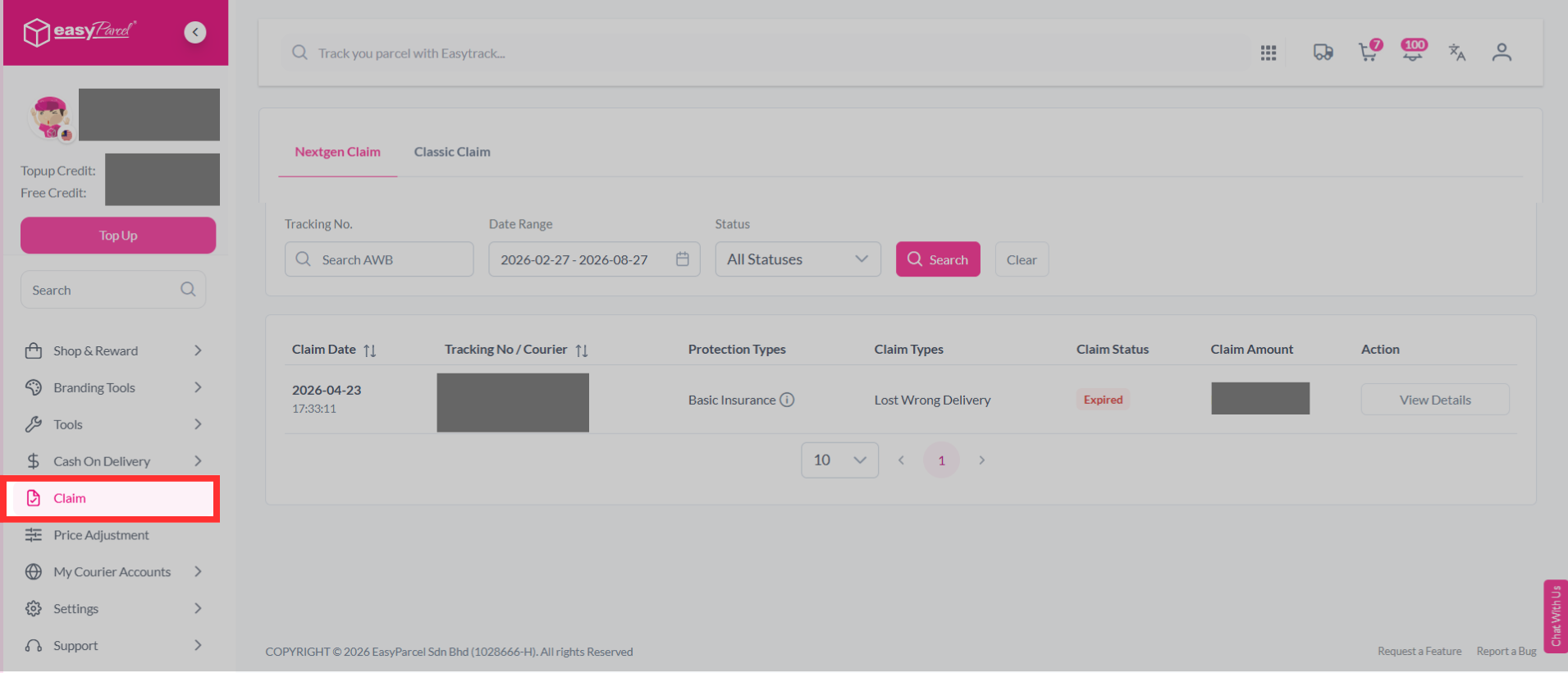
Step 2: Find the parcel that you have reported, then click "View Details".
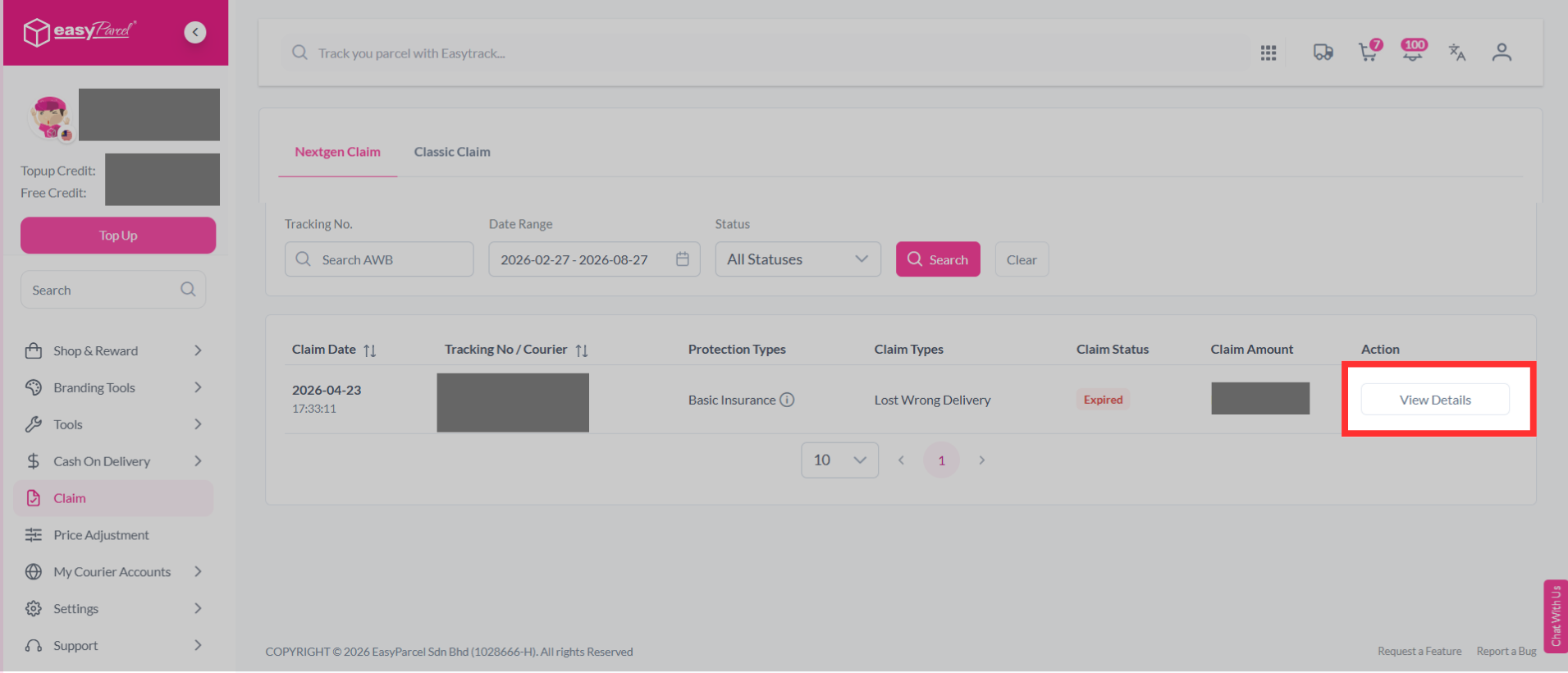
Step 3: You may see the progress of your claim.
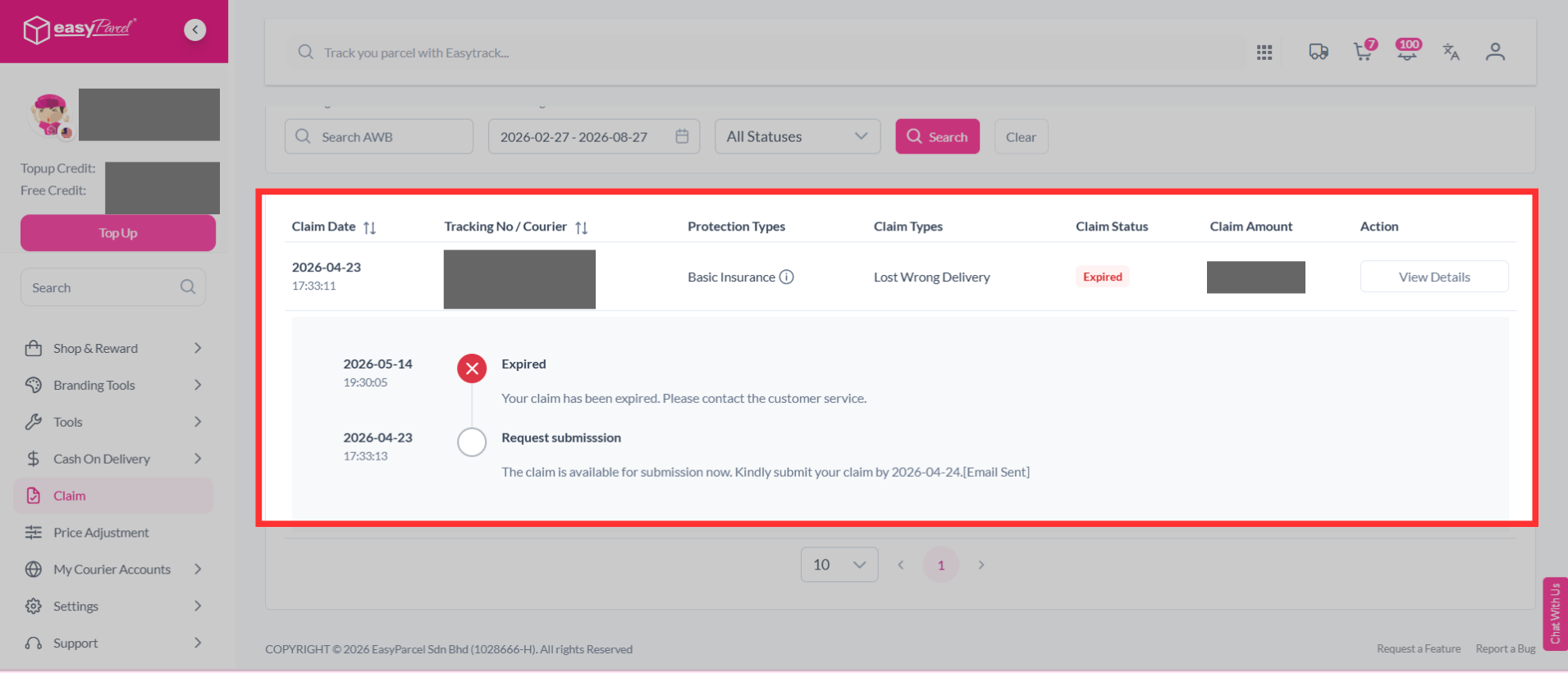
Step 4: Follow the instructions as stated and take action accordingly.
Read Next: Learn what each protection claim status means, so you can respond accordingly.