
Quick Summary
EasyParcel insurance and protection claims are typically processed within 2–4 weeks. After submitting required documents, EasyParcel reviews them in 1–3 working days, then submits them to the courier for investigation. Approved claims are paid via bank transfer (7–14 working days) or EasyParcel credit (instantly).
We'll Cover:
How long do EasyParcel and couriers take to investigate an insurance claim?
Once you file a lost parcel claim with complete documents, the EasyParcel team will review your report within 1–3 working days. If everything is in order, we will submit the documents to your selected courier for further investigation.
Processing time may vary depending on the courier. On average:
- Domestic shipments: 2–4 weeks (some cases may take up to 4–6 weeks depending on investigation complexity)
- International shipments: Usually 2–3 months due to cross-border investigation procedures
Note: If your supporting documents are incomplete or incorrect, you will need to resubmit them within the given timeframe. This may extend the overall claim processing duration.
Once your claim is approved, the payout will be made via:
- Bank transfer: 7–14 working days
- EasyParcel credit: Credited instantly to your account
Learn more about each claim status meaning here.
How to file an insurance / protection claim on EasyParcel?
We understand how important it is to ensure your shipments arrive safely. While our courier partners strive for seamless deliveries, there may be rare instances where parcels are lost or damaged. Below are the steps to file a claim based on your situation.
Situation 1: Parcel lost in transit
Step 1: Log in to your account, head over to "Manage Parcel", then click on "All Parcels".
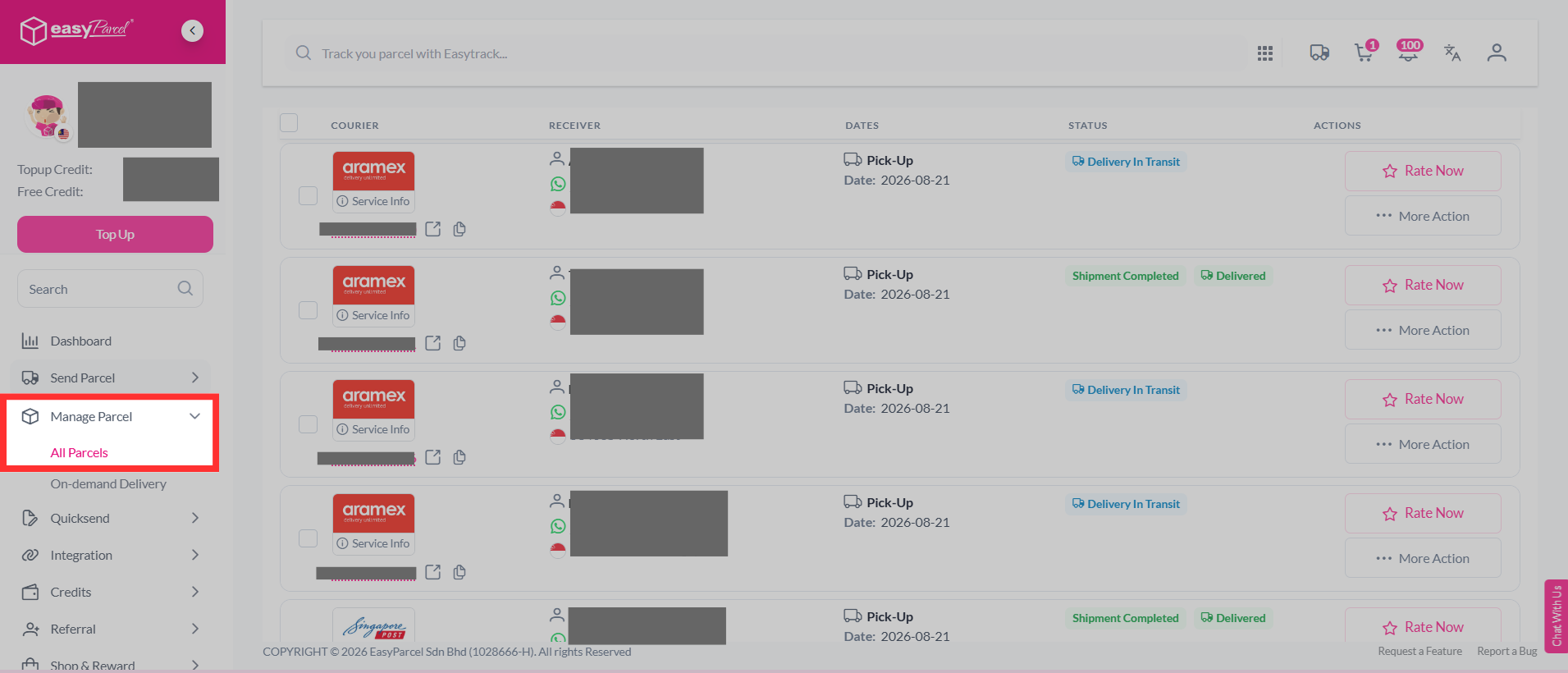
Step 2: Select the parcel you want to report, click "More Actions", and select "Request Claim".
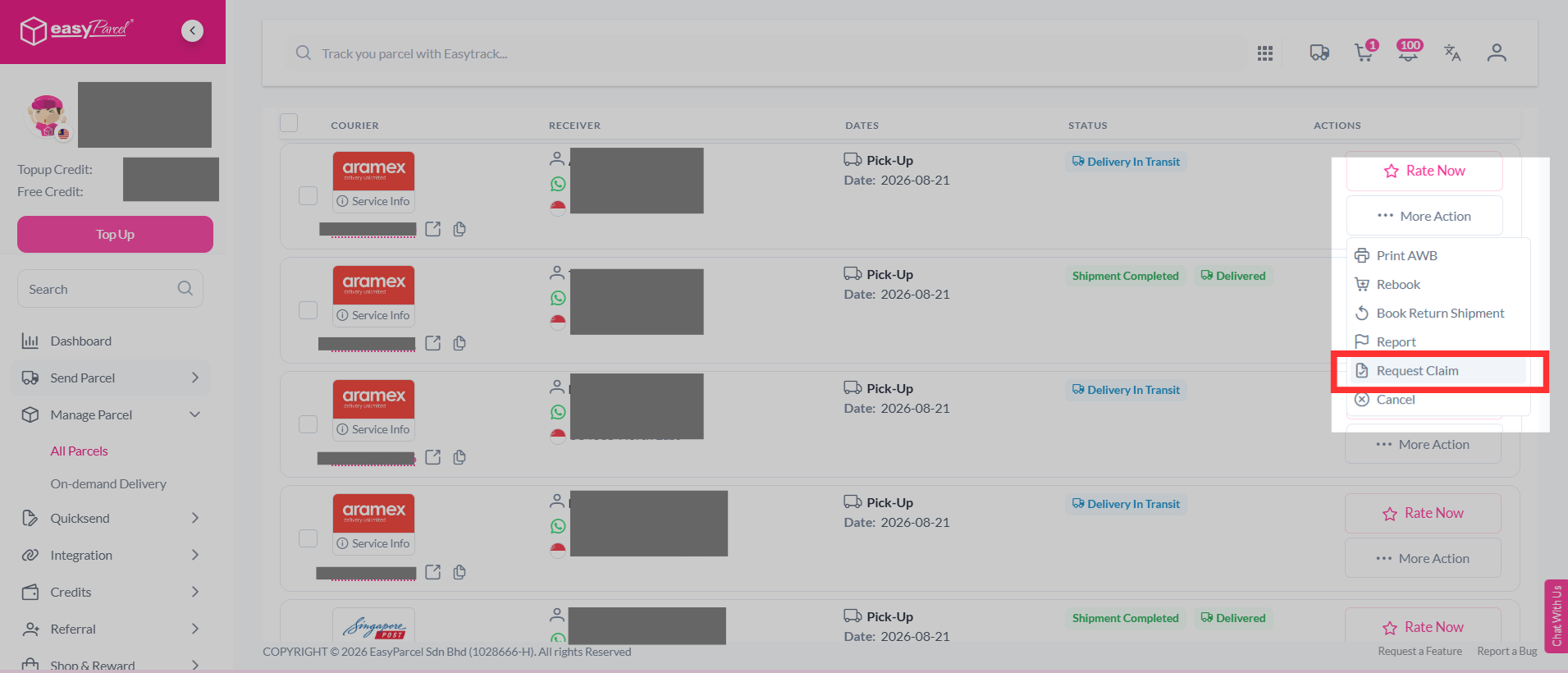
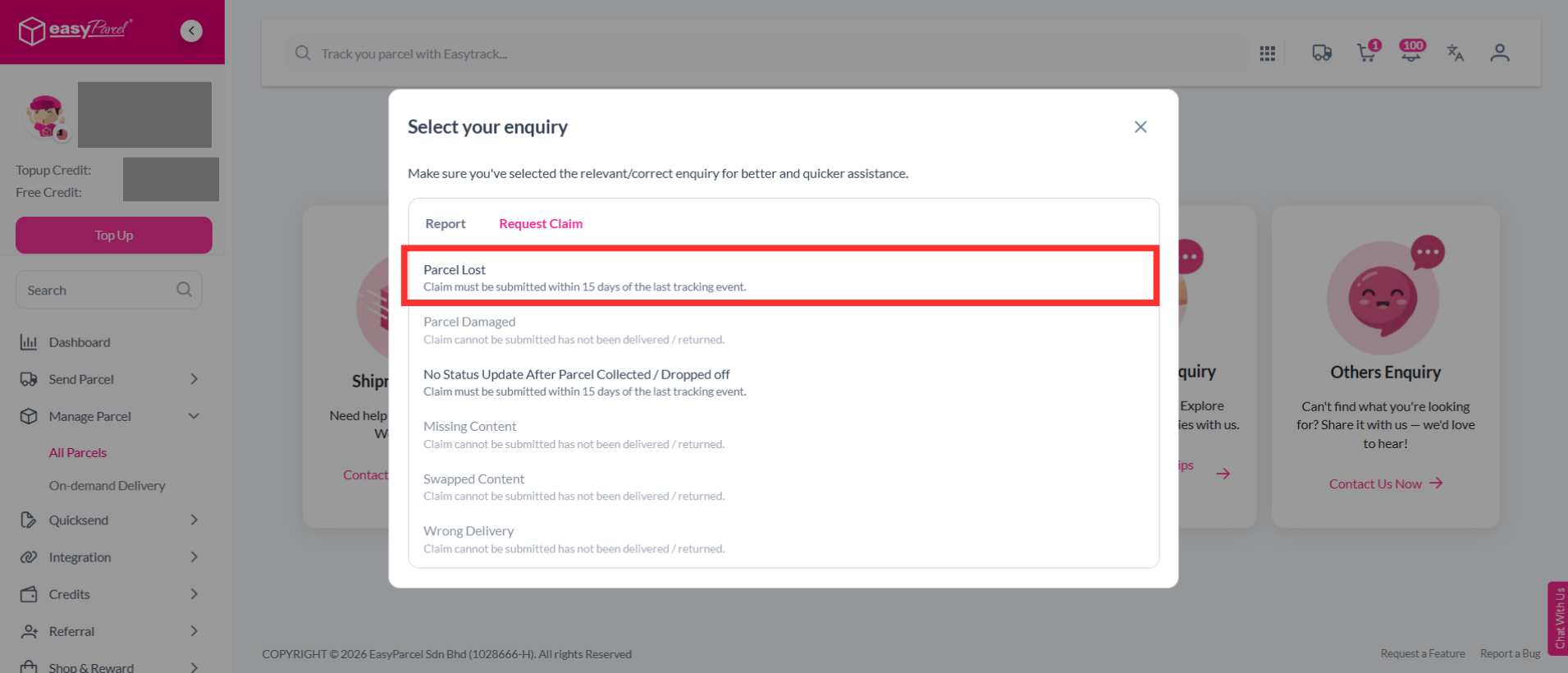
Step 3: Select the "Parcel Lost".
Note: Claim must be submitted within 15 days of the last tracking event.
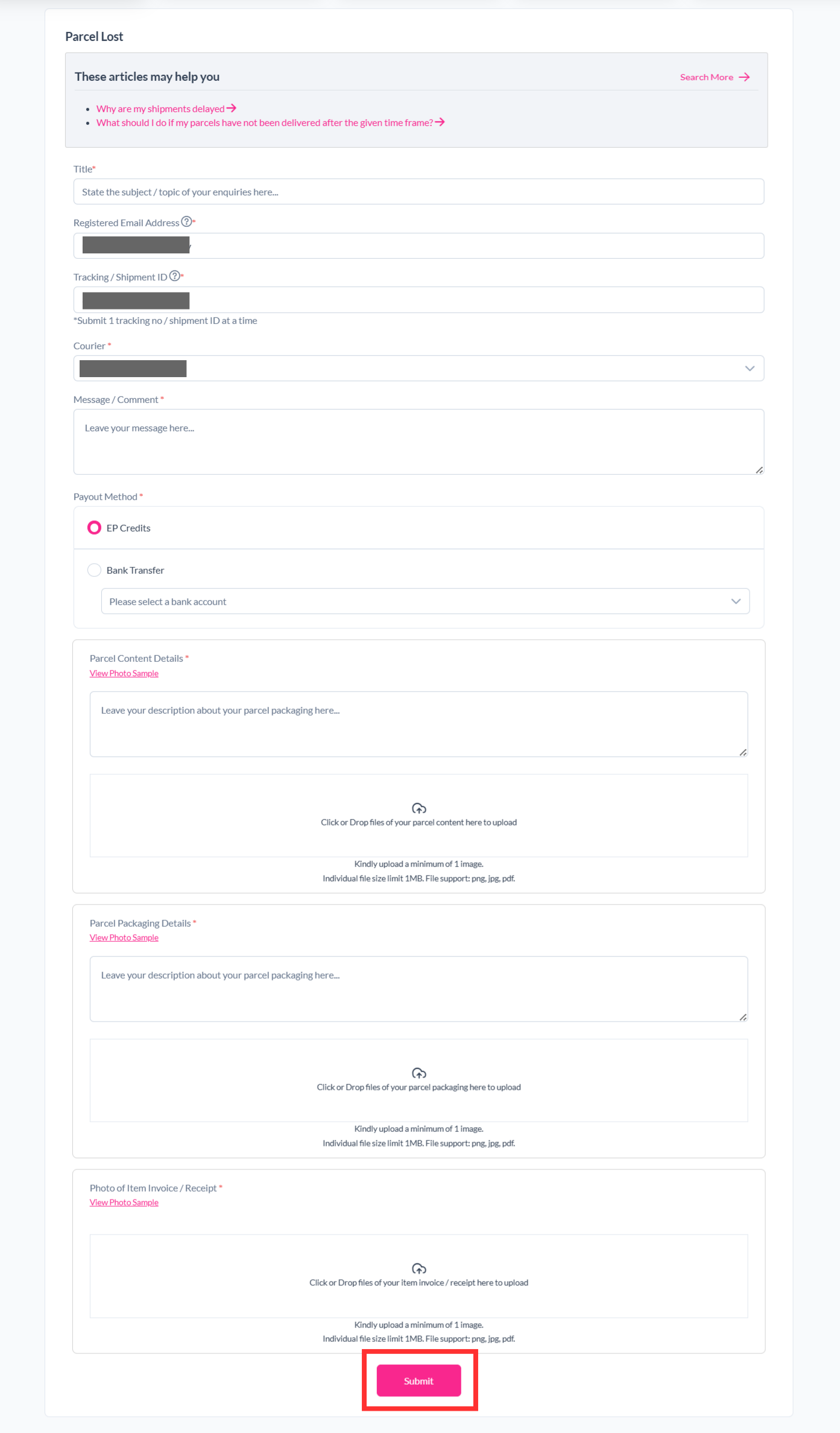
Step 4: Fill in the details required and click "Submit".
Step 5: Your report has been submitted to our support team and you can track the parcel report status by clicking on "Support" > "Enquiries History".
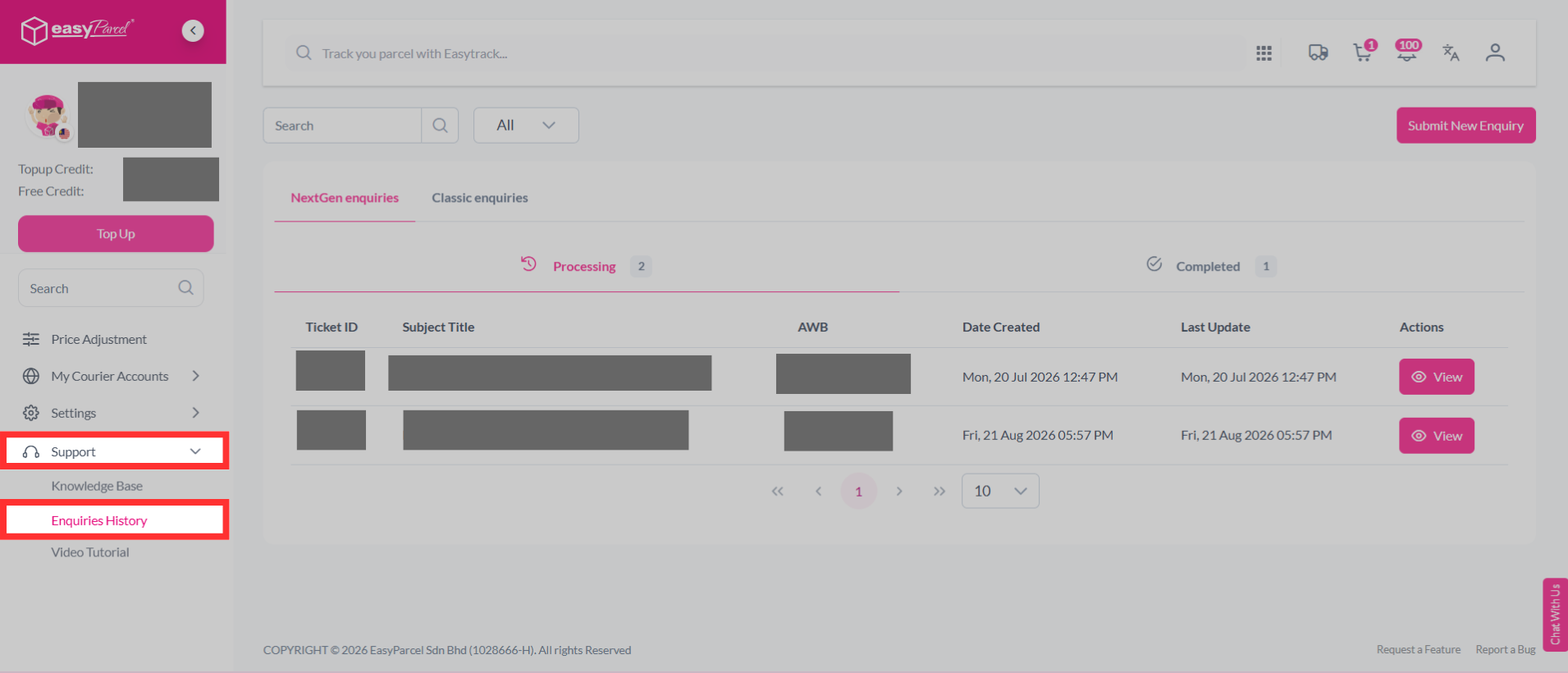
After you file a claim, our system will update the status for you to see at a glance. Here's an explanation of the different status of a claim can have in EasyParcel.
Situation 2: Parcel damaged
Step 1: Log in to your account, head over to "Manage Parcel", then click on "All Parcels".
Step 2: Select the parcel you want to report, click "More Actions", and select "Request Claim".
Step 3: Select the "Parcel Damaged".
Note: Claim must be submitted within 2 days of delivery.
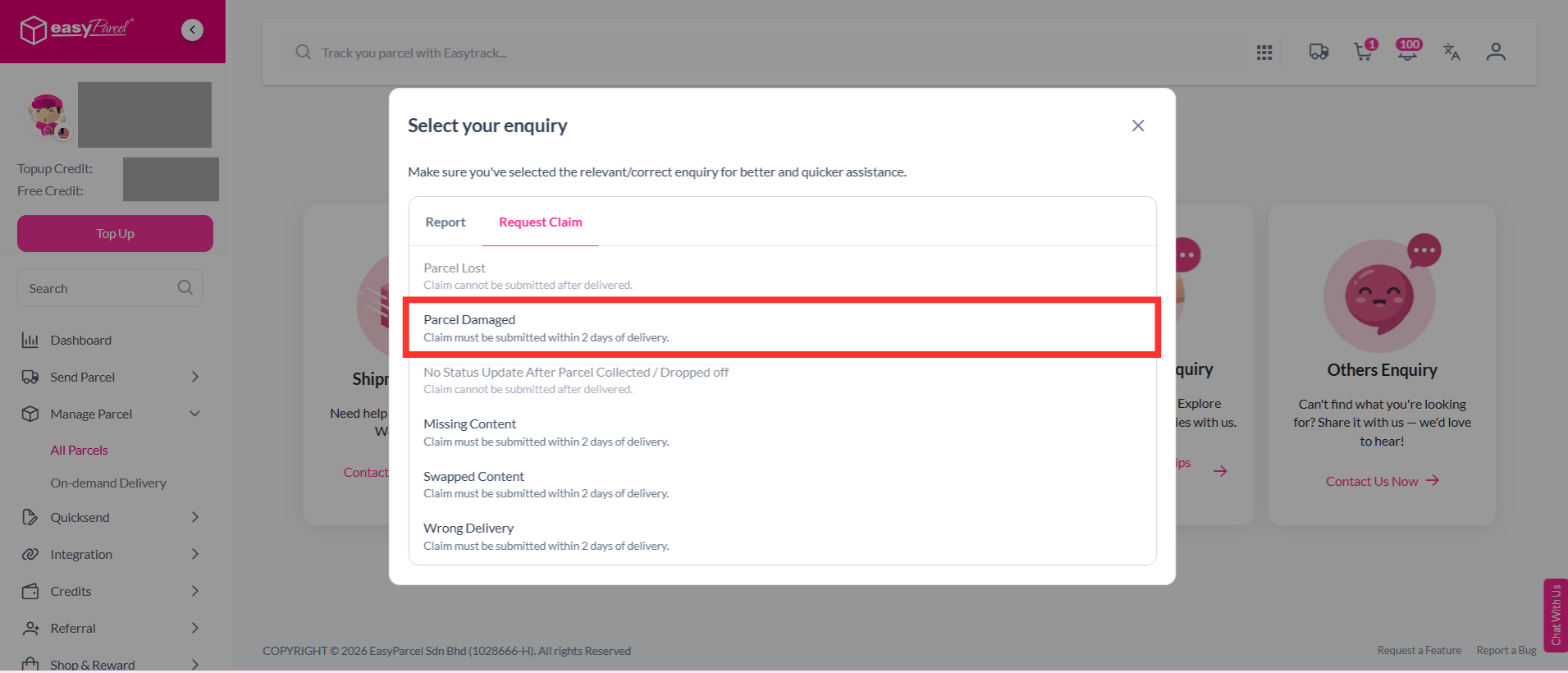
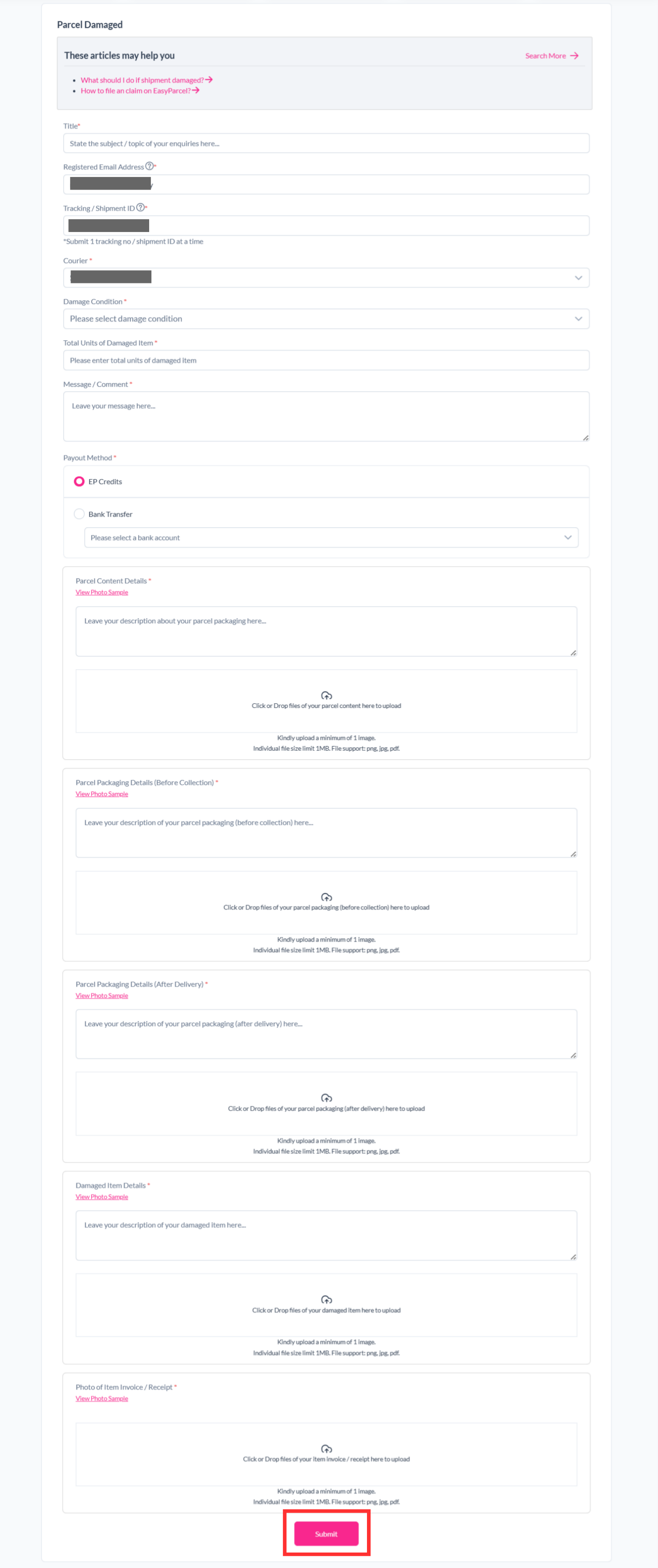
Step 4: Fill in the details required and click "Submit".
Step 5: Your report has been submitted to our support team and you can track the parcel report status by clicking on "Support" > "Enquiries History".
After you file a claim, our system will update the status for you to see at a glance. Here's an explanation of the different status of a claim can have in EasyParcel.
Situation 3: Parcel no status update after parcel collected/dropped off
Step 1: Log in to your account, head over to "Manage Parcel", then click on "All Parcels".
Step 2: Select the parcel you want to report, click "More Actions", and select "Request Claim".
Step 3: Select the "No Status Update After Parcel Collected/Dropped off".
Note: Claim must be submitted within 15 days of the last tracking event.
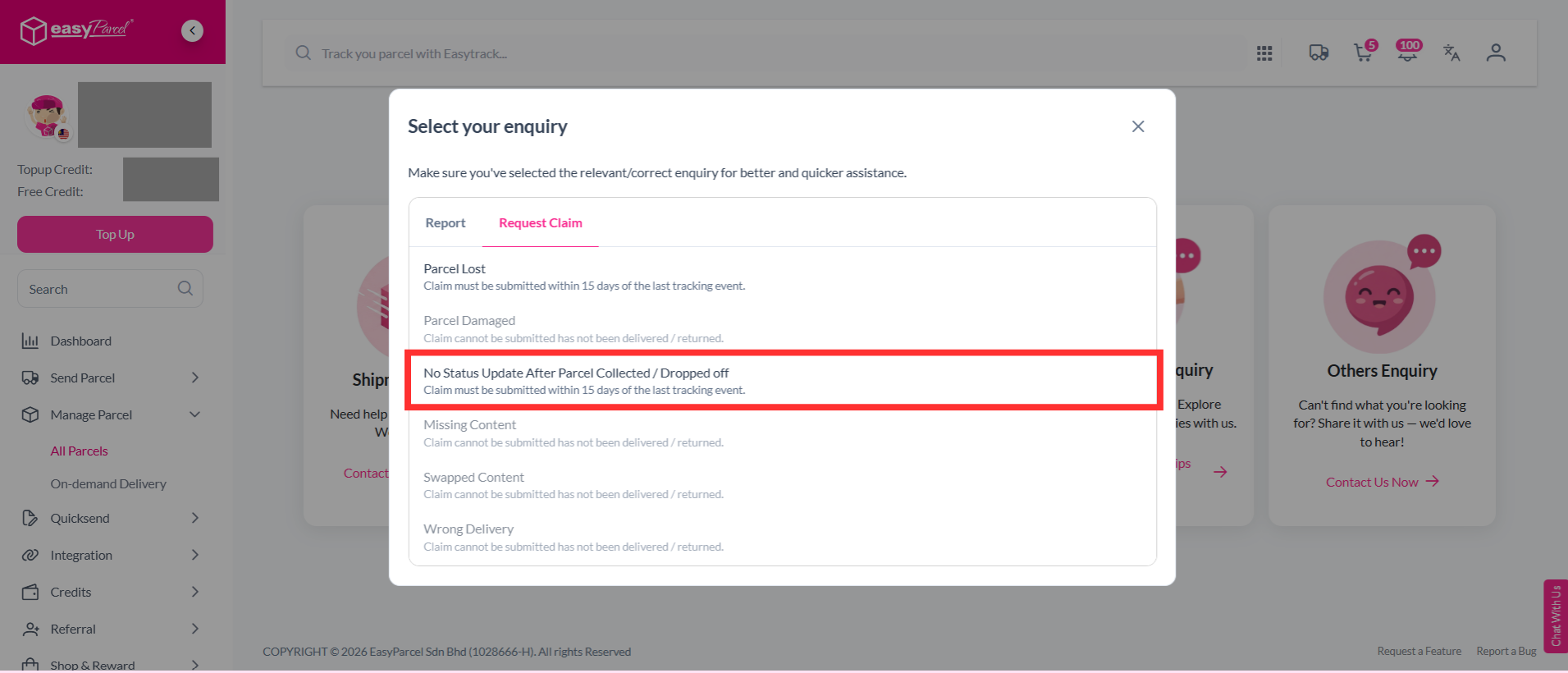
Step 4: Fill in the details required and click "Submit".
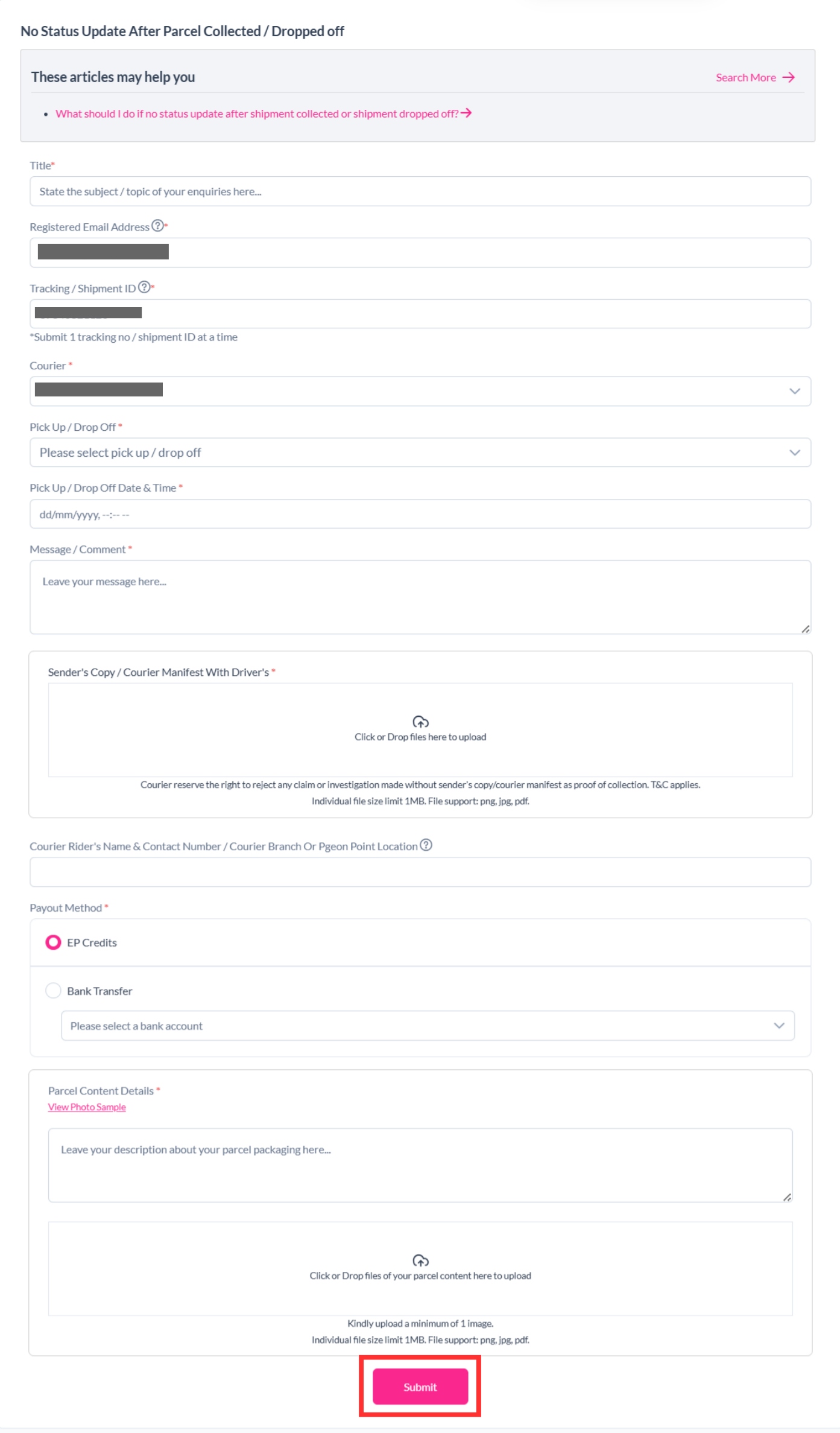
Step 5: Your report has been submitted to our support team and you can track the parcel report status by clicking on "Support" > "Enquiries History".
After you file a claim, our system will update the status for you to see at a glance. Here's an explanation of the different status of a claim can have in EasyParcel.
Situation 4: Parcel missing content
Step 1: Log in to your account, head over to "Manage Parcel", then click on "All Parcels".
Step 2: Select the parcel you want to report, click "More Actions", and select "Request Claim".
Step 3: Select the "Missing Content".
Note: Claim must be submitted within 2 days of delivery.
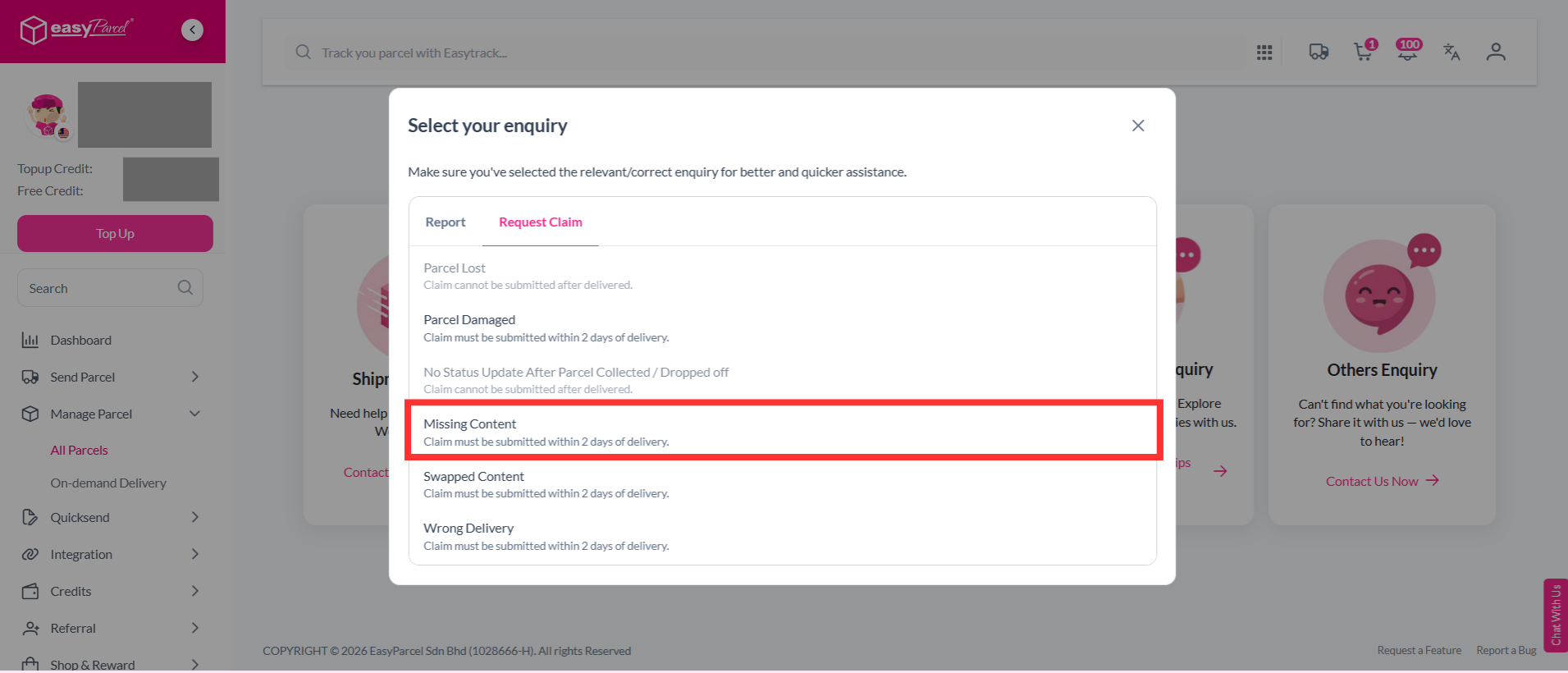
Step 4: Fill in the details required and click "Submit".
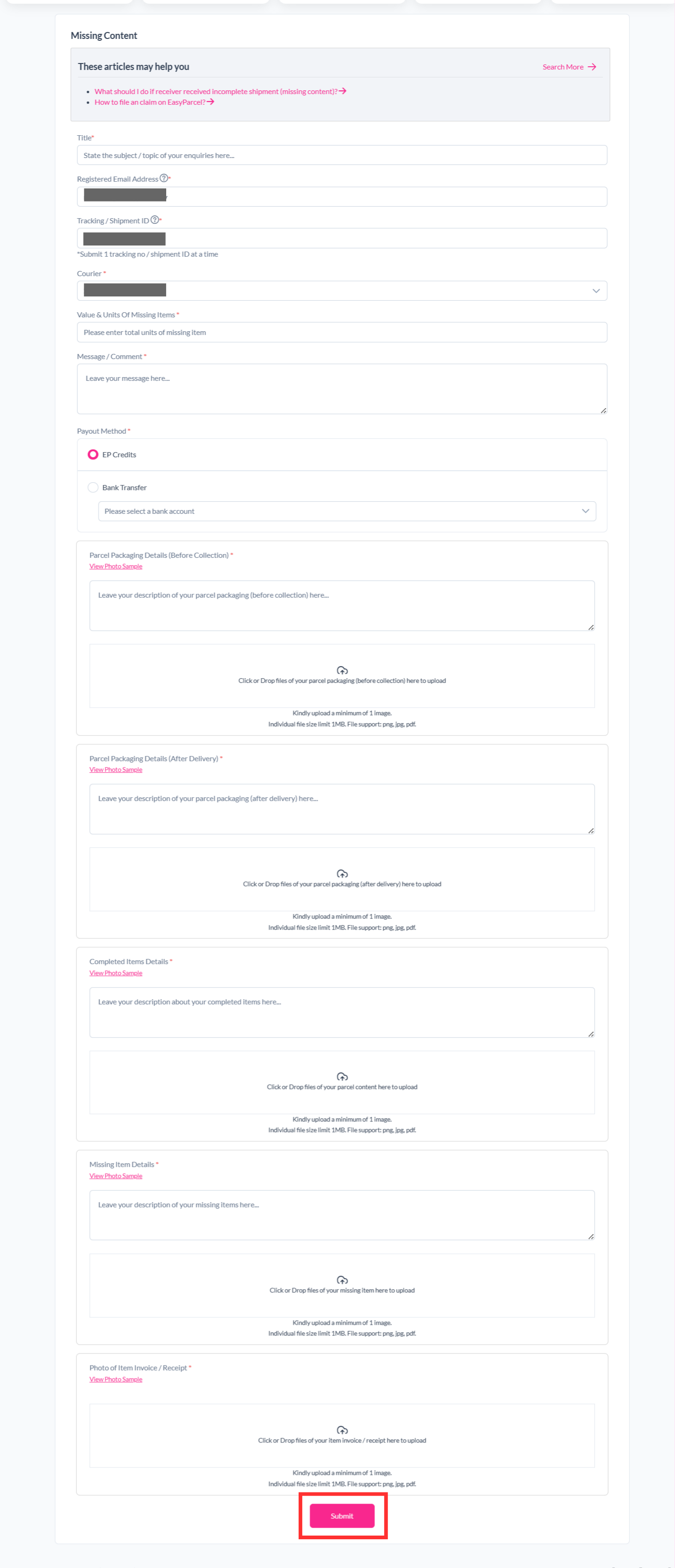
Step 5: Your report has been submitted to our support team and you can track the parcel report status by clicking on "Support" > "Enquiries History".
After you file a claim, our system will update the status for you to see at a glance. Here's an explanation of the different status of a claim can have in EasyParcel.
Situation 5: Parcel swapped content
Step 1: Log in to your account, head over to "Manage Parcel", then click on "All Parcels".
Step 2: Select the parcel you want to report, click "More Actions", and select "Request Claim".
Step 3: Select the "Swapped Content".
Note: Claim must be submitted within 2 days of delivery.
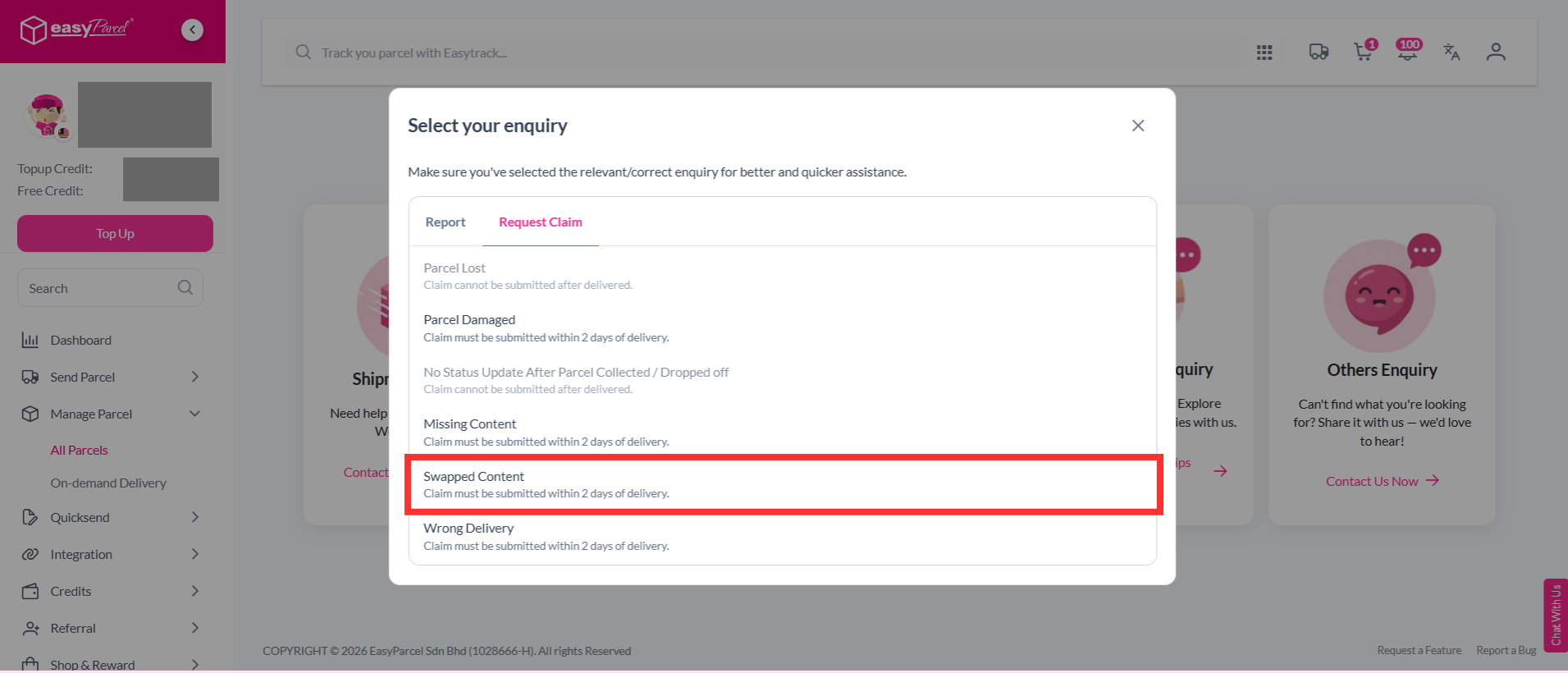
Step 4: Fill in the details required and click "Submit".
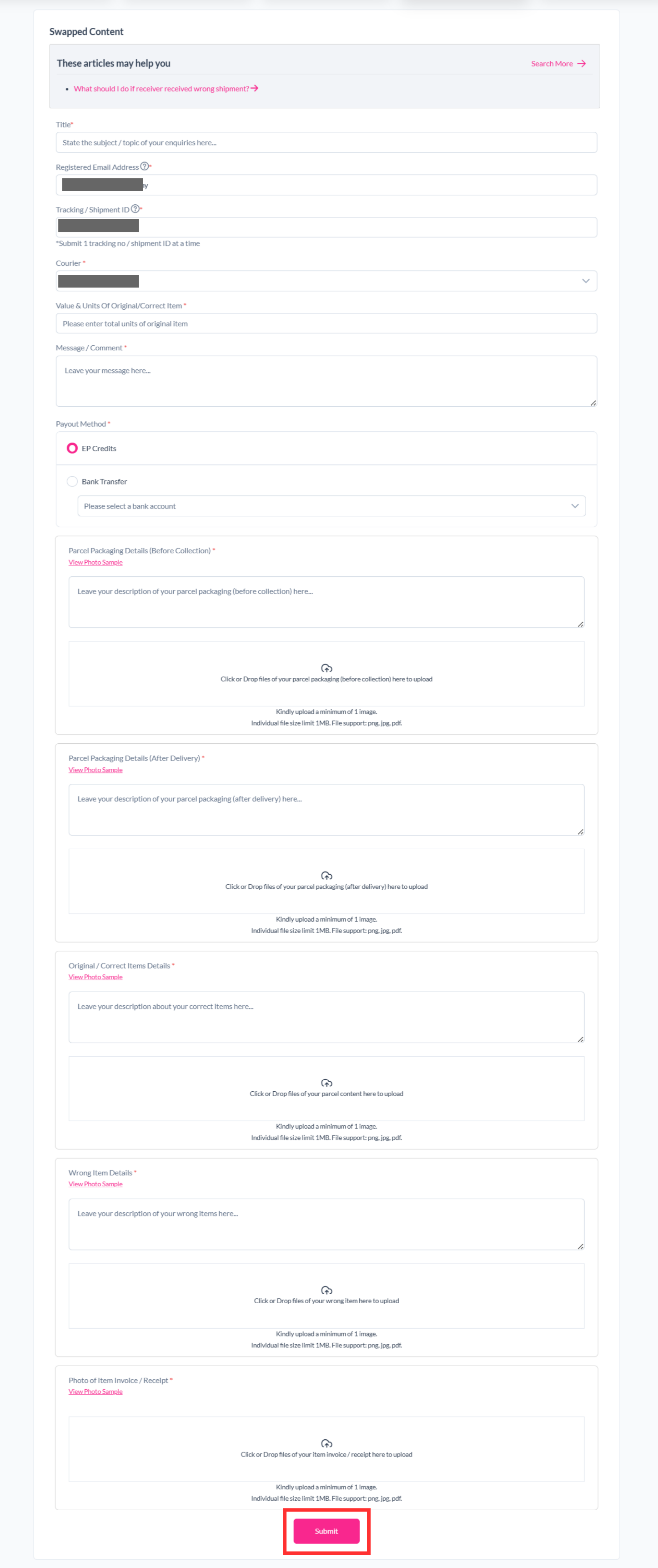
Step 5: Your report has been submitted to our support team and you can track the parcel report status by clicking on "Support" > "Enquiries History".
After you file a claim, our system will update the status for you to see at a glance. Here's an explanation of the different status of a claim can have in EasyParcel.
Situation 6: Parcel wrong delivery
Step 1: Log in to your account, head over to "Manage Parcel", then click on "All Parcels".
Step 2: Select the parcel you want to report, click "More Actions", and select "Request Claim".
Step 3: Select the "Wrong Delivery".
Note: Claim must be submitted within 2 days of delivery.
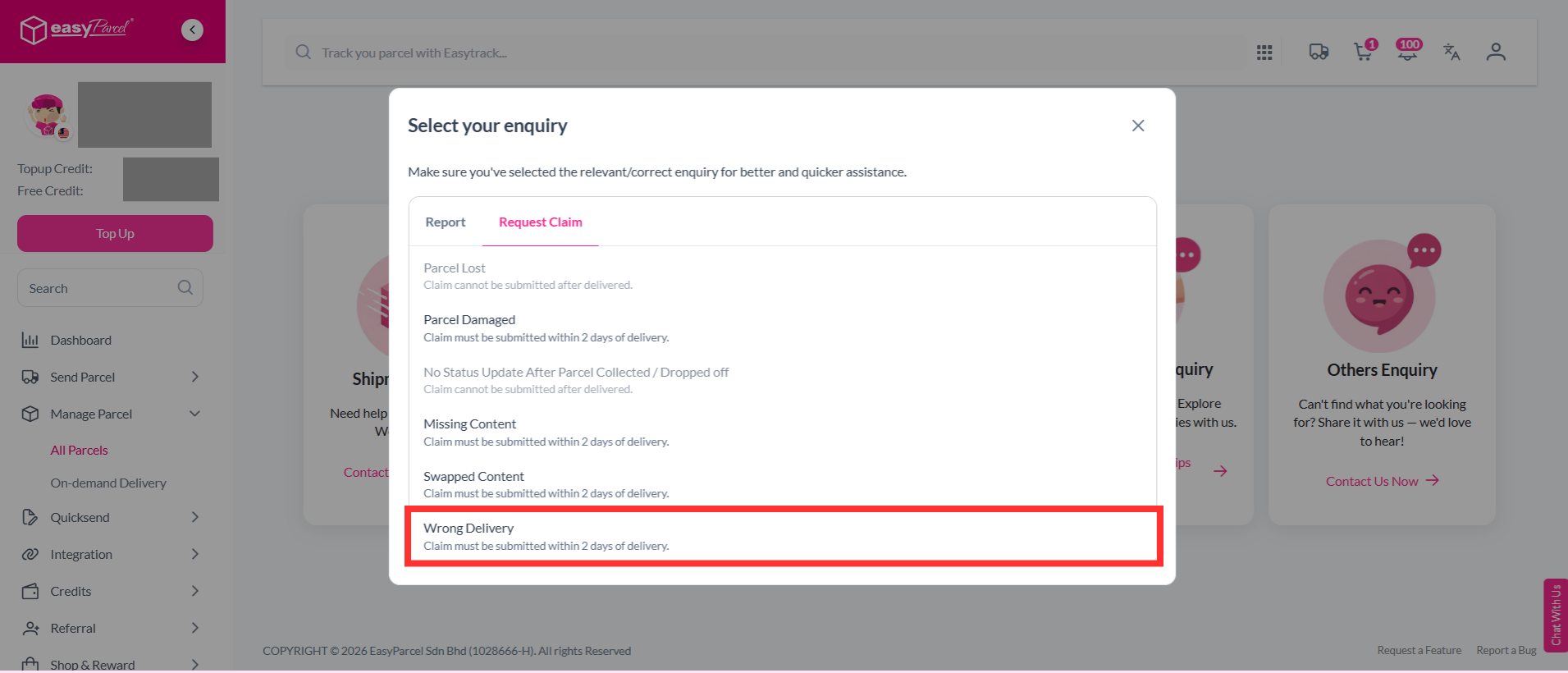
Step 4: Fill in the details required and click "Submit".
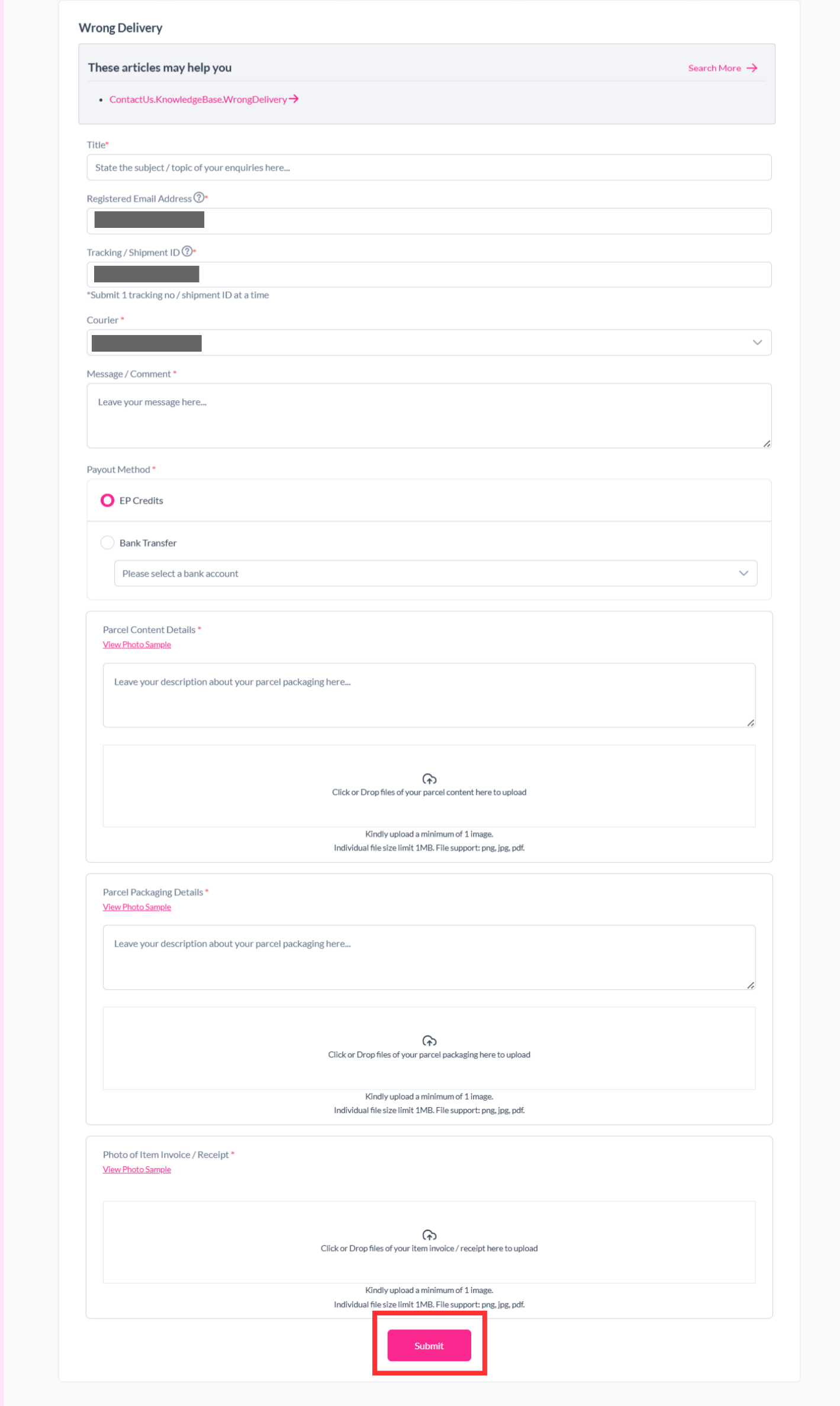
Step 5: Your report has been submitted to our support team and you can track the parcel report status by clicking on "Support" > "Enquiries History".
After you file a claim, our system will update the status for you to see at a glance. Here's an explanation of the different status of a claim can have in EasyParcel.
FAQ
- Q: How will I be notified about my claim status?
A: You will receive updates as your claim progresses. Our support team will also respond via the message board within 24 working hours. - Q: How do I know if my parcel issue is eligible for a claim?
A: Lost parcels under Basic Insurance, InsurePlus, or EasyCover are eligible with proper documentation (invoice and photos). Damaged parcels are covered under Basic Insurance. EasyCover applies only if you opted in with the additional 2%–2.5% fee. - Q: How does EasyParcel pay out insurance/protection claims?
A: Once approved, claims are paid via bank transfer (7–14 working days) or instantly credited as EasyParcel credit for future use.
And there you have it! You now have all the information about how insurance claims are processed with EasyParcel. If you still have questions, feel free to explore our other articles or contact our friendly support team. We're happy to help!
Read Next: How to purchase insurance/protection on EasyParcel.