
Quick Summary
To set up Auto Top Up on EasyParcel, go to "Credits" > "Auto Top Up" in your dashboard. Activate the feature, select your preferred top-up package (min. RM28), set a minimum balance trigger, and save your credit/debit card details. This ensures uninterrupted service by automatically adding credits when your balance is low.
How to set up auto Top Up?
To make sure you have enough credit to use every time you need, it is best for you to top up your EasyParcel credit ahead too. Simply perform a one-time activation for auto top-up, and never run out of EasyParcel credit again!
The thing is getting better – you’ll no longer have to worry about the hassle of topping up manually every time you run low on EasyParcel credit. Here comes our auto top-up feature – it’s available for all of you out there!
Step By Step Guide to Enable Auto Top Up:
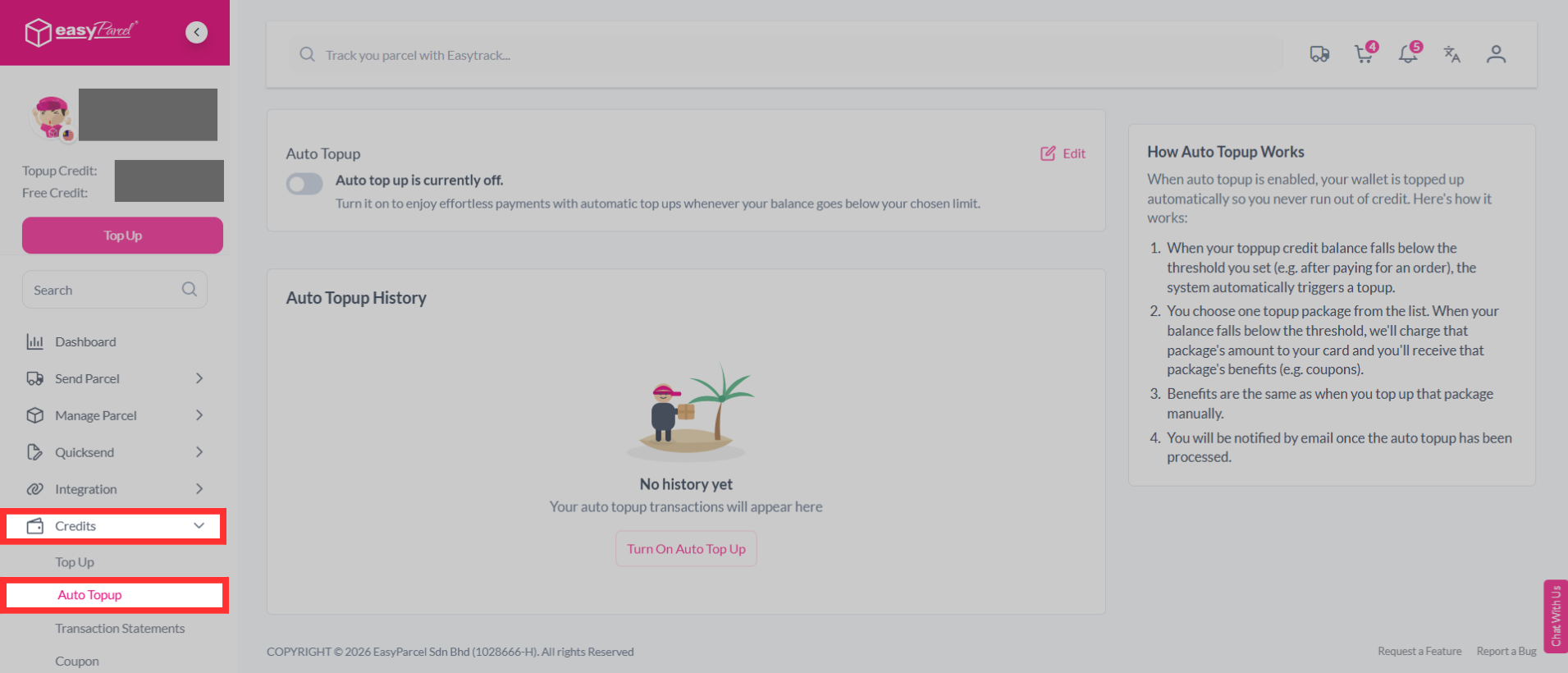
Step 1: Click "Credits" on your dashboard, then choose "Auto Topup".
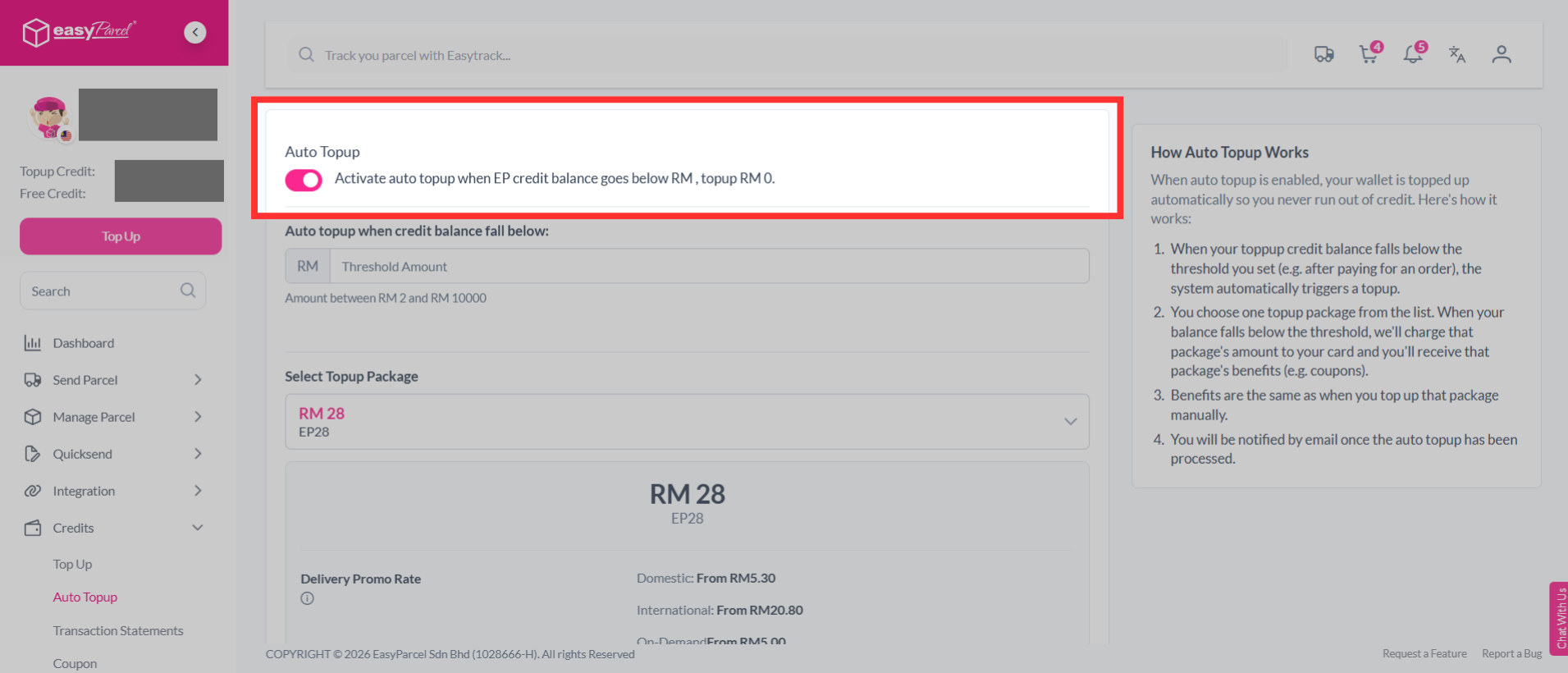
Step 2: Enable the activation button.
Note: You can turn on/off your auto top-up anytime as you wish with just a click.
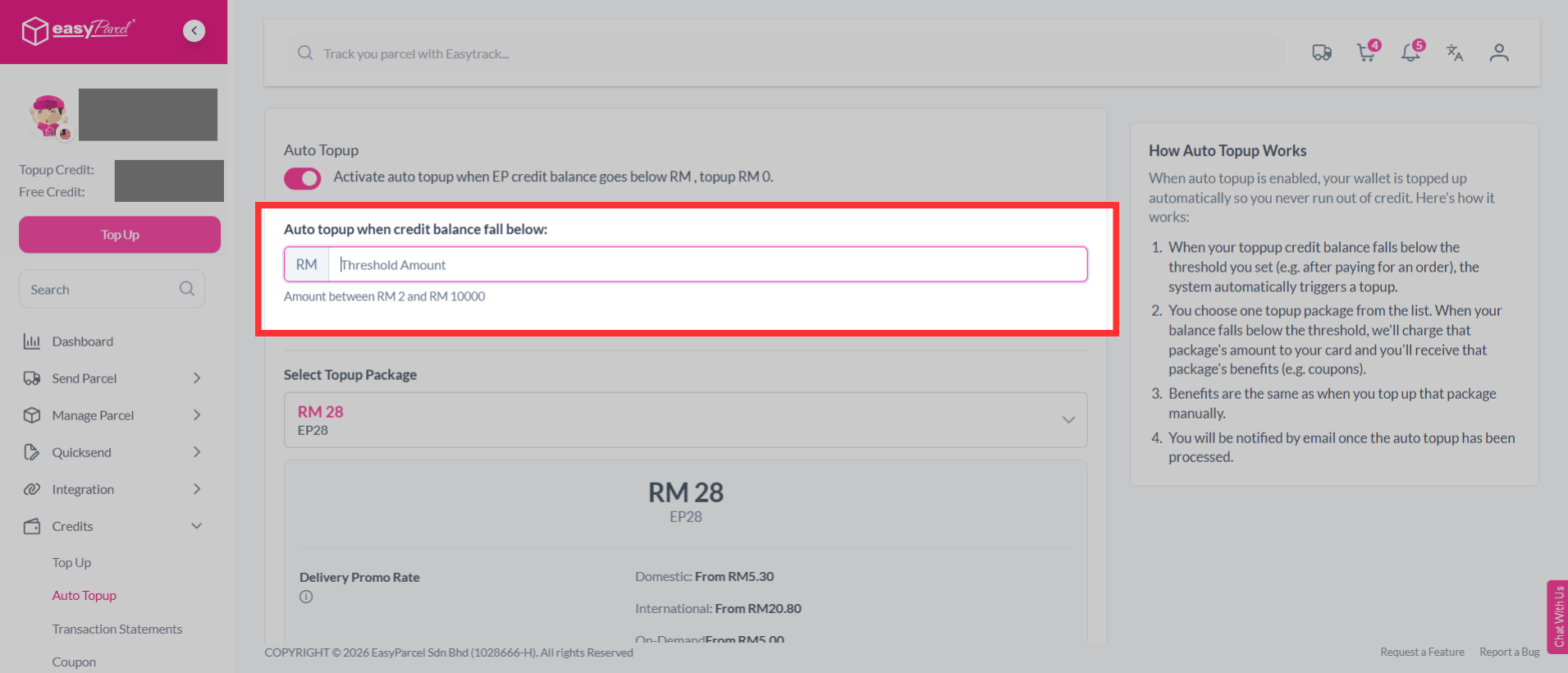
Step 3: Enter the threshold amount. The amount must be between RM2 and RM10,000.
Note: When your toppup credit balance falls below the threshold you set (e.g. after paying for an order), the system automatically triggers a topup.
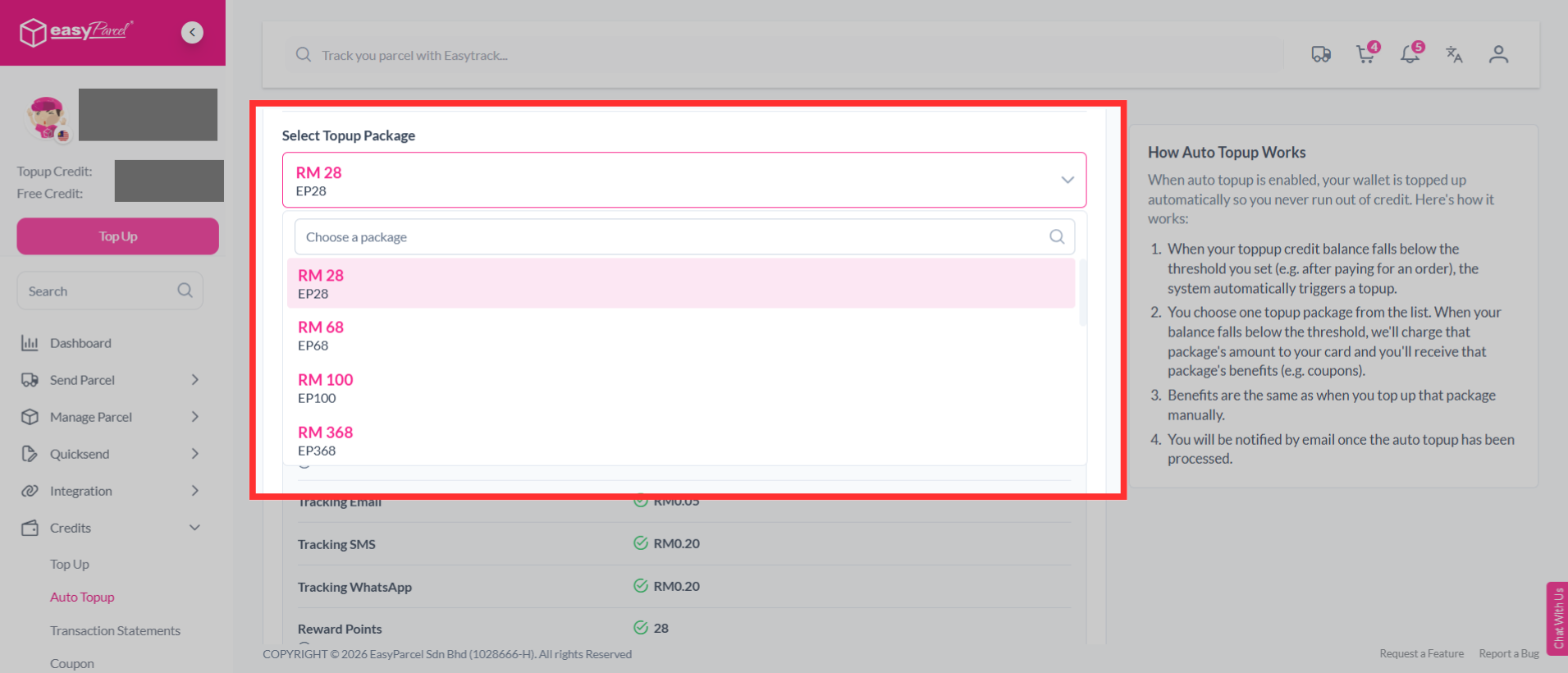
Step 4: Select your preferred top-up package (min. RM28).
Note: You choose one topup package from the list. When your balance falls below the threshold, we'll charge that package's amount to your card and you'll receive that package's benefits (e.g. coupons). Benefits are the same as when you top up that package manually.
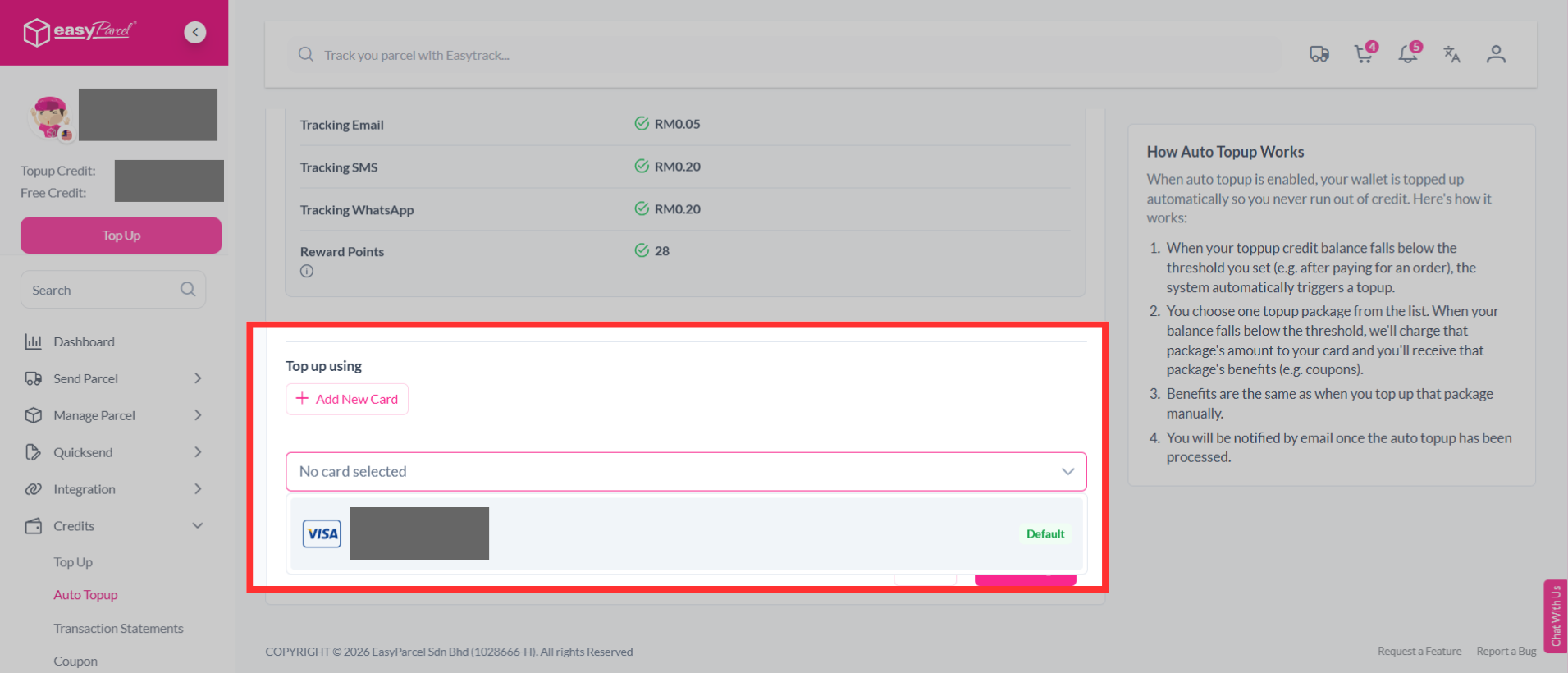
Step 5: You may select an existing card or add a new card to top up your account.
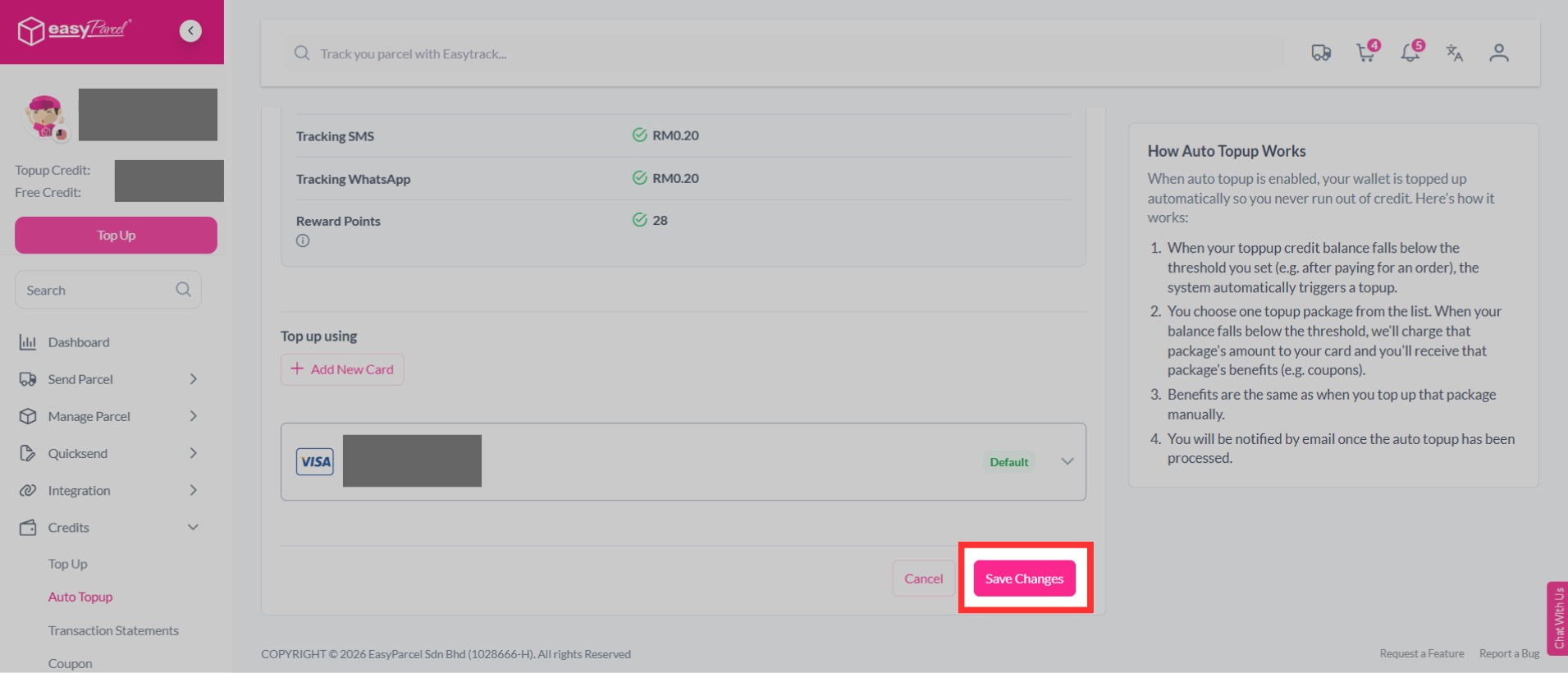
Step 6: Click "Save Changes" and the automation is done!
Now you know what to do! Hurry up and set up the auto top up at your account here!