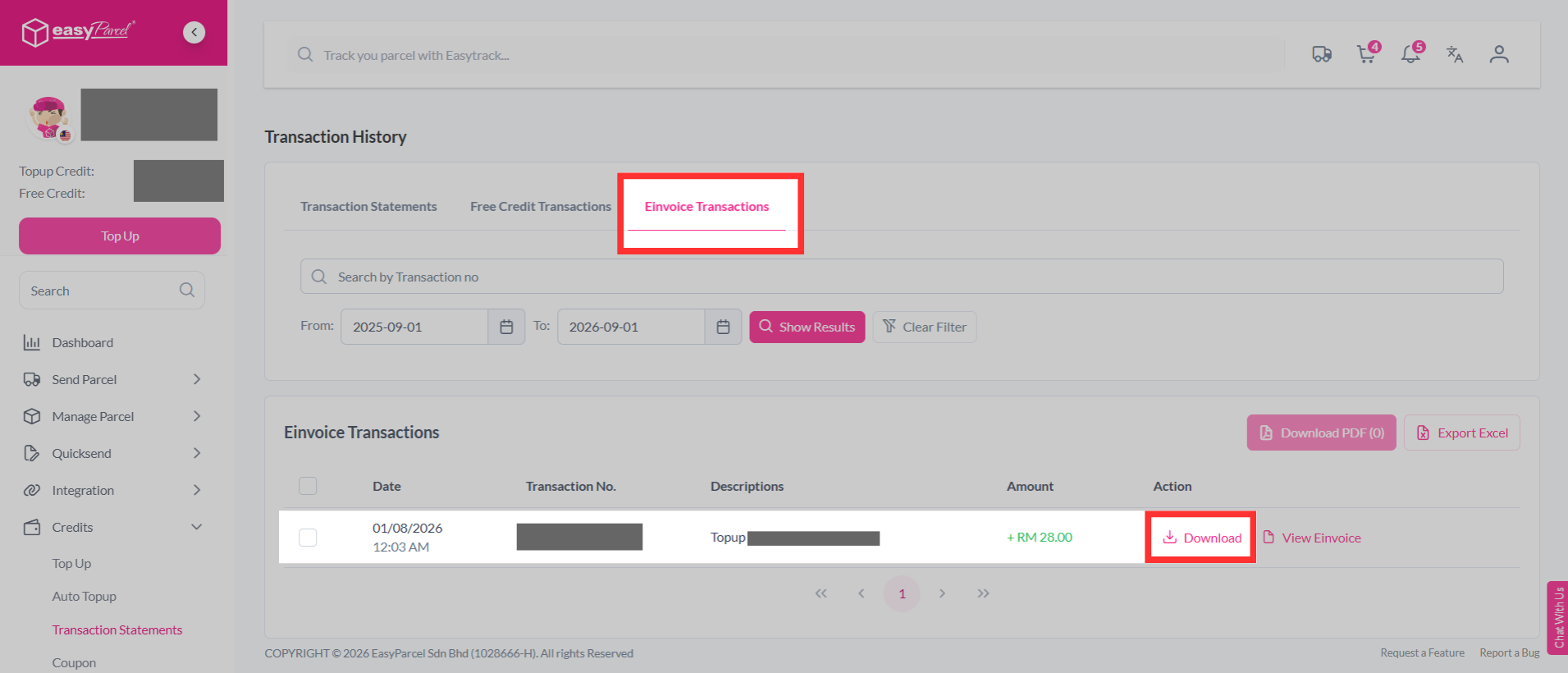
After successfully making a new top up, you can easily get your invoices and statement in your EasyParcel account. Simply follow these steps:
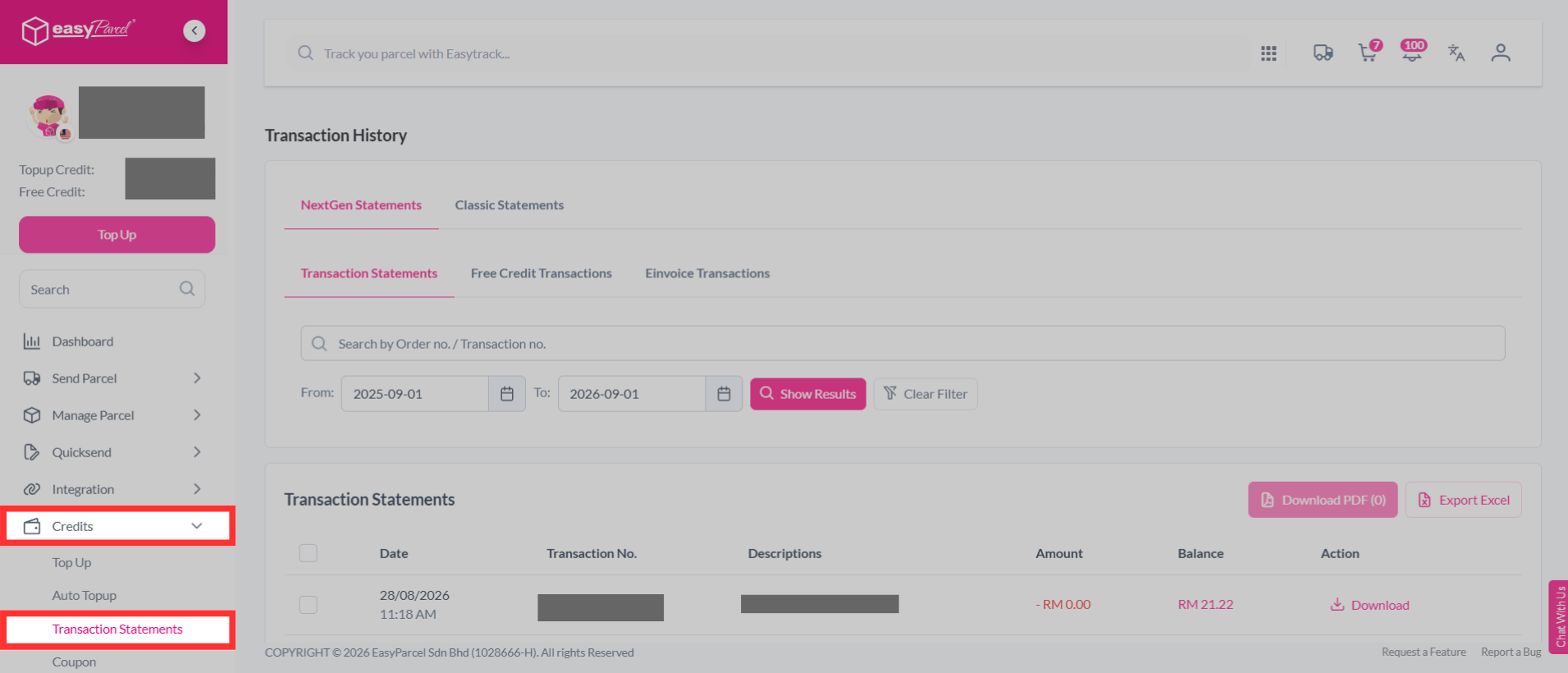
Step 1: Log in to your EasyParcel account, go to "Credits" and click on "Transaction Statements".
Step 2: Click on "Einvoice Transactions" to search for your statement history and click on the "Download" to download your statement.