
Quick Summary
To top up credit on EasyParcel, log in to your account, click "Top Up" on the dashboard, select a package (ranging from RM28 to RM100,000+), and complete the payment via credit/debit card, online banking, or e-wallet. Credits are valid for 365 days, with top-ups extending this period.
Beginner's Video Tutorial [Older Version/V8]
How to Top Up credit on EasyParcel?
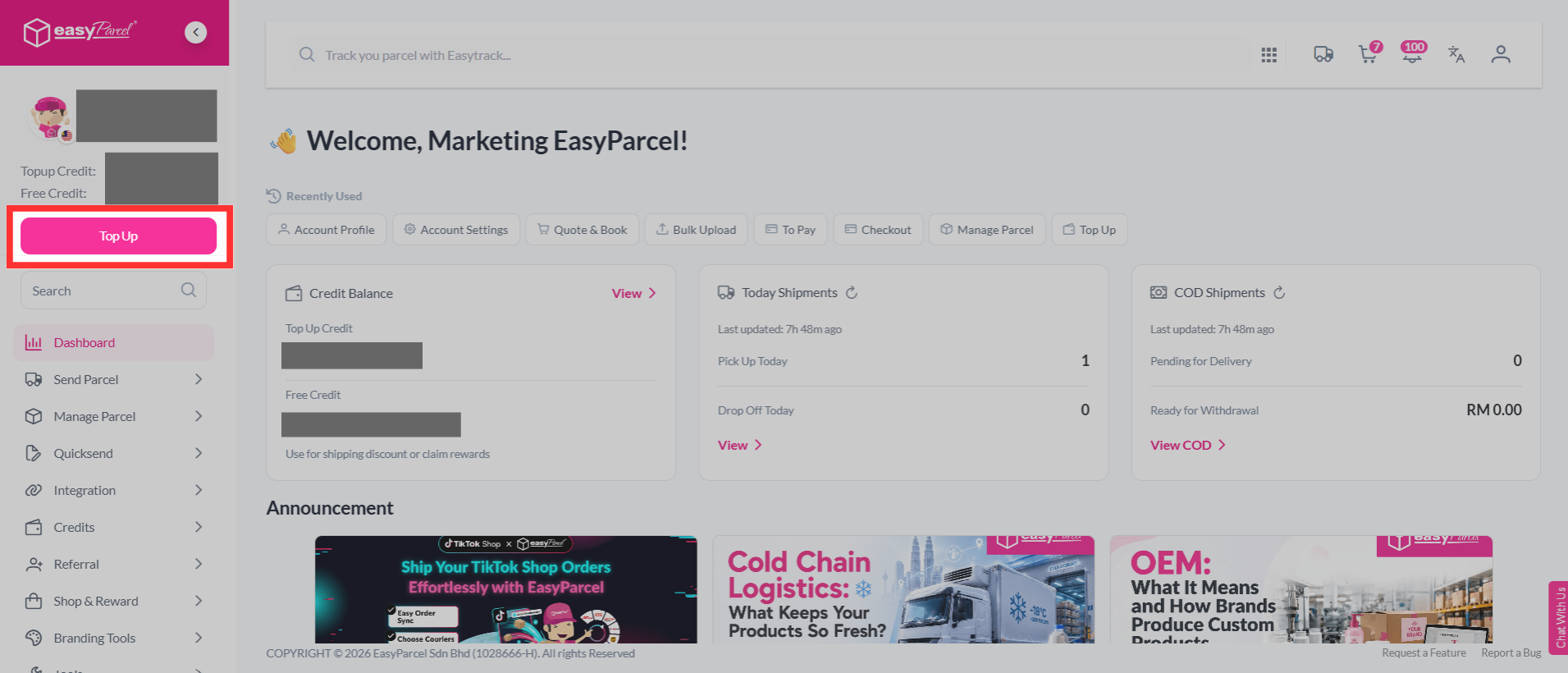
Step 1: Click "Top Up", the button is located at upper left corner, under your profile.
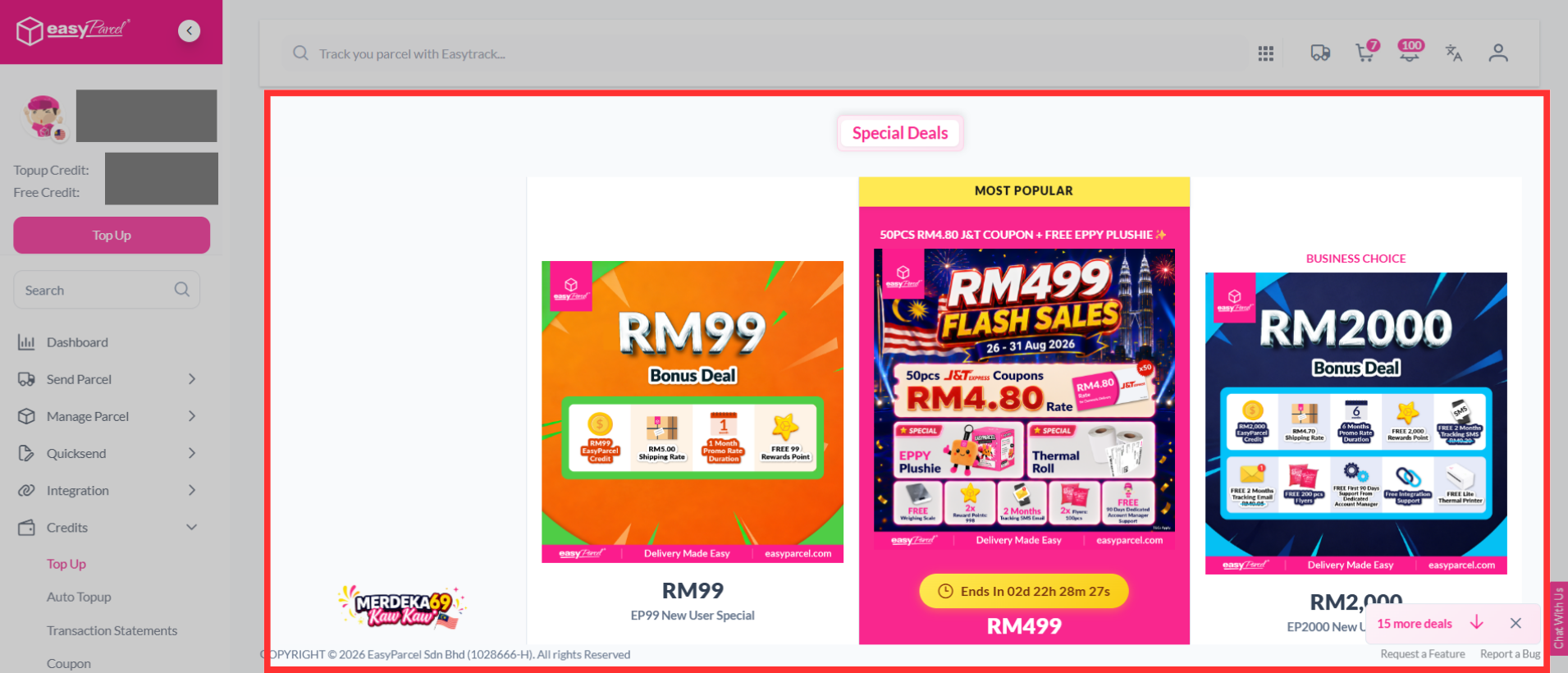
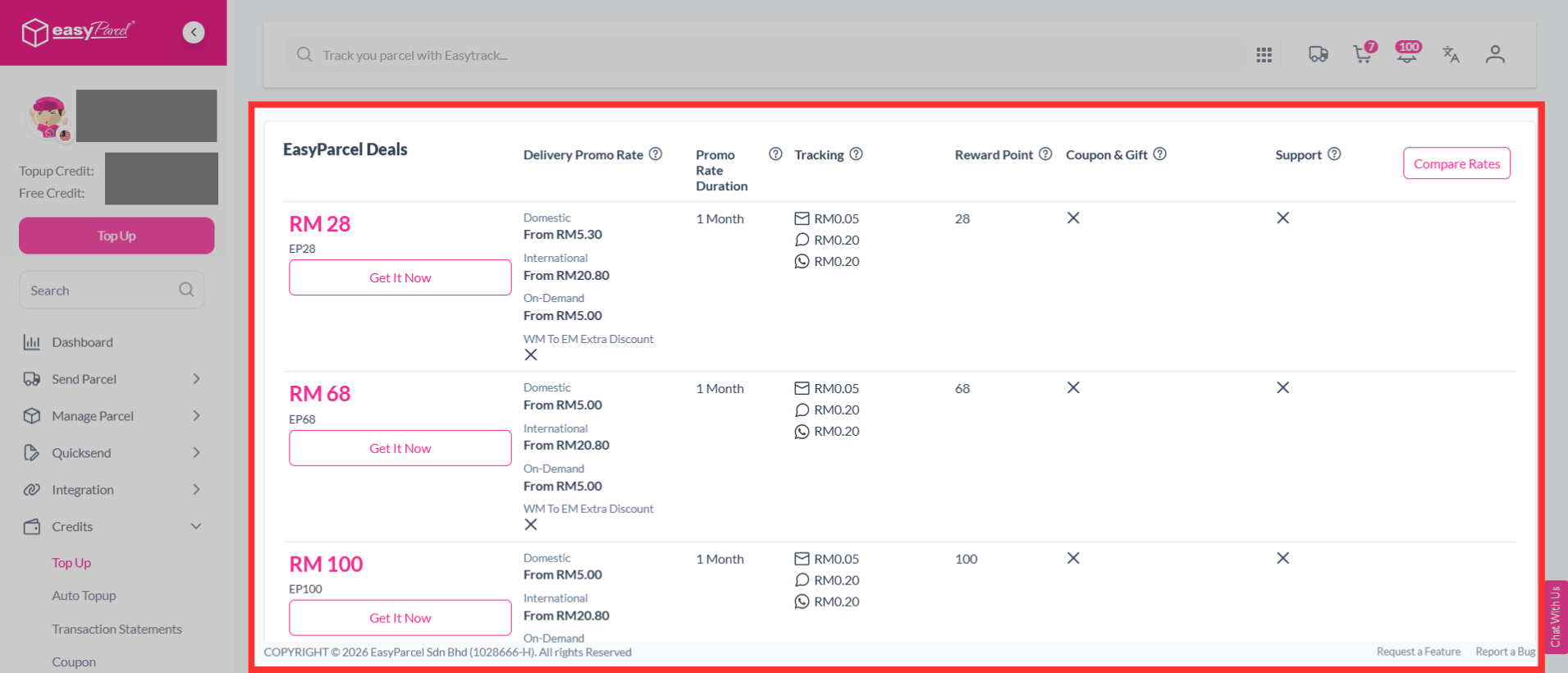
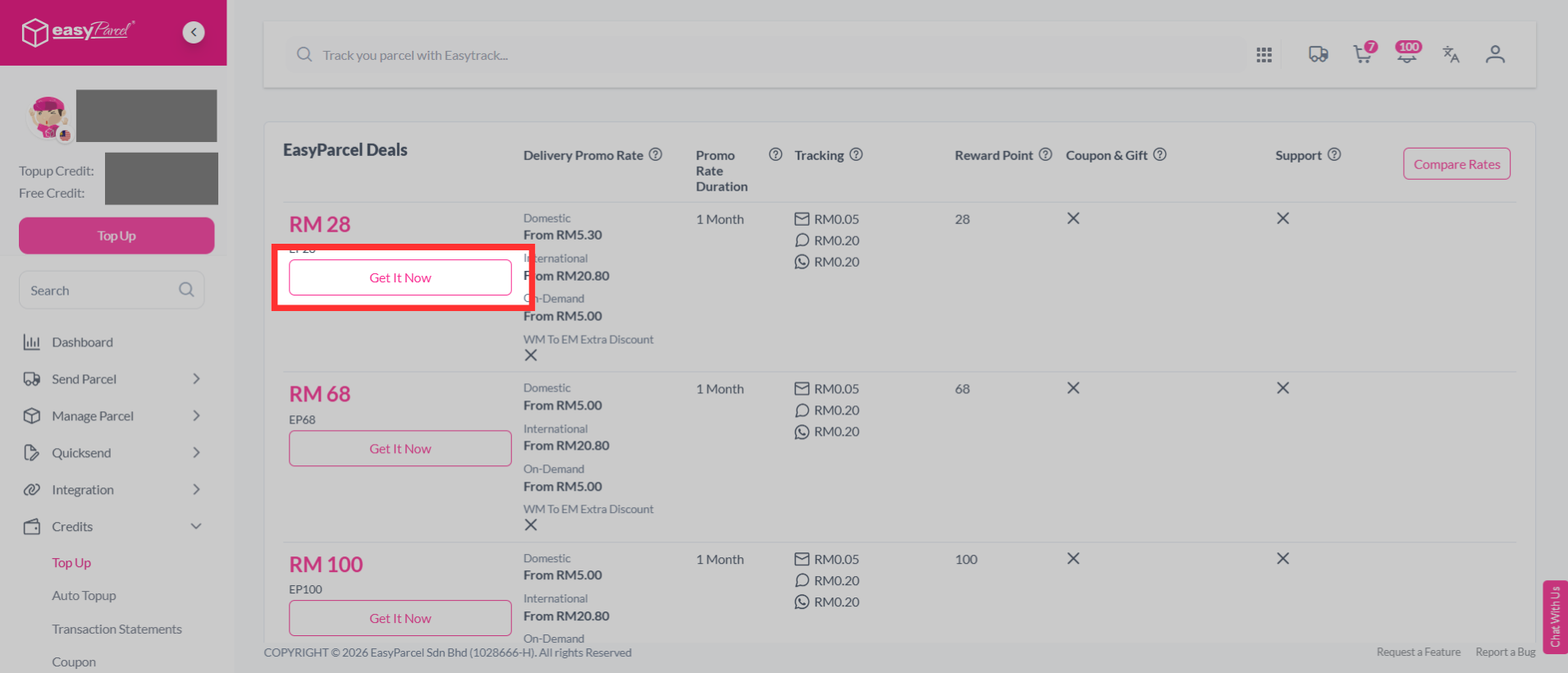
Step 2: Choose among special deals or EasyParcel deals to top up.
If you are a first time user, you can enjoy the first time deals.
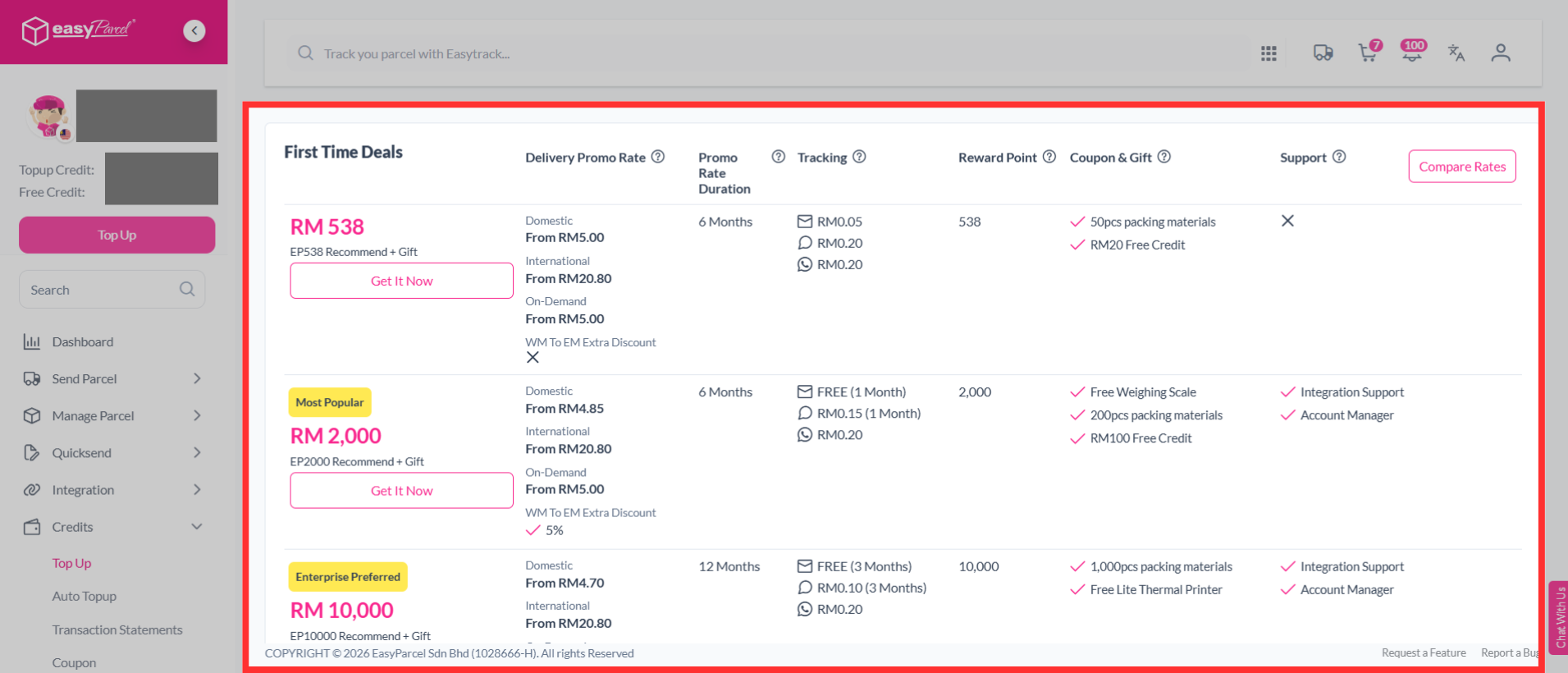
Step 3: Click "Get It Now" to perform top up.
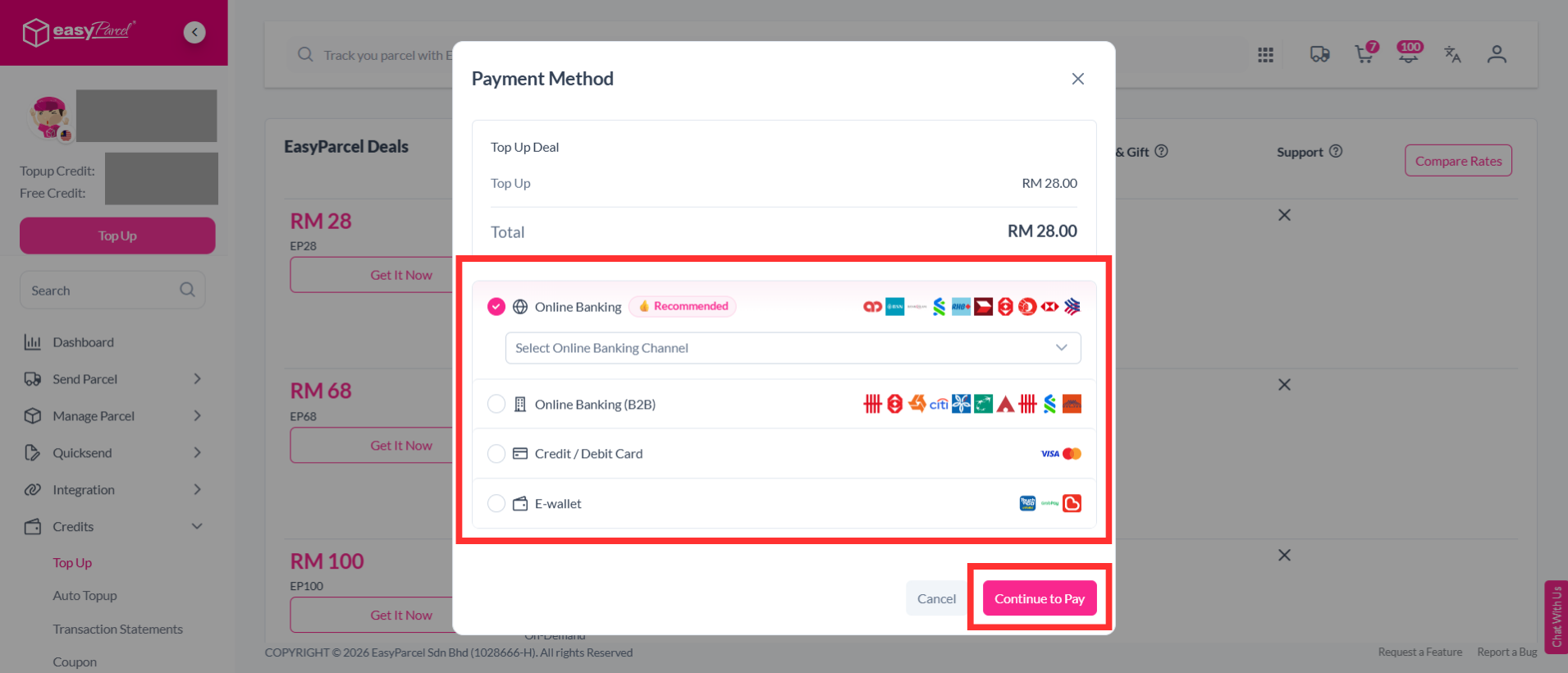
Step 4: Select your preferred top up method, then click "Continue to Pay" to complete the payment. Once the payment is successful, your account will be successfully topped up.
Note: There are four payment methods for you to perform top up. Scroll down to see what are the top up payment methods on EasyParcel!
Note: Top-ups can only be made through the available packages and cannot be customized to a specific amount.
What are the Top Up Payment methods on EasyParcel?
- Top up Online Via
- Online Banking
- Online Banking (B2B)
- Credit/Debit Card
- E-wallet