Quick Summary
To rebook a parcel on EasyParcel, log in to your dashboard, go to "Manage Parcel" > "All Parcels", and click the "Rebook" button for the desired shipment. This duplicates your previous order into booking page and cart, allowing you to update details, select a new pick-up date, and pay for a new airway bill.
When should you rebook a parcel?
- When your parcel has missed pickup and you would not want to wait. You may opt to switch to a different courier via rebooking.
- When your parcel is returned to the sender, a duplicate order is created.
- When you want to resend to the same receiver.
How to rebook a parcel?
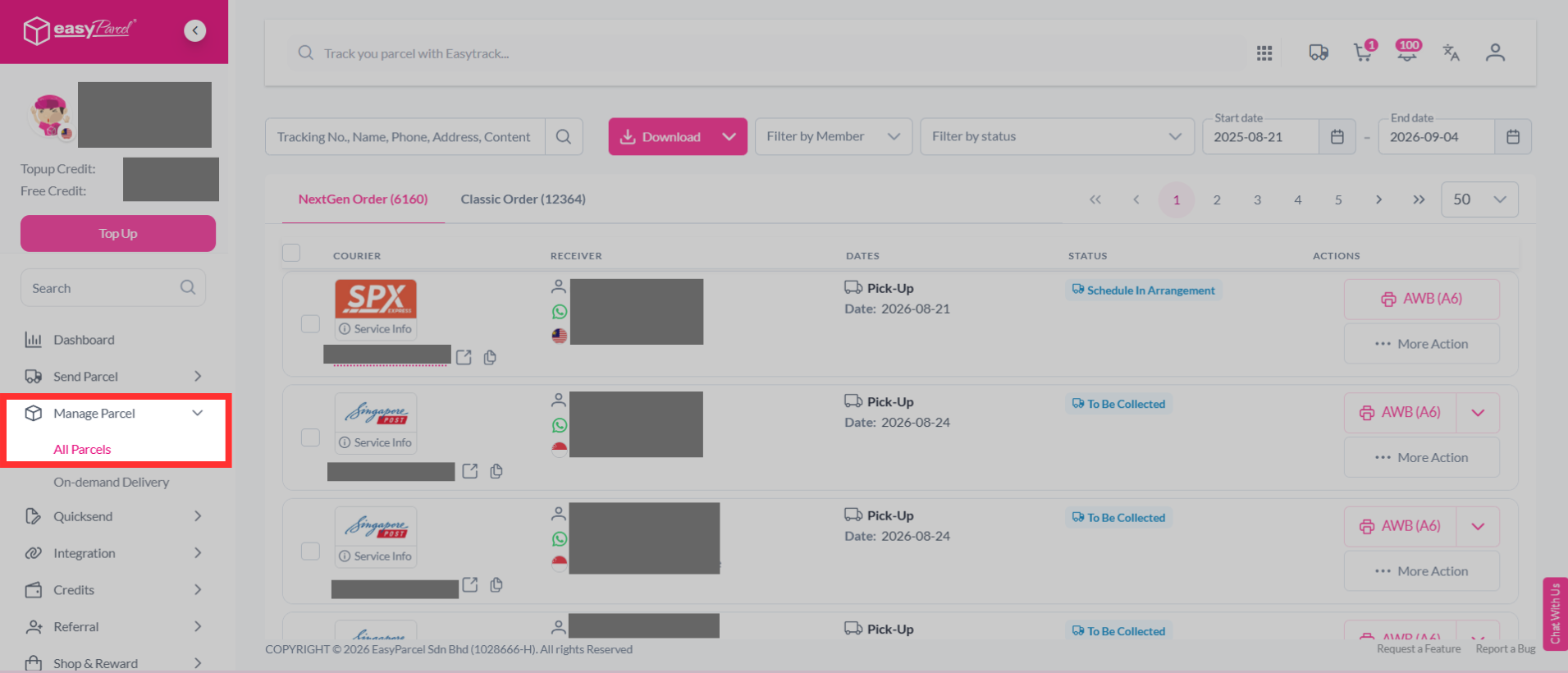
Step 1: Log in to your account, head over to the dashboard and go to "Manage Parcel". From the drop-down, click on "All Parcels".
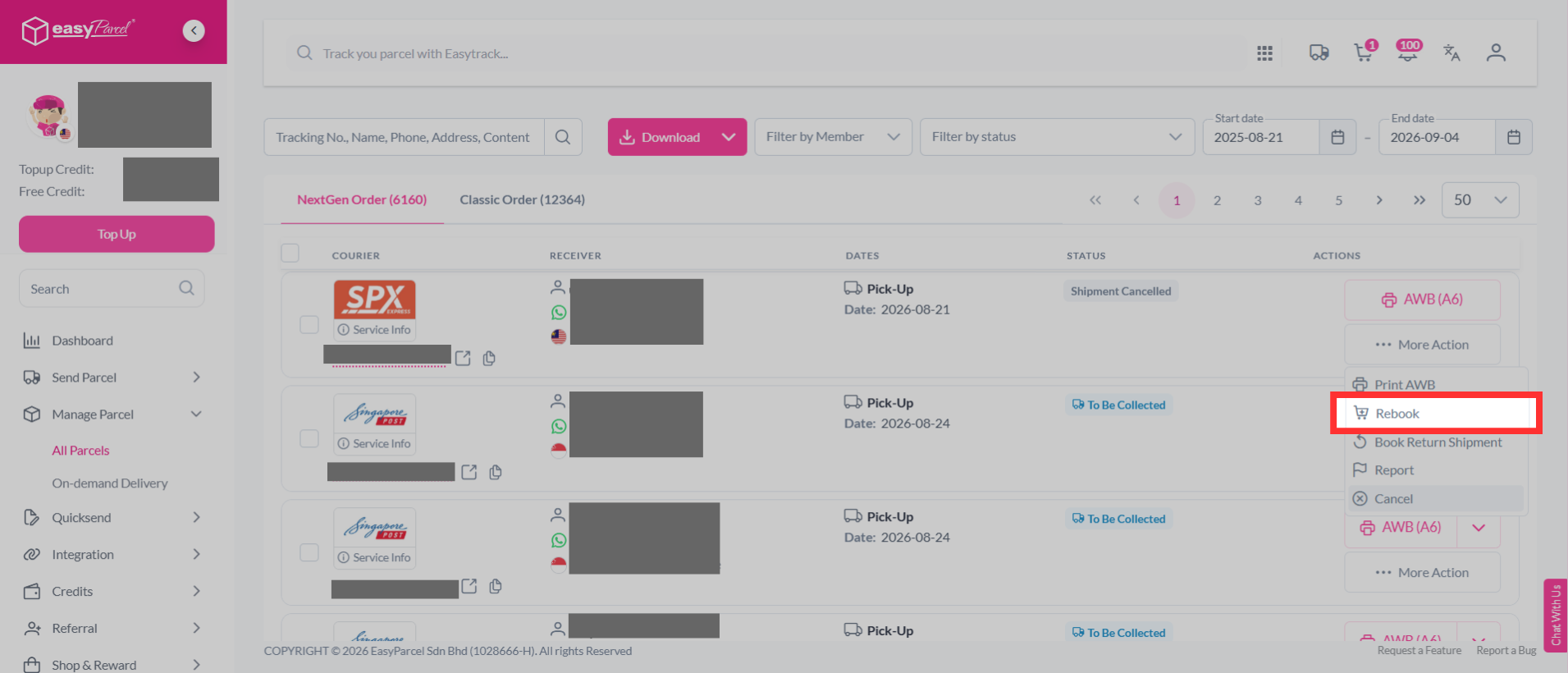
Step 2: Click on "More Action", then select "Rebook".
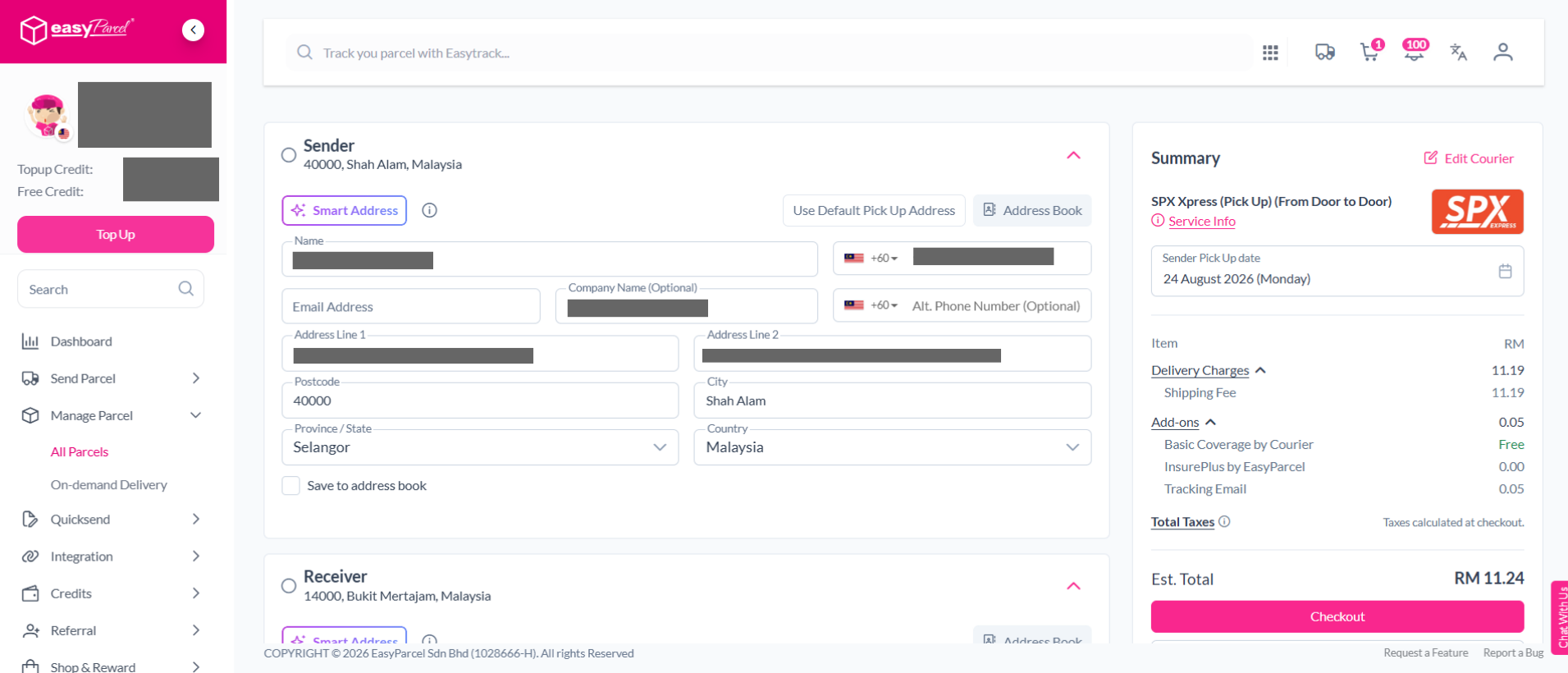
Step 3: You will then be redirected to booking page. You may proceed to checkout and obtain a new Air Waybill. Learn how to attach the Air Waybill to your parcel.
If you've missed out step 3:
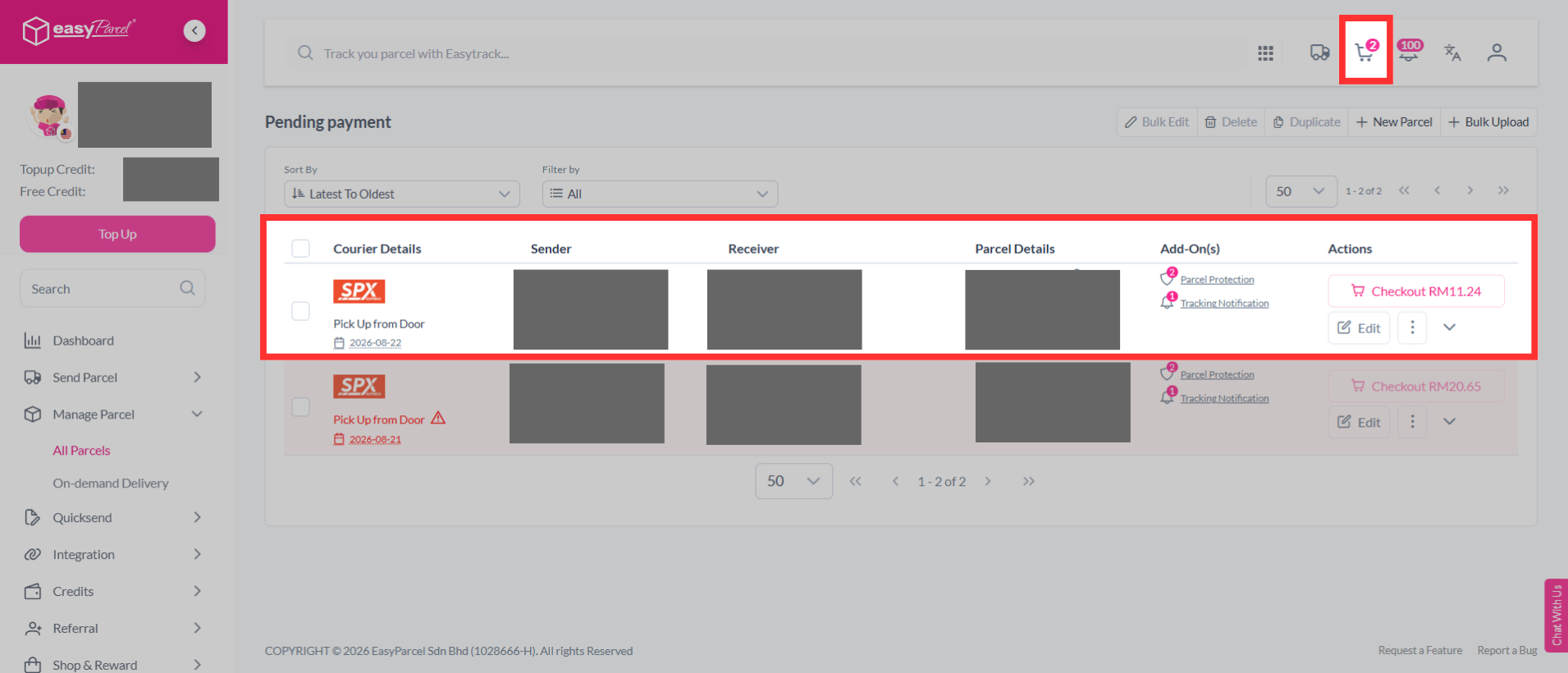
You can click on the cart logo at the top of your page to view your duplicated order.