
Quick Summary
If your parcel arrives with missing or incomplete items, ask the receiver to take photos of the outer and inner packaging, all received items, and the parcel’s weight immediately upon delivery. Then, report the issue through "Manage Parcel" > "All Parcels" > "More Actions" > "Request Claim", then select "Missing Content" within 2 days of delivery and submit the required documents and photos. You can track the claim under "Support" > "Enquiries History". The investigation may take around 2–3 months, depending on the case.
We'll Cover:
What should I do if my parcel is incomplete or missing items?
Step 1: Examine the item
Once your receiver has received the parcel and find out that there is an item missing, ask your receiver to take pictures as soon as immediate in order to document the condition of the delivery as soon as it has arrived, this includes:-
- Photo of the outer and inner packaging from different angles
- Photo of all the items that you’ve received
- Measure the weight of your parcel (include packaging) and take a photo of the number on the scale
Step 2: Contact our support team immediately
Inform our support team of the parcels condition immediately and provides all the photos within the stated time frame for the courier companies.
Step 3: Wait patiently for the investigation result
The investigation result might take around 2 – 3 months (the time frame may vary from case to case) and courier has the rights to reject your claim if:-
- The shipment weight tally with the initial booked weight
- There’s no torn / sign of damage on the packaging upon arrival
- The parcel content has been listed as prohibited items
- The claim submission has exceeded the report time frame
- Failed to provide the necessary documents
How can I report a parcel that is incomplete or missing?
Solution 1 (Recommended)
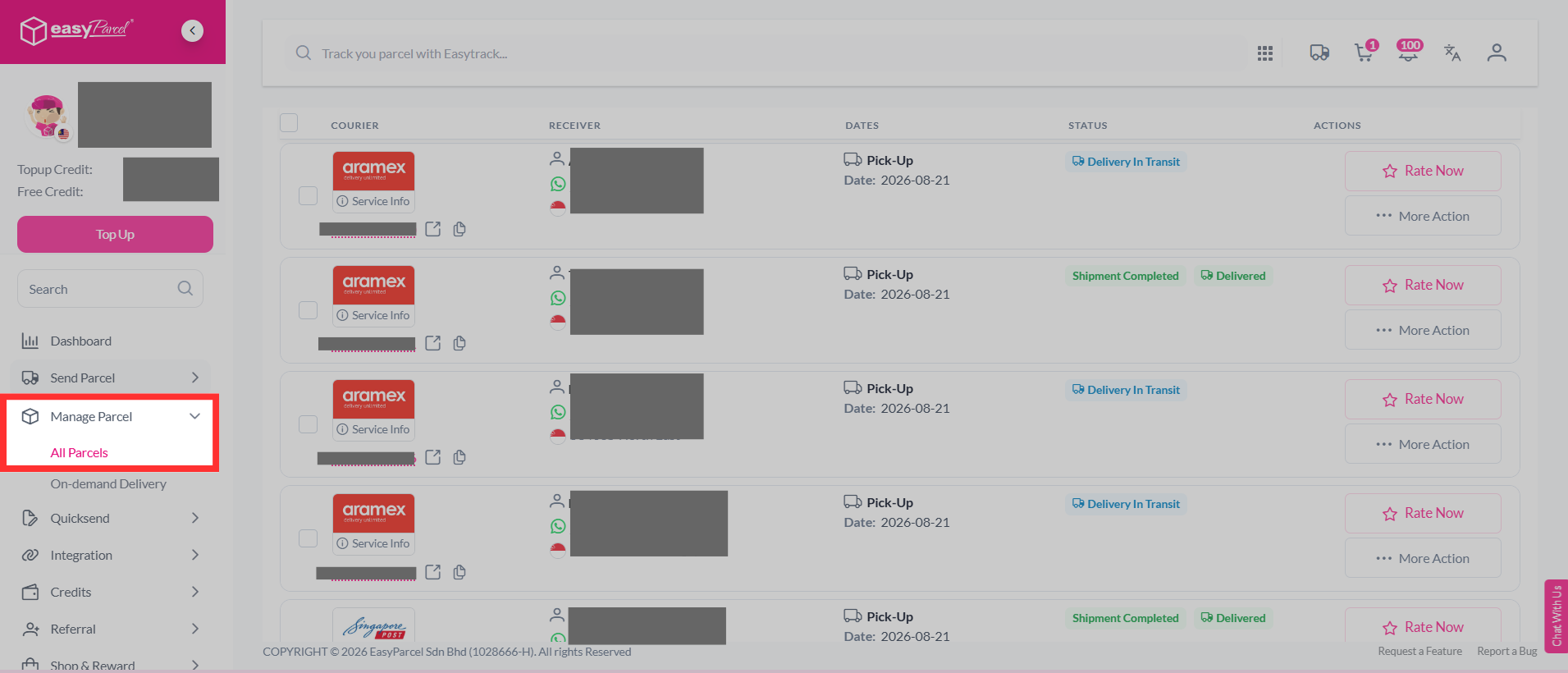
Step 1: Log in to your account, head over to "Manage Parcel", then click on "All Parcels".
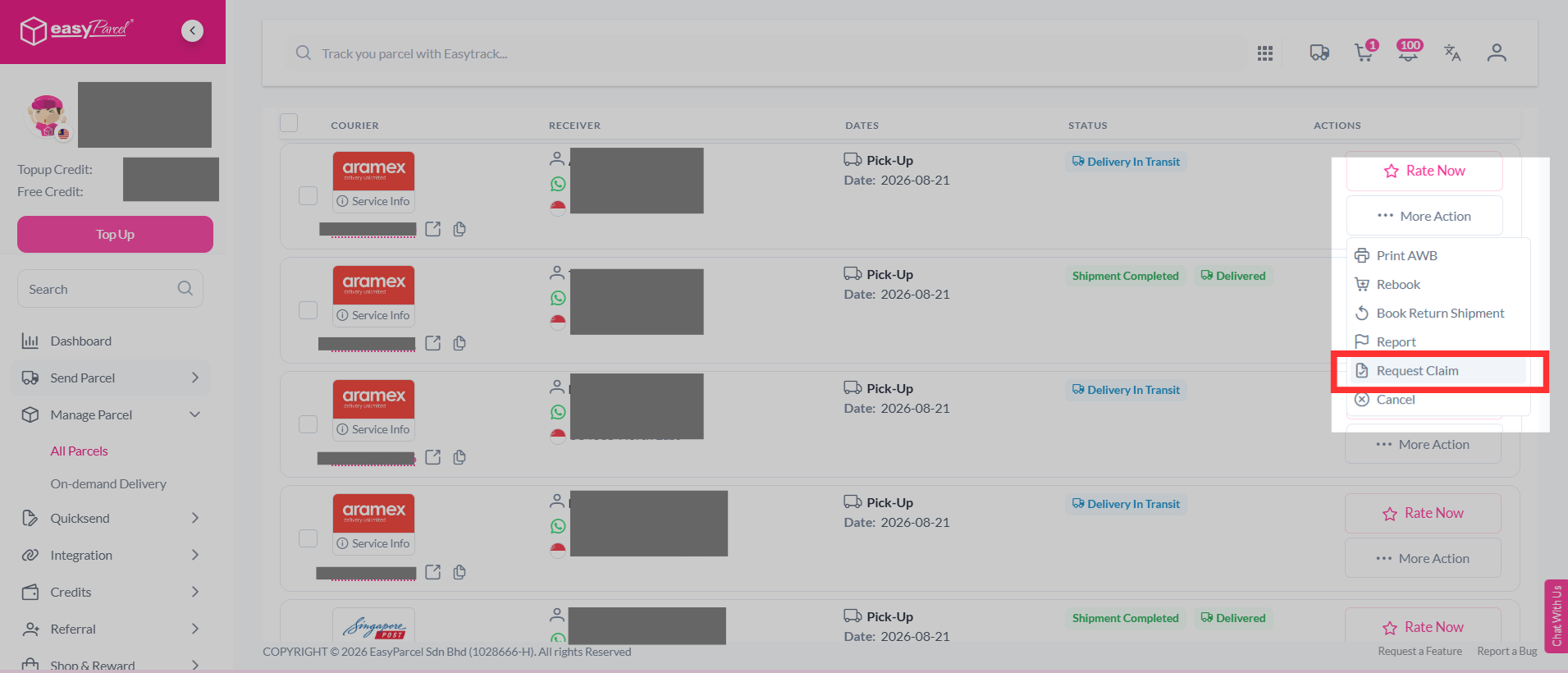
Step 2: Select the parcel you want to report, click "More Actions", and select "Request Claim".
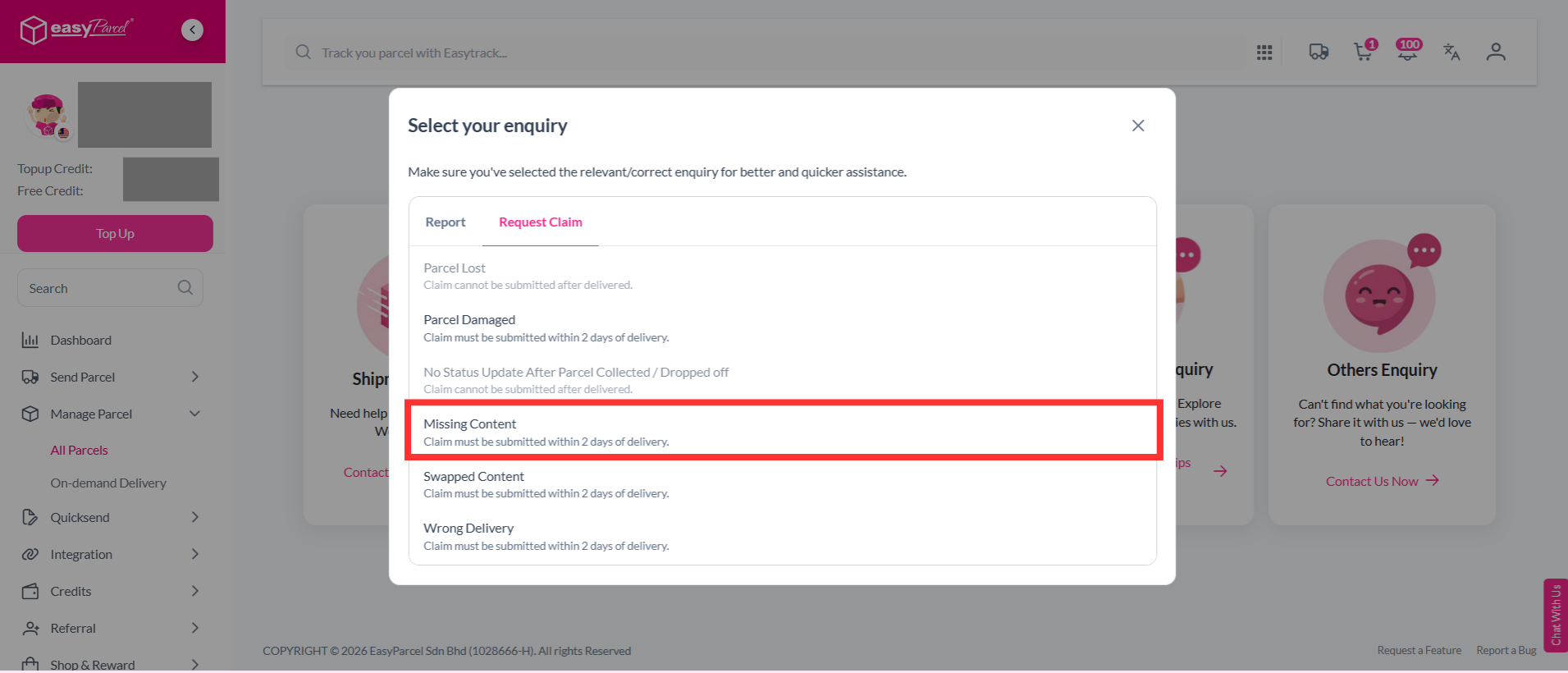
Step 3: Select the "Missing Content".
Note: Claim must be submitted within 2 days of delivery.
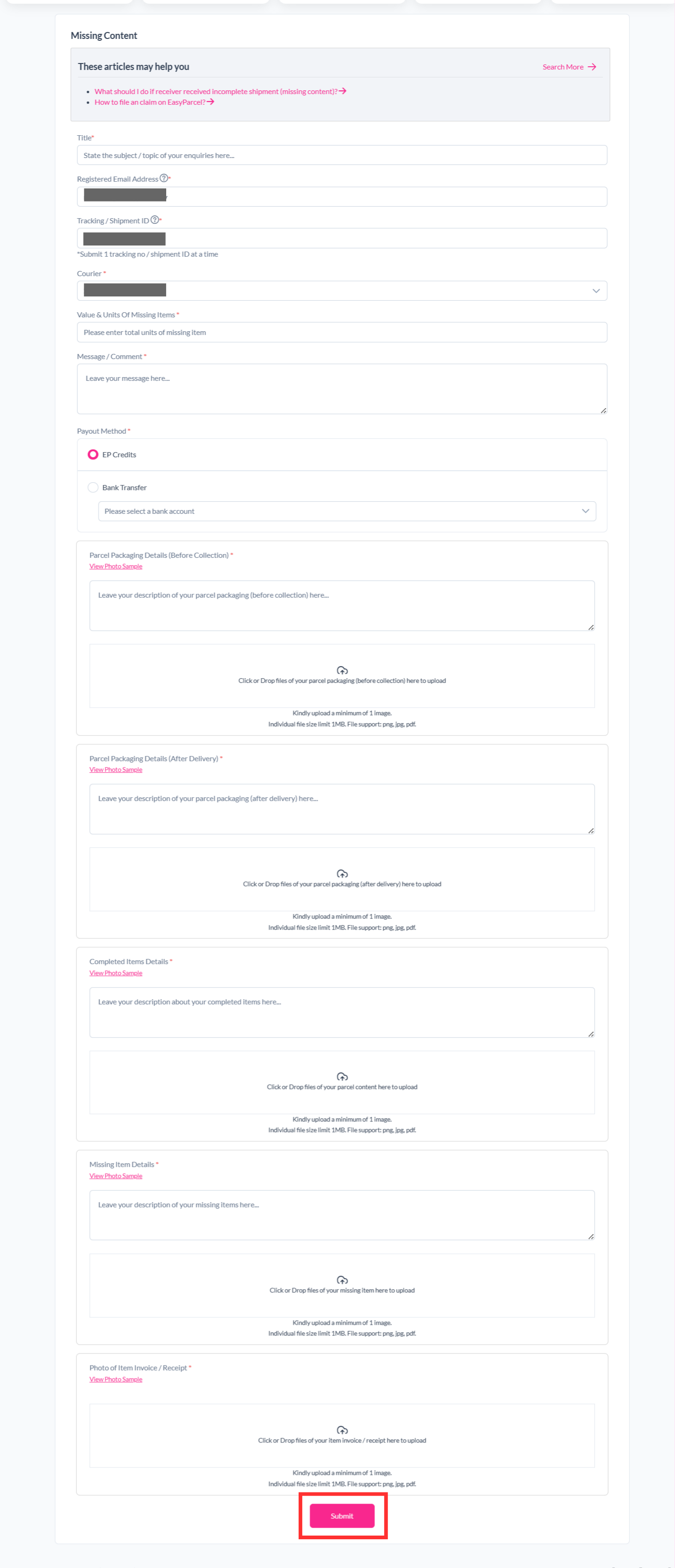
Step 4: Fill in the details required and click "Submit".
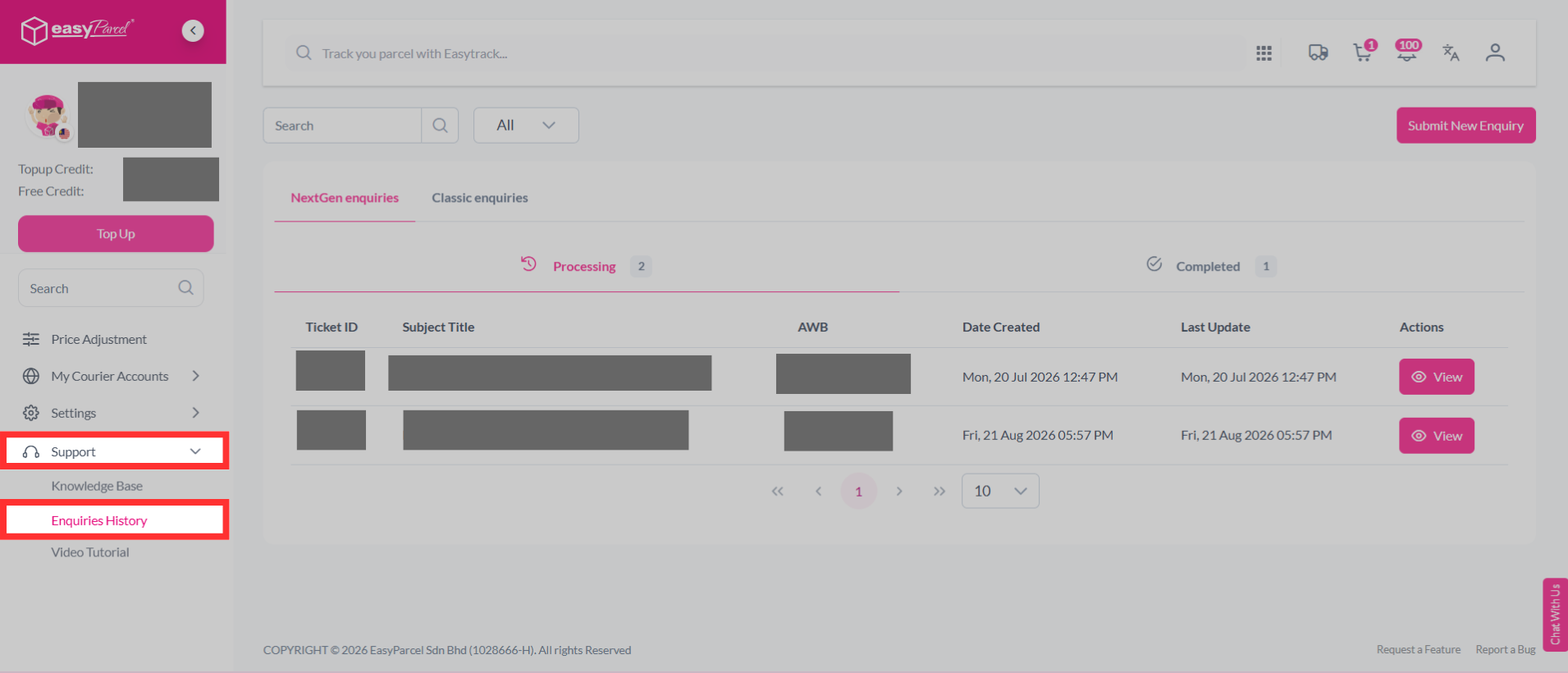
Step 5: Your report has been submitted to our support team and you can track the parcel report status by clicking on "Support" > "Enquiries History".
Solution 2
Step 1: Visit our Contact Us website at https://app.easyparcel.com/my/en/contact-us/
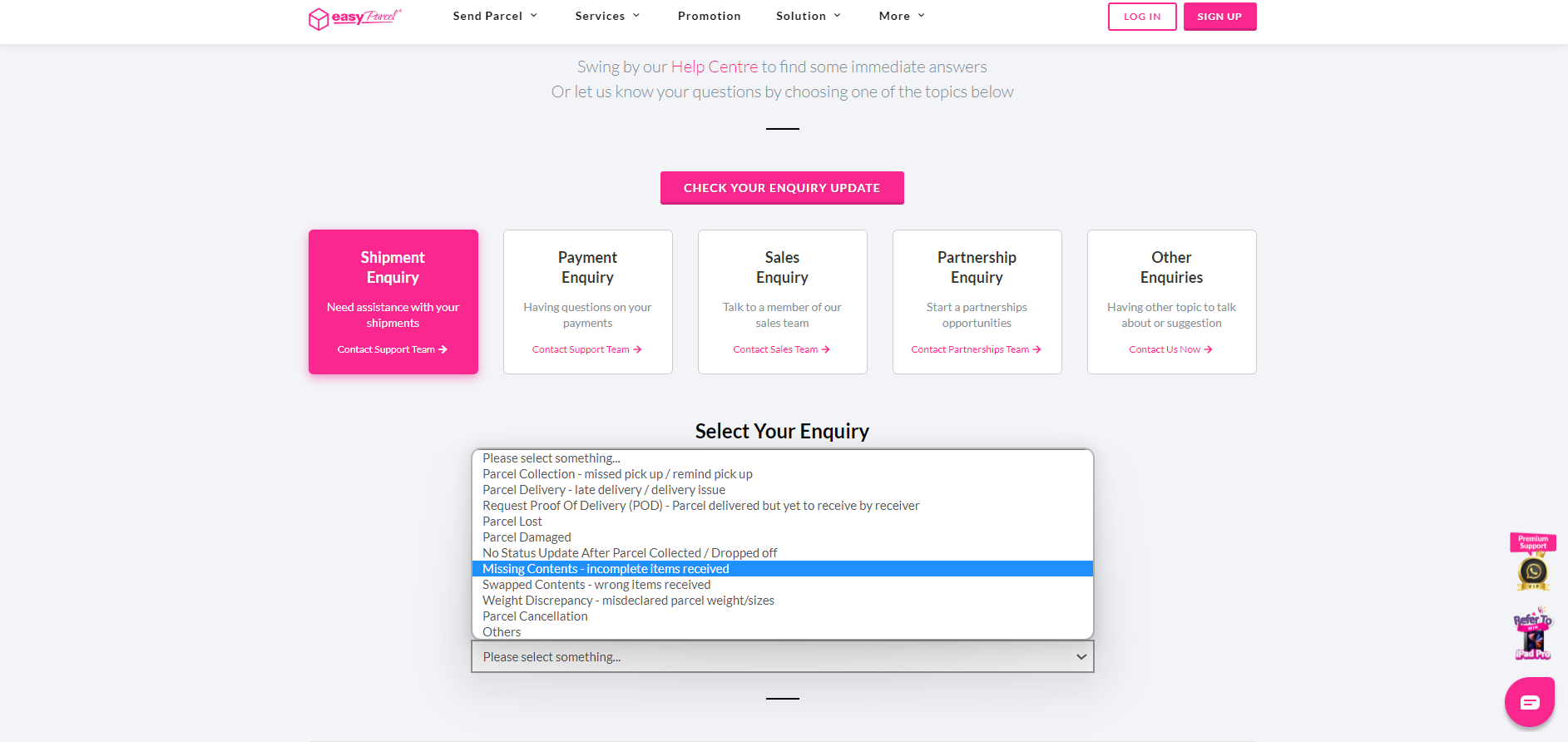
Step 2: After entering the website, click on "Shipment Enquiry".

Step 3: Next, select whether your parcel is a domestic or international shipment.

Step 4: A list of options will appear prior to selecting your inquiry type. From there, select "Missing Contents - incomplete items received".
Step 5: Fill up the necessary details required in the section below. Once submitted, our customer support team will approach you accordingly via your ticket ID where it can be found in your email.
